Nulled WordPress Plugins & Themes: The Security Risks Behind “Free” Premium Tools
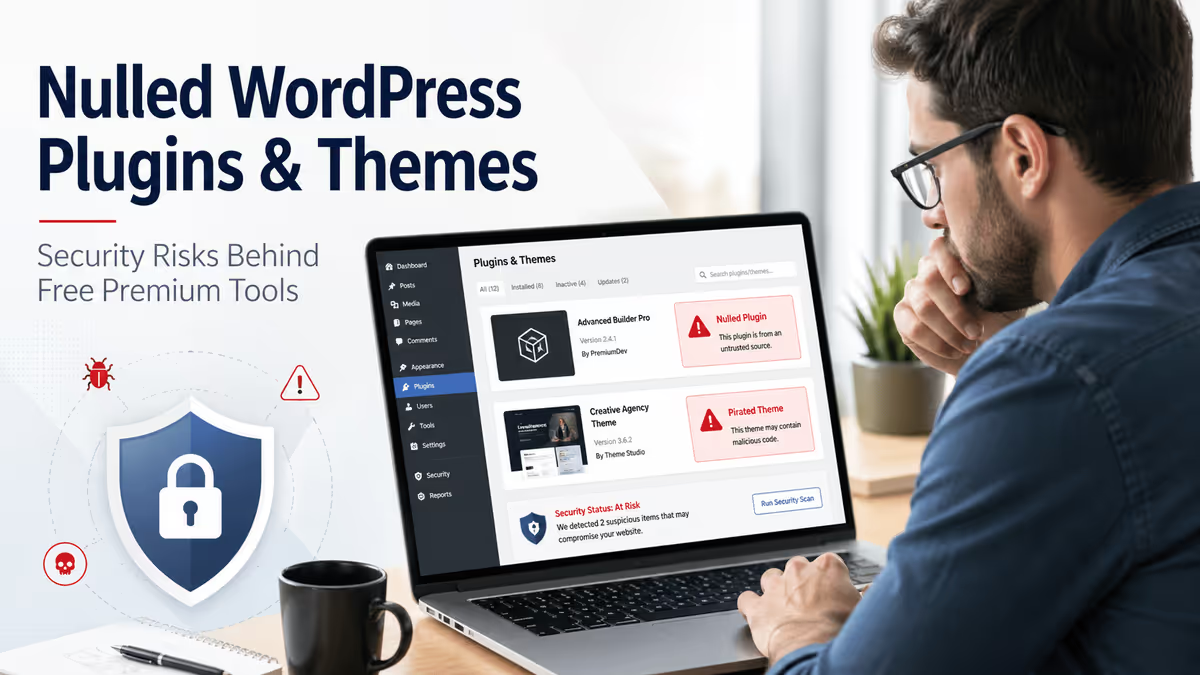
A nulled WordPress plugin or theme may look like a free shortcut. You get premium features without paying for the license. But from a security point of view, it is one of the fastest ways to lose control of your website.
Nulled or pirated WordPress plugins and themes are modified copies of premium software. Someone removes the license check, changes the code, and redistributes it through an unofficial website, forum, Telegram group, “GPL club,” or file-sharing site.
The problem is simple: once a third party modifies the code, you no longer know what you are installing.
After fixing thousands of hacked WordPress sites, I have seen nulled software lead to hidden admin users, fake plugins, SEO spam, malicious redirects, database injections, stolen customer data, and reinfections that come back after a normal cleanup.
This guide explains the real security risks of nulled WordPress plugins and themes, how they infect websites, how to spot warning signs, and what to do if you already installed one.
Quick Answer: Are Nulled WordPress Plugins and Themes Safe?
No. Nulled WordPress plugins and themes are not safe.
They are usually modified versions of paid software, and the same modification that removes the license check can also add malware, backdoors, hidden links, data-stealing code, or remote command access.
The biggest risks are:
- hidden malware
- backdoors
- hidden administrator users
- SEO spam
- malicious redirects
- stolen customer data
- no security updates
- no developer support
- broken compatibility after WordPress/PHP updates
- Google security warnings
- reinfection after partial cleanup
Jetpack’s guide warns that suspicious signs include premium bundles sold cheaply, download sites using words like “nulled” or “null,” missing license keys, and unofficial sources. It also recommends treating a site with a nulled plugin or theme as potentially hacked.
What Are Nulled WordPress Plugins and Themes?
Nulled WordPress plugins and themes are pirated copies of paid WordPress products that have been modified so they can be used without a valid license key.
A legitimate premium plugin normally includes:
- license validation
- automatic updates
- developer support
- security patches
- compatibility fixes
- access to official downloads
A nulled version often removes or breaks these systems.
Beaver Builder explains that nulled plugins/themes are copied and modified to work without a valid license, often removing license verification, automatic updates, security patches, and support access.
That means even if the nulled plugin appears to work today, it may already be unsafe, outdated, modified, or impossible to update correctly.
Nulled vs Free vs GPL: What Is the Difference?
Many people get confused here.
A free WordPress plugin is released by the original developer for free. It may be available in the official WordPress plugin directory or directly from the developer.
A premium WordPress plugin is paid software from the original developer or marketplace.
A GPL-distributed plugin may be shared under open-source licensing terms, but that does not automatically mean every download source is safe.
A nulled plugin is usually a premium plugin modified by a third party to bypass license checks. That modification is the danger.
| Type | Safe? | Why |
|---|---|---|
| Official free plugin | Usually yes | Comes from the original developer or WordPress.org |
| Official premium plugin | Usually yes | Includes license, updates, support, and trusted source |
| GPL redistribution | Depends | Legal and safety details depend on source, assets, updates, and whether code was modified |
| Nulled plugin/theme | No | Code may be modified, malware may be added, updates/support are missing |
Jetpack notes that the legal question can be complicated because many WordPress products use GPL, but safety is the bigger issue: nulled files may include code changes you did not approve.
This article is not legal advice. From a security perspective, the safest rule is simple:
Only install plugins and themes from WordPress.org, the original developer, or a trusted marketplace where you can verify the source and receive updates.
Why Nulled WordPress Plugins and Themes Are So Dangerous
A normal plugin or theme already has deep access to your site.
It can often access:
- WordPress files
- database content
- user accounts
- WooCommerce orders
- form submissions
- customer information
- admin dashboard actions
- API requests
- theme output
- JavaScript loaded for visitors
So when you install a nulled plugin, you are not just installing “free software.” You may be giving a stranger executable access to your website.
WordPress.org plugin guidelines prohibit plugins from secretly tracking users without consent, sending executable code through third-party systems in unsafe ways, manipulating search results, using server resources without permission, or doing dishonest things like taking another developer’s plugin and presenting it as original work.
Nulled software often ignores those boundaries completely.
The Real Attack Chain: What Happens After You Install a Nulled Plugin
Here is the common pattern I see in hacked WordPress sites:
- Site owner downloads a “free premium” plugin or theme.
- The plugin appears to work normally.
- Hidden code runs during activation or on the next page load.
- Malware copies itself into another location.
- A hidden admin user or backdoor is created.
- The original nulled plugin may no longer look suspicious.
- SEO spam, redirects, popups, or injected JavaScript begin later.
- The owner deletes the plugin but the infection remains.
- The site gets reinfected after cleanup because the backdoor was missed.
This is why simply deleting the nulled theme or plugin is not always enough.
Patchstack’s WP-VCD malware analysis shows exactly this kind of behavior. It found infected plugins and themes from nulled download sites, with suspicious files such as class.plugin-modules.php, class.theme-modules.php, wp-vcd.php, and wp-tmp.php. Patchstack also warns not to download plugins/themes from nulled software sites and recommends using WordPress.org, the WordPress backend, or legitimate premium sources.
1. Nulled Plugins Can Contain Backdoors
A backdoor is hidden access that lets an attacker return later.
Backdoors may allow attackers to:
- upload files
- execute PHP code
- create admin users
- change site content
- inject JavaScript
- steal database data
- modify
.htaccess - redirect visitors
- reinstall malware after cleanup
This is why nulled software is so dangerous: the attacker does not always need to “hack” your site later. You may install their access for them.
Wordfence reported a 2025 nulled-plugin malware campaign where tampered premium plugins did not only infect sites, but also helped attackers bypass existing defenses and maintain persistent access.
2. Nulled Themes Can Create Hidden Admin Users
One of the most serious outcomes is a hidden administrator account.
The attacker may create an admin user that:
- does not appear normally in the dashboard
- uses a random username
- uses an email you do not recognize
- is hidden by injected code
- is recreated if deleted
- is used later to install more malware
This is not theory. Your own existing content already explains how malware can create hidden admin users in WordPress and hide them from normal dashboard views.
A normal site owner may check Users → All Users, see nothing suspicious, and assume everything is fine. But if malware is manipulating the admin screen, the database may tell a different story.
Check administrators with WP-CLI:
wp user list --role=administrator --fields=ID,user_login,user_email,user_registeredOr inspect the wp_users and wp_usermeta tables directly.

3. Nulled Software Can Hide Malware in mu-plugins
The mu-plugins folder is a common place for persistent malware.
mu-plugins means “must-use plugins.” Files in this folder load automatically and do not behave like normal plugins.
BleepingComputer reported that attackers abuse WordPress mu-plugins because they automatically execute on page load and do not appear in the standard Plugins screen unless the “Must-Use” filter is checked. The reported payloads included redirect malware, a webshell backdoor, and JavaScript injection.
Check this folder:
/wp-content/mu-plugins/Look for files you did not create, such as:
index.php
redirect.php
custom-js-loader.php
wp-core.php
class-wp-cache.php
admin-check.php
Not every mu-plugin is malicious. Some hosts and developers use them legitimately. But if you installed a nulled plugin or theme, this folder should be inspected carefully.

4. Nulled Plugins Can Inject SEO Spam
SEO spam is one of the most common results of nulled WordPress infections.
Attackers use your site’s authority to promote:
- casino pages
- pharma spam
- fake product pages
- Japanese keyword spam
- gambling pages
- adult links
- counterfeit products
- spam backlinks
Google’s spam policies warn that hacked sites may include content injection, hidden links, hidden text, cloaking, and malicious redirects. Google also says sites violating spam policies may rank lower or not appear in results at all.
That means a $0 nulled plugin can turn into:
- thousands of indexed spam URLs
- lost rankings
- Google Search Console warnings
- “This site may be hacked” labels
- blacklist warnings
- lost trust from customers
- months of cleanup and reindexing work
If that is already happening, see my guide on hidden links malware / SEO spam.
5. Nulled Themes Can Trigger Japanese Keyword Hack Symptoms
The Japanese keyword hack is a common SEO spam infection where hackers generate large numbers of spam pages with Japanese text, fake product listings, and affiliate links.
Google’s web.dev guide says the Japanese keyword hack creates auto-generated Japanese text pages in random directories, often monetized through affiliate links to fake brand merchandise. It also warns that hackers may add themselves as Search Console owners to manipulate settings and increase profit.
If you see these signs after using a nulled plugin or theme, do not treat it as only an SEO problem. Treat it as a security breach.
Signs include:
- Japanese text in Google results
- random spam URLs indexed under your domain
- unknown sitemap files
- unknown Search Console owner
- hidden pages that return different content to Googlebot
- spam pages that show 404 to you but still appear to Google
For that scenario, also read my guide on the Japanese keyword hack in WordPress.

6. Nulled Plugins Can Steal Customer Data
This is especially dangerous for WooCommerce, membership, LMS, booking, donation, and subscription sites.
A malicious plugin can steal:
- admin usernames
- password hashes
- customer names
- emails
- phone numbers
- addresses
- form submissions
- order details
- API keys
- payment-related metadata
- session data
WPBeginner warns that nulled plugins/themes may include hidden code that steals information from WordPress sites, and customer information can be at risk on online stores and membership websites.
For WooCommerce sites, this is not only a technical issue. It can become a trust, compliance, payment, and reputation issue.
7. Nulled Software Does Not Receive Real Security Updates
This is one of the biggest long-term risks.
Premium plugin and theme developers release updates for:
- security patches
- bug fixes
- WordPress compatibility
- PHP compatibility
- WooCommerce compatibility
- browser changes
- API changes
- performance improvements
A nulled copy usually cannot receive official updates because it does not have a valid license.
WPBeginner explains that nulled products cannot receive updates because they lack a valid license key, leaving sites with outdated, buggy, insecure versions that may become incompatible with WordPress updates.
This matters even more because WordPress plugin/theme vulnerabilities are a major attack surface. Patchstack’s 2026 WordPress security report found 11,334 new vulnerabilities in the WordPress ecosystem in 2025, with 91% found in plugins and 9% in themes.
If your nulled plugin is stuck on an old version, you may never receive the patch that prevents a known exploit.
8. Premium Components Are Not Automatically Safer
Some site owners think:
“This is a premium plugin, so even if it is nulled, the code must be high quality.”
That is a dangerous assumption.
Premium plugins and themes can also have vulnerabilities. The difference is that a legitimate license gives you updates and support when vulnerabilities are fixed.
Patchstack’s 2026 report found that premium and freemium components made up 29% of valid vulnerability reports in its dataset, and 76% of vulnerabilities found in premium components were exploitable in real-life attacks. It also reported that premium components had three times more known exploited vulnerabilities than free components in the analyzed data.
So the issue is not “premium vs free.” The issue is trusted source + updates + support + integrity.
9. Nulled Plugins Can Break Your Website Later
Nulled software often works at first.
Then something changes:
- WordPress updates
- PHP updates
- WooCommerce updates
- theme updates
- builder updates
- payment gateway changes
- hosting security rules change
- database structure changes
Suddenly the nulled plugin breaks the site.
Common symptoms:
- white screen of death
- checkout errors
- admin dashboard errors
- fatal PHP errors
- broken layouts
- missing shortcodes
- plugin conflicts
- failed AJAX requests
- broken REST API requests
And because you are not using a legitimate license, you cannot open a real support ticket with the developer.
10. A Malware Scanner May Not Prove a Nulled Plugin Is Safe
Many users think:
“I scanned the ZIP file and it looked clean, so it must be safe.”
That is not reliable.
Malware can be:
- obfuscated
- encrypted
- split across multiple files
- loaded remotely
- activated only after installation
- triggered by time delay
- triggered by specific user agent
- hidden in the database
- hidden in
mu-plugins - hidden in cron jobs
- injected into legitimate files
Google’s hacked-site guidance warns that scanners cannot guarantee they will identify every type of problematic content.
Patchstack’s 2026 report also explains that modern malware uses cloaking, selective payload delivery, and reinfection techniques, making traditional detection and cleanup harder.
So a “clean scan” does not mean a nulled plugin is safe.
How to Tell If a WordPress Plugin or Theme Might Be Nulled
Use this checklist.
Warning Signs
| Sign | Why it matters |
|---|---|
| Premium plugin offered for free | Usually unauthorized |
| $500 bundle sold for $5 | Often nulled or unsafe redistribution |
| No license key required | Official premium products usually require one |
| Download site uses “nulled,” “cracked,” “null,” or “GPL club” language | Common source of modified files |
| Unknown uploader | No accountability |
| No official developer account | Cannot verify source |
| No automatic updates | Security patches will be missed |
| ZIP file has extra suspicious files | May include loader/backdoor |
| Plugin asks you to disable security plugin | Major red flag |
| Plugin creates unknown admin user | Treat as compromise |
| Plugin loads code from strange domains | Possible remote payload |
| Theme/plugin contains obfuscated PHP | Needs expert review |
Jetpack gives similar warning signs, including suspicious bundles, deep discounts, nulled/null domains, spammy download pages, and missing license keys.
Technical Warning Signs in Files
If you are checking a suspicious plugin/theme, look for patterns like:
eval(
base64_decode(
gzinflate(
str_rot13(
shell_exec(
passthru(
assert(
preg_replace('/.*/e'
Also check for suspicious functions and behavior:
file_put_contents
wp_create_user
wp_insert_user
wp_update_user
curl_exec
fsockopen
copy(
chmod(
include_once
require_once
These functions are not automatically malicious. Many legitimate plugins use them. But in a nulled plugin, suspicious combinations matter.
Also search for known WP-VCD style indicators:
wp-vcd.php
wp-tmp.php
class.plugin-modules.php
class.theme-modules.php
WP_V_CD
WP_URL_CD
theme_temp_setup
install_hash
install_code
Patchstack’s WP-VCD analysis lists these exact types of indicators in infected plugin/theme samples.
What to Do If You Already Installed a Nulled Plugin or Theme
Do not panic, but do not ignore it.
Treat the site as potentially compromised.
Step 1: Take a Full Backup First
Before deleting anything, take a full backup of:
- files
- database
.htaccesswp-config.php- uploads
- plugins
- themes
- server logs if available
This backup is not for restoring blindly. It is for forensic review in case you need to inspect what happened.
Step 2: Remove the Nulled Plugin or Theme
Delete the nulled plugin/theme from WordPress and from the server.
But remember: deleting the original ZIP or plugin folder may not remove the infection.
Malware may already have copied itself elsewhere.
Step 3: Replace With a Clean Official Copy
If you actually need that plugin/theme, buy it from the original developer or marketplace and install a clean copy.
Do not overwrite randomly without checking. If the nulled version changed database structures or added malicious options, the issue may remain.
Step 4: Check Admin Users
Go to:
Users → All Users
Then verify from database or WP-CLI.
wp user list --role=administrator --fields=ID,user_login,user_email,user_registeredRemove unknown admin users only after you understand how they were created. If malware created the user, deleting the user without removing the backdoor may not help.
Related: hidden admin users in WordPress.
Step 5: Check mu-plugins
Inspect:
/wp-content/mu-plugins/If you do not normally use must-use plugins and suddenly find PHP files there, investigate them.
Remember: malware in mu-plugins may not appear in the normal plugin list.
Step 6: Check Recently Modified Files
Use SSH:
find . -type f -mtime -14 -name "*.php" -printLook for recently modified PHP files in:
/wp-content/plugins/
/wp-content/themes/
/wp-content/mu-plugins/
/wp-content/uploads/
/wp-includes/
/wp-admin/
Files inside uploads are especially suspicious if they are PHP files.
Step 7: Check .htaccess
Attackers often use .htaccess for redirects, spam pages, fake Google verification files, and cloaking.
Google’s Japanese keyword hack guide specifically recommends checking .htaccess because hackers often use it for redirects or dynamically generated verification tokens.
Check every .htaccess file, not only the root one.
find . -name ".htaccess" -printStep 8: Check the Database
Nulled plugin malware may inject code into:
wp_optionswp_postswp_postmetawp_userswp_usermeta- widgets
- theme mods
- plugin settings
- transients
- cron options
Search for suspicious strings:
SELECT option_name, option_value
FROM wp_options
WHERE option_value LIKE '%base64%'
   OR option_value LIKE '%eval(%'
   OR option_value LIKE '%gzinflate%'
   OR option_value LIKE '%<script%';
If you need help there, see my guide on how to scan and clean your WordPress database for hidden malware.
Step 9: Rotate Passwords and Keys
Change:
- WordPress admin passwords
- hosting password
- cPanel/Plesk password
- SFTP/FTP password
- database password
- Cloudflare password
- email password connected to admin accounts
- API keys
- payment gateway keys if needed
Also rotate WordPress salts:
wp config shuffle-saltsThis logs out all active sessions.
Step 10: Run a Security Scan, Then Manually Verify
Use security tools, but do not rely on only one scan.
Useful options:
- Wordfence
- Sucuri SiteCheck
- Patchstack
- hosting malware scanner
- server-side scanning
- manual file comparison
- database inspection
- log analysis
Google warns that scanners cannot guarantee they will identify every type of problematic content.
For serious infections, manual verification matters.
What If the Client Says “It Was Working Fine”?
This happens often.
A nulled plugin can work visually while still being malicious.
Malware does not always break the website immediately. It may wait, hide, or activate only for certain visitors.
It may show clean content to:
- logged-in admins
- desktop visitors
- direct visitors
- security scanners
- users from your country
And malicious content to:
- Googlebot
- mobile users
- first-time visitors
- visitors from search results
- visitors from certain countries
Google’s spam policies mention that hacked sites may use cloaking and redirects, including showing one thing to search engines and another to users, or redirecting users depending on referrer, user agent, or device.
So “I don’t see anything wrong” does not prove the site is clean.
Nulled Plugins and SEO: How Rankings Get Destroyed
Nulled plugins/themes can damage SEO in several ways.
Hidden Links
Attackers inject spam links into legitimate pages.
Doorway Pages
Thousands of spam pages are created under your domain.
Cloaking
Google sees spam; you see normal content.
Redirects
Visitors from search results are redirected to spam, fake updates, fake CAPTCHA pages, or scams.
Blacklist Warnings
Google may show security warnings if malware or unwanted software is detected.
Google Search Console’s Security Issues report includes hacked content, malware/unwanted software, and social engineering. Google says hacked content is placed on your site without permission because of security vulnerabilities, and that Google tries to keep hacked content out of search results.
If your site gets hit with SEO spam, cleanup may involve:
- removing malware
- removing injected pages
- fixing sitemaps
- fixing
.htaccess - submitting reconsideration or security review
- returning 410 for spam URLs where appropriate
- monitoring Search Console
- waiting for recrawling
If you are already in that stage, see my Google blacklist removal service.
Why “GPL Club” Does Not Always Mean Safe
Some websites advertise cheap access to premium WordPress products by using GPL language.
The security question is not only:
“Is this legal?”
The better question is:
“Can I verify this exact ZIP came from the original developer and has not been modified?”
Ask:
- Who uploaded this file?
- Is it the original developer?
- Does it include official updates?
- Does it include a valid license?
- Can I verify file integrity?
- Is there support?
- Has anyone modified license checks?
- Does it load code from unknown domains?
- Does it include strange extra files?
- Will it receive security patches quickly?
If the answer is unclear, do not install it on a real website.
Safer Alternatives to Nulled WordPress Plugins and Themes
If budget is the reason, there are safer options.
| Need | Safer alternative |
|---|---|
| Premium form plugin | Use free versions from WordPress.org |
| Page builder | Use Gutenberg, Elementor free, Beaver Builder Lite, Kadence Blocks, Spectra |
| SEO plugin | Use free Rank Math, Yoast, or SEOPress versions |
| Security plugin | Use Wordfence Free, Solid Security free, AIOS, Patchstack free |
| Backup plugin | Use UpdraftPlus free, Duplicator Lite, hosting backups |
| Premium theme | Use official free themes like Astra, GeneratePress, Kadence, Blocksy |
| WooCommerce features | Use official WooCommerce extensions or trusted free alternatives |
| Testing premium plugin | Use official demo, refund policy, staging trial, or developer pre-sales support |
The official WordPress.org plugin and theme directories are the safest starting points for free tools. Jetpack also recommends using WordPress.org directories for free plugins/themes and buying paid tools from the author’s site or a reputable marketplace.
My Practical Rule After 4,500+ Hacked Site Cleanups
Do not install code from a source you would not trust with your admin password.
That is the easiest way to think about nulled WordPress plugins and themes.
A plugin can run PHP. A theme can run PHP. Either one can access the database, modify output, create users, inject scripts, and phone home.
So if the download source is anonymous, pirated, suspicious, or too cheap to be real, it does not belong on your business website.
Cleanup Checklist for Nulled Plugin or Theme Infections
Use this checklist after finding a nulled plugin/theme:
- [ ] Take a full file and database backup.
- [ ] Remove the nulled plugin/theme.
- [ ] Replace it with an official clean copy if needed.
- [ ] Check all admin users.
- [ ] Check hidden admin users from database/WP-CLI.
- [ ] Inspect
wp-content/mu-plugins/. - [ ] Search recently modified PHP files.
- [ ] Check uploads for PHP files.
- [ ] Inspect
.htaccessfiles. - [ ] Search the database for injected scripts.
- [ ] Check cron jobs.
- [ ] Review
wp-config.php. - [ ] Reinstall WordPress core files.
- [ ] Reinstall plugins/themes from official sources.
- [ ] Rotate passwords.
- [ ] Rotate salts.
- [ ] Revoke unknown application passwords.
- [ ] Scan with multiple tools.
- [ ] Check Google Search Console Security Issues.
- [ ] Check indexed URLs with
site:example.com. - [ ] Submit review after cleanup if blacklisted.
- [ ] Monitor for reinfection.
When to Get Professional Help
Get help if you see:
- hidden admin users
- malware that comes back after deletion
- fake plugins
- malicious
mu-plugins - Google blacklist warnings
- Japanese keyword spam
- WooCommerce checkout malware
- unknown Search Console owners
- redirects only on mobile or from Google
- thousands of spam URLs indexed
- suspicious PHP files in uploads
- modified
.htaccessfiles across many folders
At that point, this is not just “a bad plugin.” It is a compromise that needs proper cleanup.
If you installed a nulled plugin or theme and now see redirects, spam pages, hidden admins, or blacklist warnings, I can inspect and clean the site manually. Start with my WordPress malware removal service or hire me directly.
Final Verdict: Nulled WordPress Plugins and Themes Are Not Worth It
Nulled WordPress plugins and themes are not a smart way to save money.
They can cost you:
- your rankings
- your traffic
- your customer trust
- your WooCommerce data
- your hosting account
- your domain reputation
- your time
- your business reputation
A legitimate plugin license is usually much cheaper than malware cleanup, blacklist removal, SEO recovery, and lost sales.
Use official free plugins if budget is tight. Buy premium tools from the original developer when you need premium features. Keep everything updated. And if you already installed nulled software, treat the website as potentially hacked until proven otherwise.
FAQ
Are nulled WordPress plugins safe?
No. Nulled WordPress plugins are not safe because they are modified copies of premium plugins. They may contain malware, backdoors, hidden admin creation code, SEO spam, data-stealing scripts, or remote access tools.
Are nulled WordPress themes safe?
No. Nulled WordPress themes are unsafe for the same reason as nulled plugins. A WordPress theme can run PHP code, access the database, inject JavaScript, and modify frontend output, so a modified theme can compromise the whole site.
Can a nulled plugin hack my WordPress site?
Yes. A nulled plugin can create hidden admin users, install backdoors, inject spam links, redirect visitors, steal data, or upload additional malware after activation.
What is WP-VCD malware?
WP-VCD is a WordPress malware family commonly associated with infected nulled plugins and themes. Patchstack found WP-VCD spreading through infected plugin/theme downloads and using files such as wp-vcd.php, wp-tmp.php, class.plugin-modules.php, and class.theme-modules.php.
Is a GPL plugin the same as a nulled plugin?
No. GPL and nulled are not the same thing. GPL relates to software licensing. Nulled usually means a premium product was modified by an unauthorized third party, often to remove licensing checks. The security risk comes from the modified and unverifiable code.
Can I scan a nulled plugin and make it safe?
A scan can help, but it cannot prove a nulled plugin is safe. Malware may be obfuscated, delayed, split across files, hidden in the database, or loaded remotely. Google also warns that scanners cannot guarantee detection of every problematic file.
What should I do if I installed a nulled WordPress plugin?
Back up the site, remove the nulled plugin, replace it with a clean official copy, check admin users, inspect mu-plugins, scan files and database, rotate passwords and salts, check Google Search Console, and monitor for reinfection.
Can nulled plugins hurt SEO?
Yes. Nulled plugins can inject hidden links, create spam pages, cloak content, and redirect visitors. Google’s spam policies say hacked content injection, hidden links, cloaking, and sneaky redirects can lead to ranking loss or removal from search.
Why do hackers distribute nulled plugins for free?
Hackers distribute nulled plugins because it gets site owners to install malware voluntarily. Once installed, the attacker can monetize your site through SEO spam, redirects, stolen data, malvertising, backdoors, or resale of access.
Is it okay to use nulled plugins on a staging site?
No. A staging site can still infect the same hosting account, shared database, local computer, or connected production environment. Never run untrusted PHP code in an environment connected to real credentials or infrastructure.


