Starter Offer: WordPress Malware Cleanup From $89 Claim on WhatsApp →

WordPress Recovery • Fatal Error Repair

WordPress Critical Error Fix Service Fix “There Has Been a Critical Error on This Website”

If your site is down and showing “There has been a critical error on this website”, I can help repair the root cause fast. I fix plugin conflicts, theme crashes, fatal PHP errors, broken updates, no-admin-access situations, and malware-related WordPress failures.

4,500+ hacked sites cleaned

Deep WordPress repair experience across broken plugins, themes, updates, and hacked files.

No dashboard access needed

Many critical error cases are fixed from hosting, logs, file manager, or FTP.

Root-cause repair

I focus on the actual cause, not just making the error message disappear temporarily.

What does “There has been a critical error on this website” mean?

In plain English, it means WordPress hit a fatal error and could not finish loading the site correctly. Sometimes the site is fully down. Sometimes only the frontend breaks. In other cases, wp-admin also becomes inaccessible.

The most common causes are plugin conflicts, theme issues, fatal PHP errors, broken code snippets, update-related compatibility problems, server-side failures, and malware-related file corruption. This page is optimized around both the exact phrase users search for and the more natural commercial keyword WordPress critical error fix service.

Real examples of the WordPress critical error

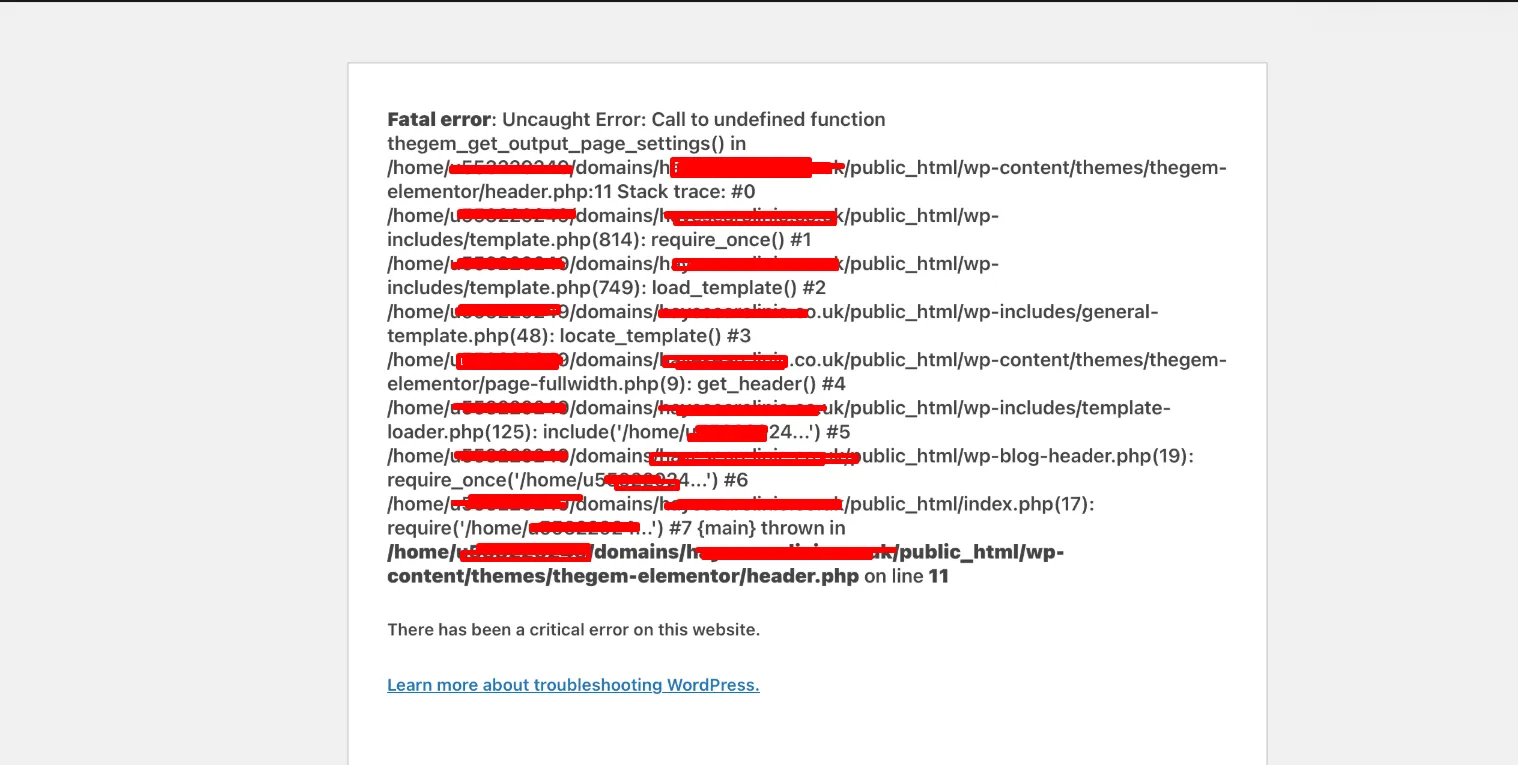
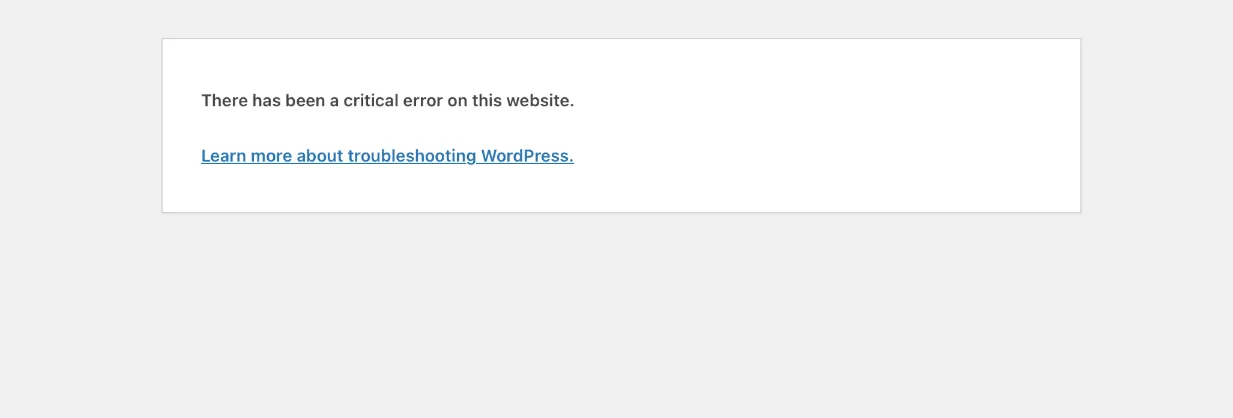
These screenshots match the exact problem many site owners search for before hiring help.

Fatal PHP / theme-related crash
WordPress fatal error screen showing there has been a critical error on this website caused by theme or PHP issue

Full fatal error output

This type of crash often points to a broken theme file, function call, plugin conflict, or PHP compatibility issue.

Generic WordPress critical error screen
WordPress screen showing there has been a critical error on this website

The exact error many users see

This is the common WordPress site-down message users search for when the website stops working.

Why your WordPress site shows a critical error

These are the most common reasons site owners need a WordPress critical error fix service.

Plugin conflicts

A bad plugin update, incompatibility, or broken code path can crash the whole site.

Theme crashes

Broken theme files, missing functions, or bad template code often trigger fatal errors.

PHP or server changes

PHP version mismatches, memory limits, missing extensions, or server configuration changes can break WordPress.

Malware or file corruption

Hacked files, fake plugins, injected PHP, and corrupted core files can also cause fatal errors.

Common causes of “There has been a critical error on this website”

Not every WordPress critical error has the same root cause. Some happen immediately after a plugin update. Others start after a theme change, a PHP version switch, a custom code snippet, a server migration, or a malware infection. That is why guessing often makes the problem worse.

In real repair work, the goal is not just to hide the error message. The goal is to understand what actually broke, restore safe access to the site, and prevent the same failure from happening again.

I focus on diagnosis first, repair second

Many site owners panic and start disabling random files or reinstalling WordPress without knowing the cause. My workflow starts with identifying whether the issue is coming from a plugin, theme, server change, PHP fatal error, custom code problem, or hacked file, then repairing it carefully.

Critical error after plugin update, theme update, or PHP version change

A large percentage of WordPress critical errors happen right after something changes. That might be a plugin update, a theme update, a WooCommerce update, a custom code edit, or a hosting-level PHP version change. In those situations, the fix is usually not random trial and error. It is controlled rollback, isolation, compatibility review, and proper repair.

I also handle no-dashboard-access cases, where the site is down and WordPress Recovery Mode is not available or the admin never received the email. Those cases usually require direct hosting-level work.

What’s included in my WordPress critical error fix service

This service is built around real site-down recovery, not generic troubleshooting tips.

Root-cause diagnosis

I identify whether the problem is a plugin, theme, PHP, server, code snippet, or malware-related failure.

Frontend & admin recovery

I restore safe access to the website and, where possible, bring both the frontend and wp-admin back online.

Plugin & theme conflict repair

I repair plugin conflicts, broken theme functions, missing dependencies, and update-related crashes.

Malware-related failure cleanup

If the critical error is caused by hacked files, fake plugins, or injected PHP, I investigate and clean that too.

Hosting-level troubleshooting

I can work from file manager, FTP, logs, and server-level access when the WordPress dashboard is unavailable.

Stability after repair

I aim for a real fix, including validation and prevention steps, not just a temporary workaround.

My WordPress critical error fix process

A good repair process is what separates a quick patch from a stable recovery.

01

Confirm the failure type

I determine whether the site is dealing with a fatal error, plugin crash, theme issue, server problem, or malware-related break.

02

Inspect logs and recent changes

I review error patterns, recent updates, theme or plugin changes, code edits, and the file structure.

03

Disable the breaking component safely

I isolate the issue without causing unnecessary extra damage to the website or its data.

04

Repair the root cause

I fix the underlying problem, whether that means code repair, rollback, compatibility fixes, or malware cleanup.

05

Restore and test the site

I verify the frontend, wp-admin, key pages, forms, and important site functions after the repair.

06

Stabilize after recovery

I recommend the right follow-up steps so the site does not break again right after coming back online.

Why site owners hire me for WordPress critical error repair

I understand site-down WordPress recovery

I work on broken WordPress sites, fatal errors, update crashes, plugin conflicts, theme failures, and malware-related outages.

I can work without wp-admin access

Many of the hardest cases happen when the dashboard is completely unavailable. I handle those from the hosting side.

I don’t guess at the problem

I focus on diagnosis, controlled repair, and proper validation instead of random troubleshooting.

I also understand malware-related breakage

If the critical error is caused by hacked files or persistence mechanisms, I can investigate that angle too.

Honest expectations

I focus on a real fix, not a temporary patch

Some sites can be brought back online quickly, but the real goal is identifying the exact failure point and fixing it correctly.

What I do promise is careful diagnosis, practical recovery, and a repair workflow designed to get your WordPress site stable again.

Frequently asked questions

What does “There has been a critical error on this website” mean?

It usually means WordPress hit a fatal error and could not continue loading normally. Common causes include plugin conflicts, theme problems, PHP compatibility issues, broken code snippets, memory problems, or hacked files.

Can you fix a WordPress critical error without dashboard access?

Yes. Many critical error cases require fixing the site from hosting, file manager, FTP, logs, or wp-content rather than from inside wp-admin.

Is this error always caused by a plugin?

No. Plugins are a common cause, but themes, custom code, PHP version changes, memory exhaustion, corrupted files, server-side issues, and even malware can also trigger it.

Can malware cause “There has been a critical error on this website”?

Yes. Hacked or modified files, fake plugins, injected PHP, broken backdoors, and corrupted code can all lead to fatal WordPress errors and site-down situations.

What if I never received the WordPress recovery email?

That is common. The site can still be diagnosed and repaired manually by checking logs, disabling the breaking component safely, reviewing recent changes, and inspecting the WordPress file structure.

How fast can you fix a WordPress critical error?

It depends on the root cause, but many cases can be diagnosed quickly. The key is identifying whether the issue comes from a plugin, theme, PHP change, server issue, or malware before making changes.

WordPress critical error recovery help

Need help fixing a WordPress site that is down?

Send me your website URL and I’ll review the issue, identify the likely cause, and help you move toward the right repair path fast.