Case study
Fake CAPTCHA Malware Removal Case Study
A real WordPress cleanup involving fake CAPTCHA behavior, malicious code, and manual malware investigation.
Read the case studyStarter Offer: WordPress Malware Cleanup From $89 — limited availability Claim on WhatsApp →
I manually remove fake Cloudflare verification, fake reCAPTCHA, “I’m not a robot” popups, obfuscated JavaScript, fake plugin loaders, redirects, and hidden reinfection paths from hacked WordPress sites.
4,500+
hacked sites fixed
Manual
file and database cleanup
Proof
real malware case studies
Real CAPTCHA and Cloudflare Turnstile tools are legitimate. Fake CAPTCHA malware is different. It imitates verification screens to hide a hacked WordPress site, redirect visitors, show scams, or push unsafe instructions.
My cleanup focuses on the full infection chain: malicious script, hidden loader, fake plugin, database injection, cache, backdoor, and the weakness that allowed the infection to happen.
Real examples
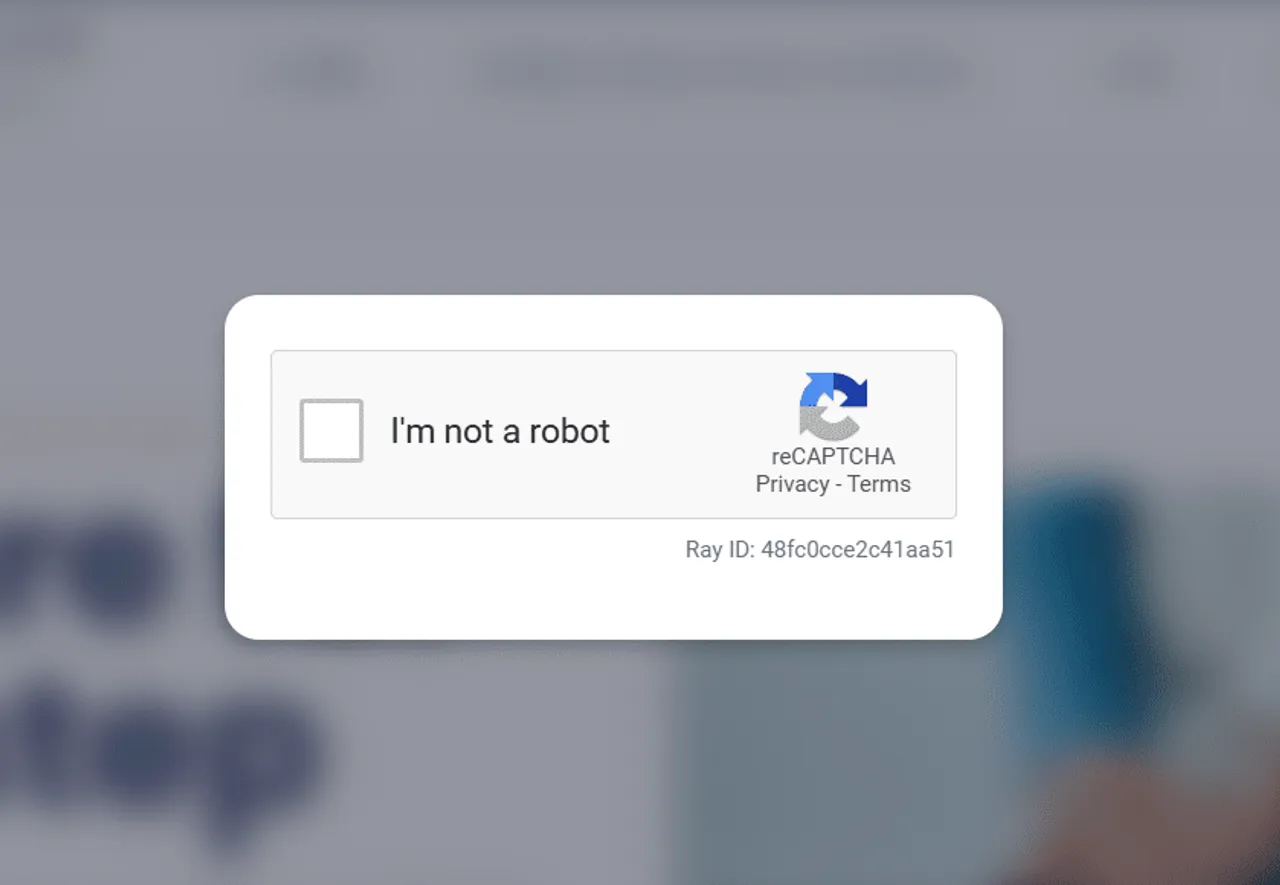
These examples show the type of fake verification screens and popups that infected WordPress sites may show to visitors.
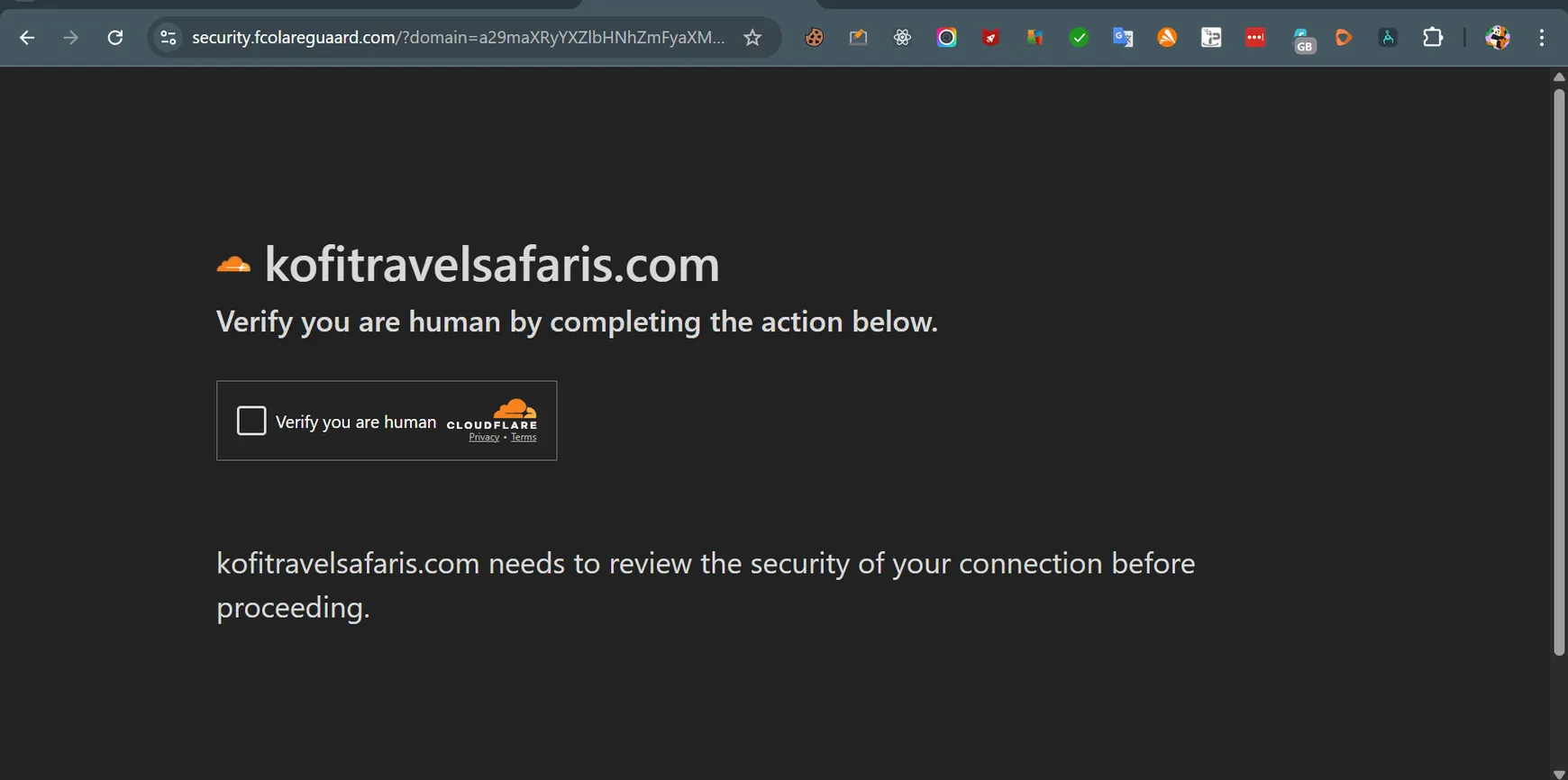
A fake “verify you are human” screen designed to look trustworthy while hiding malware behavior.
Some infections imitate CAPTCHA or reCAPTCHA prompts to confuse users and disguise malicious scripts.
These pages often appear only for public visitors, not for the site owner while logged in.
Common signs
These are the symptoms site owners usually notice before asking for fake CAPTCHA or fake Cloudflare malware removal.
Visitors see a fake Cloudflare verification or fake human-check screen that you did not install.
Your site shows fake CAPTCHA, fake reCAPTCHA, or “confirm you are not a robot” messages.
The malware appears only for mobile users, search visitors, logged-out users, or specific countries.
You find obfuscated scripts in theme files, plugin files, wp_footer output, or cached assets.
Technical evidence
The visible fake CAPTCHA is usually only the front end. The real infection often includes obfuscated JavaScript, suspicious plugin files, scanner detections, or hidden persistence.
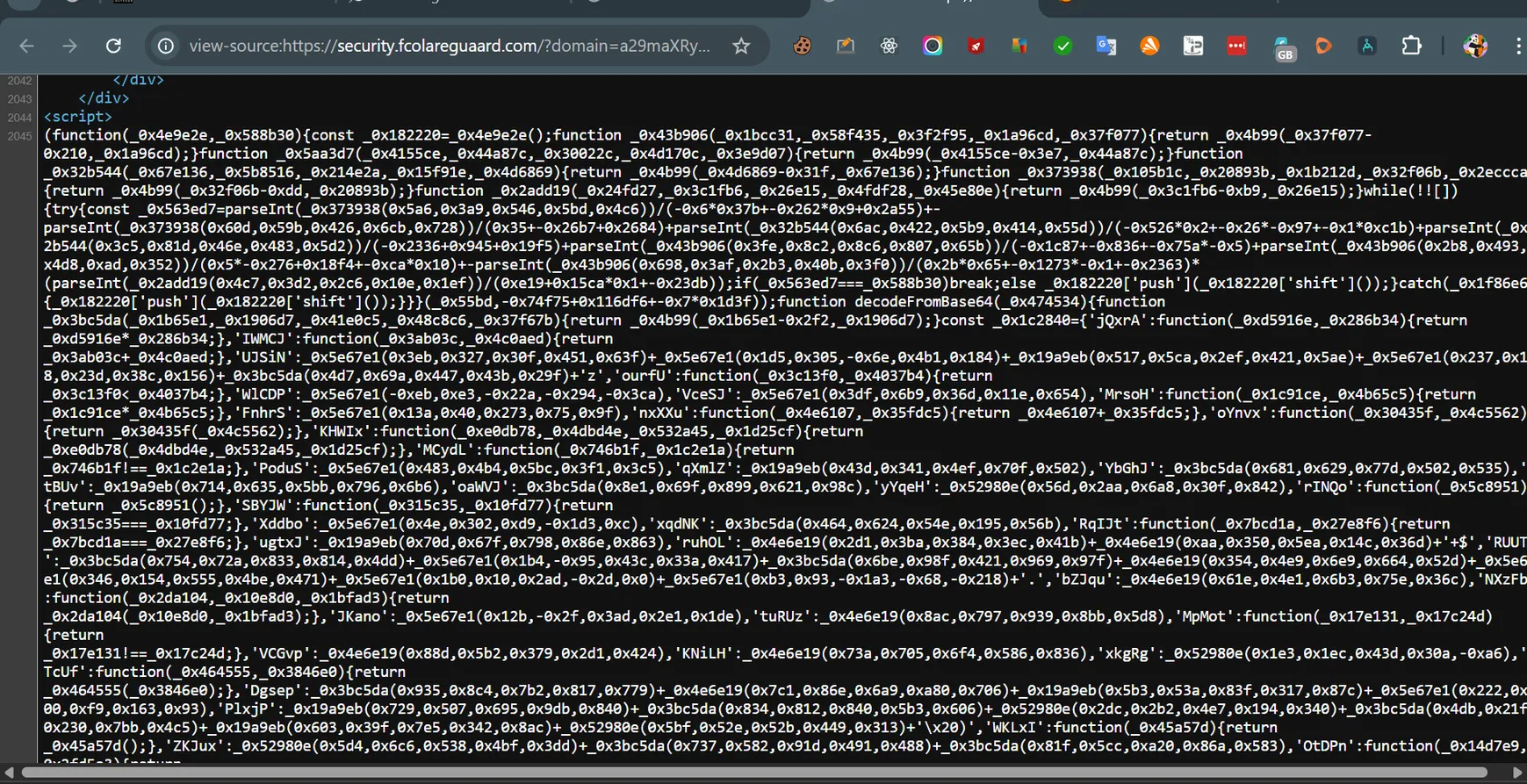
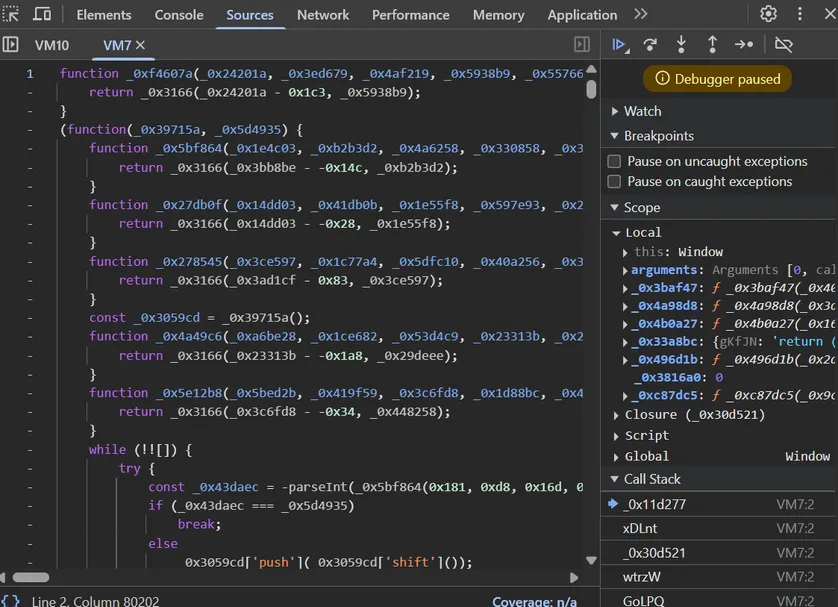
Fake CAPTCHA malware often uses heavily obfuscated JavaScript to hide redirects, loaders, or malicious actions.
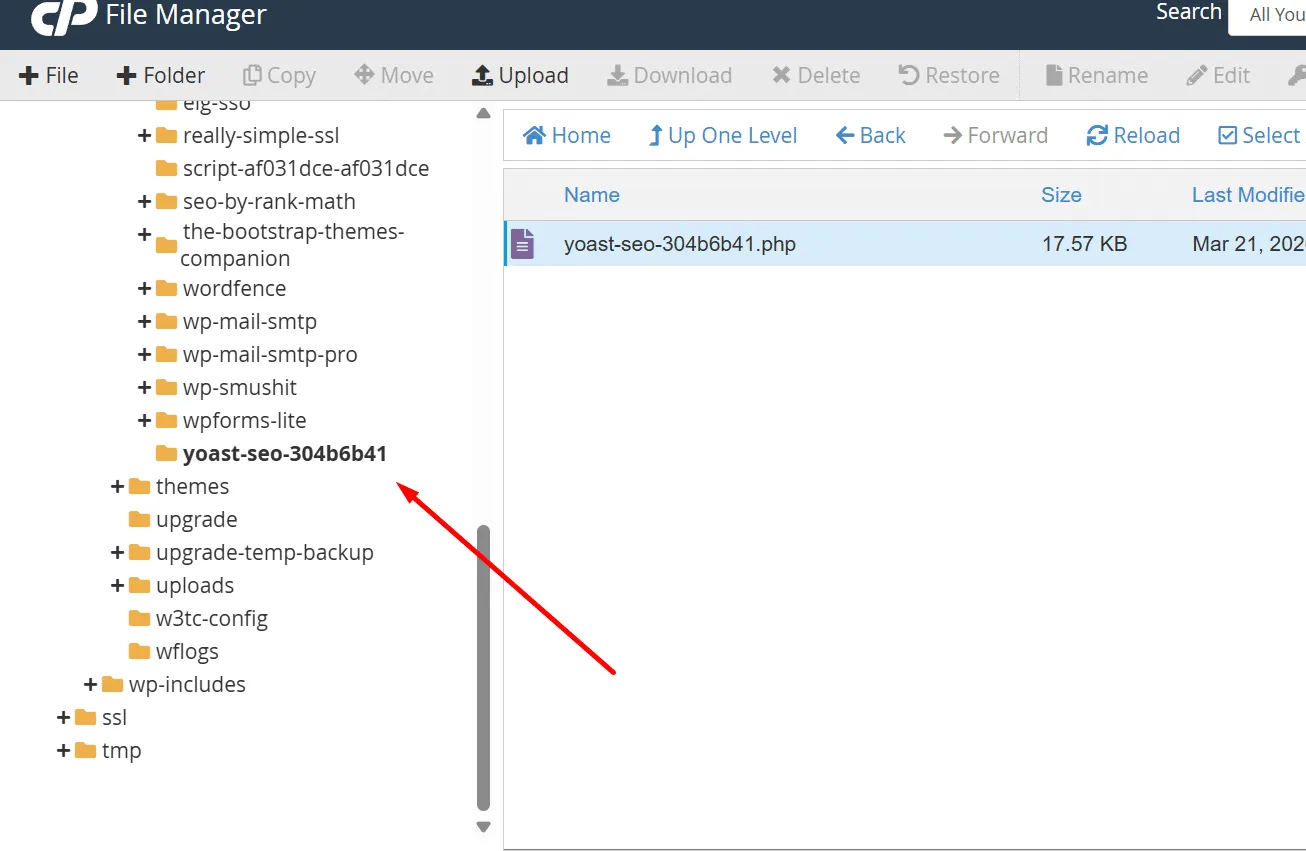
In some cases, the infection hides inside suspicious plugin folders or disguised files that recreate the malware later.
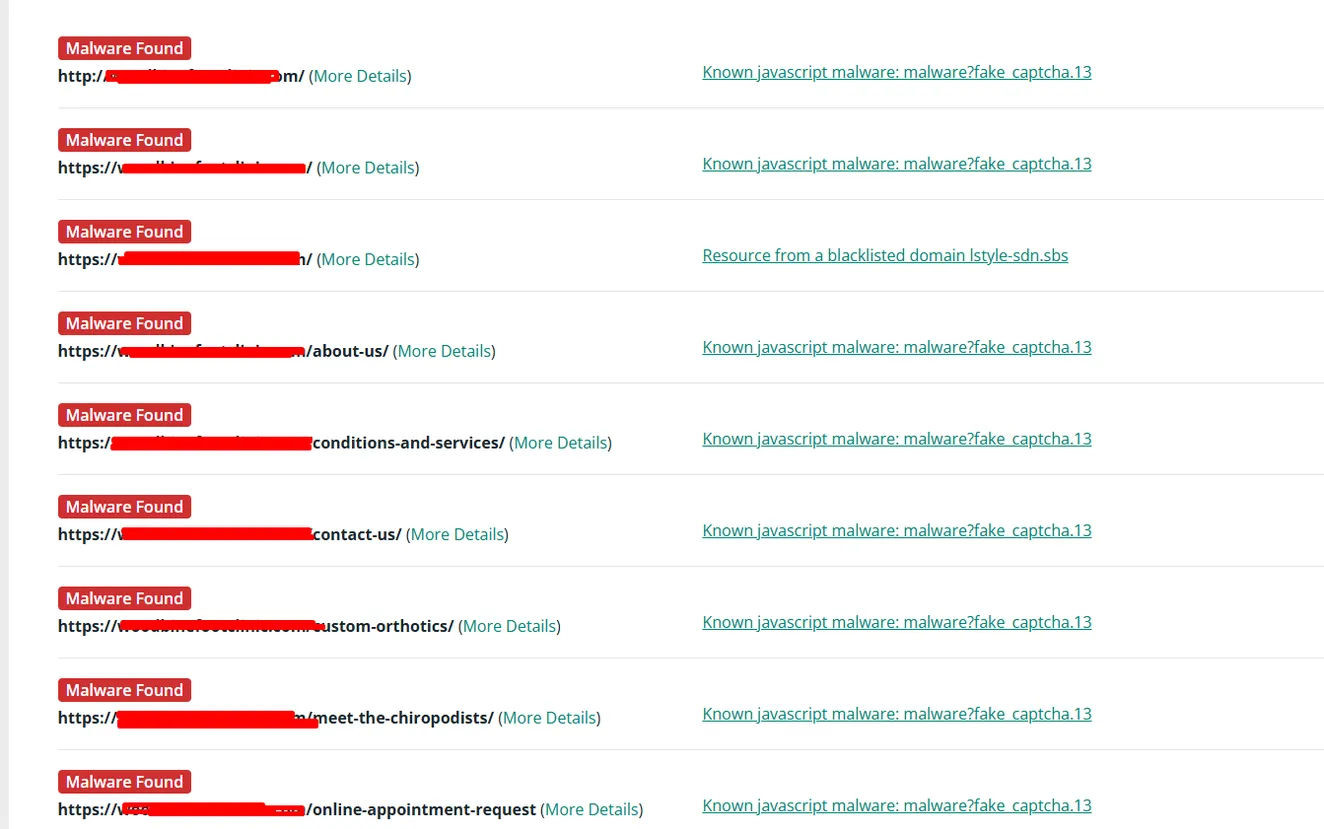
Malware scanners may flag fake CAPTCHA behavior across multiple URLs, especially when malicious scripts are sitewide.
The visible popup is often only the symptom. The loader can be hidden somewhere else and can regenerate the script after a basic cleanup.
Fake verification pages can redirect users to scams, fake updates, push notification abuse, malware downloads, or unsafe command prompts.
Search engines, hosts, browsers, and antivirus vendors may flag the website if they detect malicious redirects or JavaScript.
If the backdoor, fake plugin, rogue user, or database injection remains, the fake CAPTCHA can return after you clear cache.
Cleanup process
A proper cleanup means removing both the visible fake verification page and the hidden mechanism that caused it.
I test the site like a real visitor and check mobile, logged-out, search-referral, and cached versions.
I inspect page source, network requests, redirect chains, external domains, and obfuscated JavaScript.
I check themes, plugins, mu-plugins, uploads, wp-includes, database options, and suspicious PHP files.
I remove fake plugin loaders, hidden backdoors, injected scripts, cron jobs, rogue users, and reinfection paths.
I clear WordPress, server, CDN, and generated cache, then retest public pages and scanner behavior.
I help close the entry points so the fake CAPTCHA malware does not return after removal.
Proof
This service is backed by real fake CAPTCHA and fake Cloudflare malware content already published on my site.
Case study
A real WordPress cleanup involving fake CAPTCHA behavior, malicious code, and manual malware investigation.
Read the case studyMalware log
A technical look at fake Cloudflare CAPTCHA malware patterns, redirects, malicious prompts, and WordPress infection behavior.
Read the malware logWhy this page is trustworthy
Real infection screenshots
The examples on this page reflect real fake CAPTCHA malware behavior seen on hacked websites.
Manual investigation
I investigate source code, files, plugins, database entries, redirect behavior, and persistence paths.
Cleanup + prevention
The goal is not only to remove the popup, but also to stop the malware from coming back.
Related services
Broad cleanup for hacked WordPress sites, fake plugins, redirects, PHP malware, and reinfection.
Help after browser, antivirus, hosting, or security-vendor warnings caused by malware.
Cleanup for Japanese keyword hack, spam URLs in Google, and cloaked SEO spam.
Help when malware, plugin conflicts, broken code, or PHP errors take a WordPress site down.
A fake CAPTCHA usually appears when malware injects JavaScript, a fake plugin, or a hidden PHP loader into WordPress. The script can display a fake verification screen, redirect visitors, or trick users into following unsafe instructions.
Real Cloudflare verification and Cloudflare Turnstile are legitimate. Fake Cloudflare verification pages are different. They imitate Cloudflare branding to trick visitors, hide redirects, or make the hacked site look trustworthy.
You need to remove the injected JavaScript or PHP loader, check plugins and theme files, inspect the database, clear caches, and find any backdoor that can restore the infection. Deleting only the visible script is often not enough.
Many WordPress malware infections use cloaking. The fake CAPTCHA may appear only for first-time visitors, mobile users, search-engine referrals, specific countries, or users who are not logged in as an administrator.
Yes. Some fake CAPTCHA campaigns redirect visitors to scams or ask them to run commands, download files, allow notifications, or interact with malicious pages. That makes it urgent to remove the infection quickly.
The visible fake CAPTCHA script may only be the payload. The real persistence can be a fake plugin, hidden PHP backdoor, cron job, compromised admin user, malicious database option, or infected theme file that regenerates the script.
No. Cloudflare Turnstile is a real anti-spam tool. Fake CAPTCHA malware abuses similar language, such as “verify you are human,” “I’m not a robot,” or fake Cloudflare screens, but it is not a legitimate security feature.
Yes. If the infection redirects visitors, serves malicious JavaScript, or exposes users to scams, search engines, browsers, hosting companies, or antivirus vendors may flag the website.
I can manually inspect the infection, remove the malicious JavaScript or fake plugin, clean hidden persistence, and secure the site so visitors are no longer exposed to fake verification malware.