Former Developer Still Has Access to Your WordPress Site? Why the Real Backdoor Isn’t Where You’re Looking
Quick answer
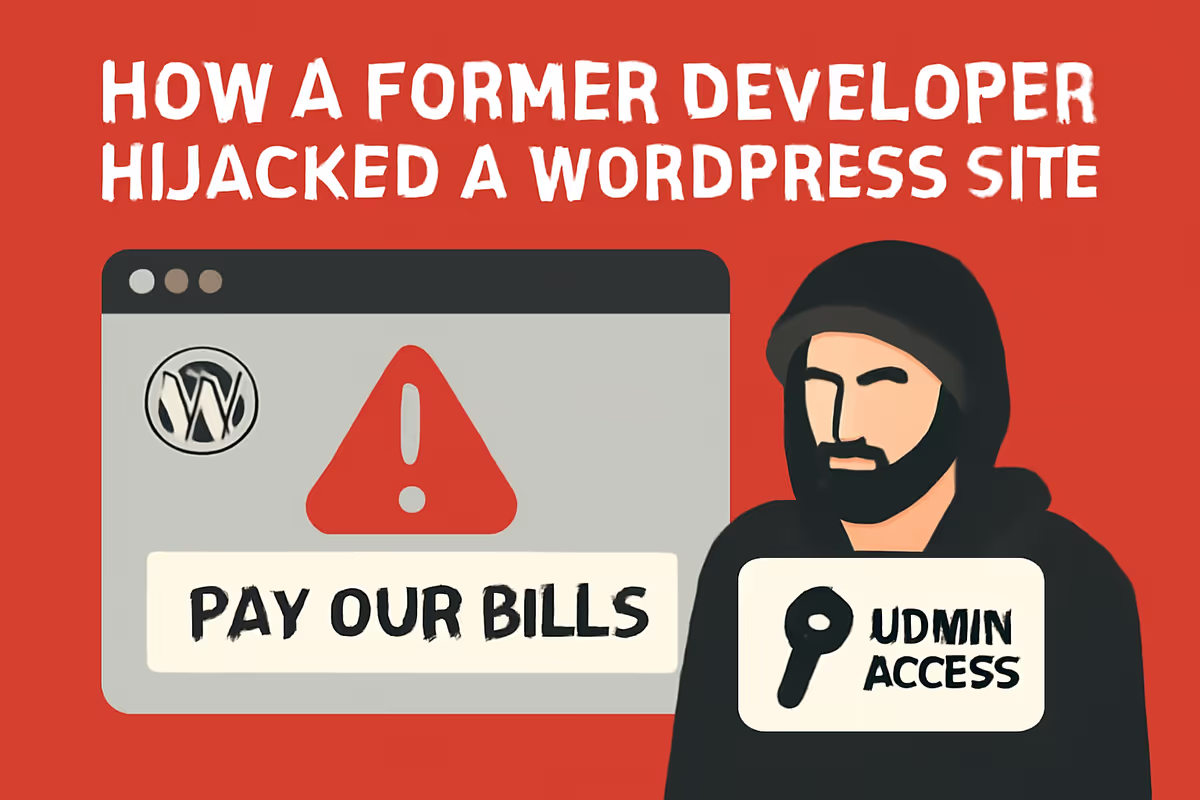
If your WordPress site keeps getting sabotaged after a former developer left, removing their WordPress user is not enough. The real backdoor is usually one layer above WordPress — in your domain registrar (like GoDaddy Delegate Access), hosting panel, DNS provider, or CDN account. Until you revoke access at every layer, they can keep redirecting your domain, reactivating plugins, or replacing your site with a maintenance page. This case study shows exactly how it happens and how to lock them out for good.
I’ve cleaned up over 4,500 hacked WordPress sites, and this one stands out — not because the malware was clever, but because there was no malware. The site was being sabotaged by someone who already had the keys, in a place the owner forgot existed.
If your site is acting strange after parting ways with a developer, freelancer, or agency — random maintenance pages, mysterious redirects, plugins turning themselves back on, content changes you didn’t make — you’re probably dealing with a leftover-access problem, not malware. This guide explains how to find it and how to cut it off completely.
If you need hands-on help, start with my WordPress malware removal service or hire me directly.
Key takeaways
- Removing a former developer’s WordPress account does not remove their access if they still hold permissions at the hosting, registrar, DNS, CDN, or email layer.
- GoDaddy Delegate Access is the single most-forgotten access channel. It survives password resets and WordPress user deletions.
- Symptoms of leftover access look like malware but behave differently — they reappear after cleanups, often follow a predictable schedule, and frequently target the domain itself (redirects, forwarding) rather than the WordPress files.
- The fix is an access audit at every layer, not another plugin scan.
- The prevention is a 10-minute offboarding checklist — included at the end of this article.
Symptoms that point to a former developer, not malware
Real malware and insider sabotage often look identical at first. Both can redirect a site, replace the homepage, or break the login. But there are signals that point more strongly toward leftover access than an automated infection.
- The problem comes back after a clean malware scan turns up nothing.
- Changes happen during business hours in a specific timezone, not 3 a.m. like most bot traffic.
- The site is being forwarded to another domain, but no malicious files appear in WordPress.
- A specific plugin reactivates itself after you disable it — sometimes only on weekdays.
- The activity log shows a real human session from a known account, not bot patterns.
- The “attack” includes a message in a specific language, a payment demand, or text only an insider would know.
- You recently ended a working relationship with a developer, agency, or freelancer.
If two or more of those apply, treat this as access control, not malware. The fixes are completely different.
The case study: a maintenance page that wouldn’t stay gone
A client reached out because her GoDaddy-hosted WordPress site was suddenly showing a maintenance page in a language she didn’t recognize, instead of her real homepage. At first glance, it looked routine — a “coming soon” or maintenance plugin had been activated.
I disabled the plugin. The site came back in under 10 minutes. The client was relieved. Case closed.
Except it wasn’t.
Day 2: the same page returned
The next morning, the maintenance page was back. A maintenance plugin does not reactivate itself. Something — or someone — had turned it back on.
I checked the WordPress activity log. After my cleanup, another user had logged in and re-enabled the plugin. The client recognized the username immediately: it belonged to a developer she had worked with months earlier and parted ways with.
I translated the maintenance message. Roughly: “Pay our bills.” That changed the picture entirely. This wasn’t a forgotten setting or a botched install. It was deliberate, and it was personal.
I deleted the developer’s WordPress user account, removed the plugin, and rotated the admin password.
Day 4: the entire site started redirecting
Two days later, the client messaged again — but this time the symptom was different. Visitors weren’t seeing a maintenance page anymore. The entire domain was forwarding to a completely different website.
That told me everything. The WordPress user was gone, but the sabotage had escalated, which meant access still existed somewhere above WordPress. A domain-level forward can only be set from the registrar account, not from WordPress.
The real backdoor: GoDaddy Delegate Access
When I opened the client’s GoDaddy account, the former developer’s email was still listed under Delegate Access. The client had granted it during the project so the developer could manage DNS and hosting, and never removed it when the relationship ended.
That single setting let the former developer:
- Sign in to GoDaddy with their own email and password — no need for the client’s credentials.
- Reach into the WordPress install through GoDaddy’s hosting panel, even after their WordPress user was deleted.
- Configure a domain-level forward that redirected every visitor away from the real site.
- Edit DNS, which could have been used to point email and subdomains anywhere.
For anyone who hasn’t seen this setting before: GoDaddy Delegate Access lets another person manage parts of your account without ever knowing your password. It’s a legitimate, useful feature — and a serious risk when forgotten. Most registrars and hosts have an equivalent (Namecheap “Account Sharing,” Cloudflare “Members,” Bluehost “User Access,” AWS IAM users, and so on).
The fix: a layered access audit
Once I knew what I was looking at, the cleanup took less than an hour. The order matters — fix the highest layer first, otherwise you keep cleaning the symptom while the root keeps reaching back in.
- Revoked the developer’s GoDaddy Delegate Access. This was the actual root cause.
- Removed the malicious domain forwarding. The redirect was set at the registrar level, not in WordPress, so .htaccess and plugin scans would never have found it.
- Re-verified WordPress users. Confirmed no shadow admins remained. (If you’re not sure how to spot one, see my guide on finding hidden admin users in WordPress.)
- Rotated every credential — WordPress admin, GoDaddy, FTP/SFTP, database, email account associated with the domain.
- Audited DNS, MX, and CDN records for any custom entries the former developer might have added (forwarding rules, page rules, workers, transform rules).
- Checked for code-level persistence — backdoors, scheduled cron tasks, mu-plugins — using the same process I describe in this backdoor case study.
- Hardened the site per the steps in how to secure a WordPress site, including 2FA on both WordPress and GoDaddy.
The sabotage stopped immediately. There was nothing further to clean up because there was no actual malware — only a permission that should have been removed months earlier.
Where ex-developers can still have access (the audit checklist)
This is the part most site owners miss. “Developer access” is plural. A single project can leave traces in 10+ accounts. Here’s everywhere you need to look.
1. Domain registrar
- GoDaddy Delegate Access (the one that bit my client).
- Namecheap “Share Account” / Authentic Users.
- Google Domains / Squarespace Domains contacts.
- Registrar account “team members,” “collaborators,” or “secondary contacts.”
2. Hosting account
- cPanel sub-users.
- FTP / SFTP accounts (separate from cPanel).
- SSH keys.
- “Add user” features in managed hosts (Kinsta, WP Engine, SiteGround, Cloudways).
- Bluehost / HostGator account “user permissions.”
3. WordPress itself
- Admin users (visible in
wp-admin/users.php). - Hidden admin users — created via direct database insert, often skipping the user listing. How to find them.
- Application Passwords (introduced in WP 5.6 — a separate token list that survives password changes).
- Mu-plugins folder (drop-in code that doesn’t appear in the plugin list).
- Scheduled cron tasks pointing to remote URLs.
4. DNS and CDN
- Cloudflare team members, API tokens, page rules, workers, and transform rules.
- Custom A/CNAME records pointing subdomains to third-party servers.
- MX records redirecting your email.
5. Email and identity
- Google Workspace / Microsoft 365 user accounts and admin roles.
- Forwarding rules in your primary email (a common, near-invisible backdoor).
- Recovery email / phone number on the registrar and host.
- OAuth apps connected to your Google or Microsoft account.
6. Tools and third-party services
- Google Search Console verified users.
- Google Analytics property access.
- Google Tag Manager containers.
- Facebook Business Manager / Meta admin roles.
- Stripe, PayPal, payment gateway team members.
- Mailchimp, Klaviyo, ConvertKit team access.
- GitHub / GitLab / Bitbucket collaborators on private repos.
- Backup destinations: UpdraftPlus credentials, Google Drive, Dropbox, S3 keys.
If you took one thing from this article, take this: “removing developer access” is at minimum a 6-system task, not a 1-click WordPress action.
Step-by-step: lock out a former developer in 30 minutes
If you’re reading this because something is happening right now, work through these steps in order. Don’t skip ahead.
- Disconnect, don’t engage. Don’t email the developer. Don’t accuse them yet. If they’re actively logged in and notice you, the sabotage may escalate before you can lock them out.
- Change the WordPress admin password from a device they’ve never used.
- Log into the hosting account and the registrar. Change both passwords and enable 2FA.
- Open Delegate Access / Team Members on both the registrar and host. Remove every entry that isn’t you. Screenshot first — you may need it later.
- Rotate FTP/SFTP and database passwords in the hosting panel.
- Remove unknown WordPress users and review hidden admin users.
- Revoke all Application Passwords in Users → Profile → Application Passwords.
- Open Cloudflare / your DNS provider and remove the developer from team members. Audit recent DNS changes.
- Audit your Google Workspace, Search Console, Analytics, Tag Manager, and Meta Business for their email. Remove it.
- Change the recovery email and phone on every account they touched.
- Pull a clean backup snapshot now that access is locked, in case you need to roll back later.
- Run a malware scan to confirm no code-level persistence was left behind. If anything looks injected, follow my full post-hack checklist.
If at any point you’re not sure what’s safe to remove or you find evidence of code-level backdoors, stop and bring in help. Don’t keep poking at it — that’s how you accidentally lock yourself out instead of them.
Prevention: the 10-minute offboarding checklist
Run this every single time a developer, freelancer, agency, intern, or virtual assistant ends a project — even if you ended things on good terms.
- Delete their WordPress user (don’t just demote — delete and reassign content).
- Revoke their hosting panel access and any SFTP/SSH keys they generated.
- Remove them from registrar Delegate Access / team members.
- Remove them from Cloudflare and any CDN.
- Revoke any Application Passwords they created.
- Remove their email from Search Console, Analytics, Tag Manager, Meta Business, Stripe, Mailchimp, and your backup destination.
- Change any shared password they ever saw, even if “they wouldn’t remember it.”
- Rotate API keys (Stripe, Mailgun, OpenAI, anything they touched).
- Verify recovery email and phone on every critical account is yours, not theirs.
- Run a one-time login alert plugin for two weeks to spot anyone trying to come back in.
Why this case matters
Most WordPress security advice — including most of what I write — assumes the attacker is external: a botnet, a vulnerability scan, a credential-stuffing run. But the data tells a different story for small business sites: 75% of insider cyber incidents involve a disgruntled former employee who left with credentials, data, or access. The WordPress equivalent is the freelance developer relationship that ended without a proper handoff.
You don’t need malware to lose a website. You just need to forget that someone you no longer work with still has the key.
Frequently asked questions
Can a former developer still control my WordPress site after I remove their admin account?
Yes. If they still have access to your domain registrar, hosting account, DNS provider, CDN, email, or any account-level “delegate” or “team member” permission, they can affect your site without ever logging into WordPress. Deleting the WordPress user is necessary but not sufficient.
What is GoDaddy Delegate Access and is it dangerous?
Delegate Access is a GoDaddy feature that lets another person manage parts of your account — domains, hosting, DNS, products — without your password. It’s safe while a working relationship is active and disastrous when forgotten. Other registrars and hosts have equivalents under names like “Account Sharing,” “Team Members,” “Collaborators,” or “Authentic Users.”
How do I know if a former developer still has access?
Sign in to each of these and check the team-member / user list: your domain registrar, your hosting panel, WordPress (Users), Cloudflare or your DNS provider, Google Workspace, Search Console, Analytics, Tag Manager, and any payment gateway or email tool. If their email appears anywhere, they still have access.
Why did the sabotage keep coming back after the first cleanup?
Because the first cleanup only removed the symptom (a re-enabled plugin), not the source (account-level access they still had). Until the registrar-level Delegate Access was revoked, the developer could keep undoing every WordPress-side fix.
Should I take legal action against a former developer who sabotaged my site?
That depends on damages, jurisdiction, and your contract. Take screenshots of activity logs, IP addresses, and any messages before locking them out — this is the evidence you’ll need. Then talk to a lawyer. I can help with the technical recovery, but I’m not a lawyer.
Is this technically “hacking” if they were given access originally?
Unauthorized use of leftover access after a working relationship ends is generally treated as unauthorized access under most computer-fraud statutes (e.g., the CFAA in the US). But the legal definition varies by country and by contract. Again — lawyer territory, not mine.
How do I prevent this from happening again with my next developer?
Three habits: (1) you own every account — domain, hosting, email, analytics — never the developer; (2) give them their own user, not your password; (3) run the offboarding checklist above the day the project ends, not “when you get to it.”
What clients say about working with me
“I’m very satisfied with MD Pabel’s service — he saved my site from hackers and removed all malware attacks. Highly recommended.”
Hassan Infinkey — eCommerce Owner ★★★★★
“My website was suffering from some redirect malware. MD was able to take care of the problem for a reasonable fee. For me, he was a lifesaver. I will certainly go to him first should something like that happen again.”
Kendall Miller — Founder ★★★★★
“Thanks for giving me great support — you are a very nice team.”
Usama Javed — WordPress Agency ★★★★★
Related reading from real cleanups
- How to find and remove hidden admin users in WordPress — the WordPress-layer companion to this article.
- I found a hidden backdoor in a client’s WordPress site — when the persistence is in the code, not the account.
- What to do after fixing a hacked WordPress site — full post-incident checklist.
- I’ve fixed 4,500+ hacked sites — here’s what most owners miss — patterns from years of cleanups.
- How to secure a WordPress site — long-term hardening.
- How to secure your WordPress login — the layer that fails first.
Need help locking out a former developer?
I’ve recovered thousands of WordPress sites from malware, backdoors, hidden admin users, and yes — leftover-access sabotage like this one. If your site keeps changing after someone left your team, the fastest way to know what’s actually happening is to look at every layer at once, not just WordPress.
Hire me directly or start with my WordPress malware removal service. I’ll audit every access point, lock out anyone who shouldn’t be there, and harden the site so this can’t happen again.