WordPress Supply Chain Attacks: Why Deleting the Compromised Plugin Doesn’t Clean Your Site (And What Actually Does)
Quick answer
A WordPress supply chain attack is when malicious code ships through the official update channel of a plugin you already trust — because the plugin was bought by a bad actor, the vendor’s update server was hijacked, or a maintainer’s account was compromised. The April 2026 Essential Plugin incident (31 plugins, ~400,000 sites) and the Smart Slider 3 Pro Nextend breach (800,000+ installations) are the two flagship examples.
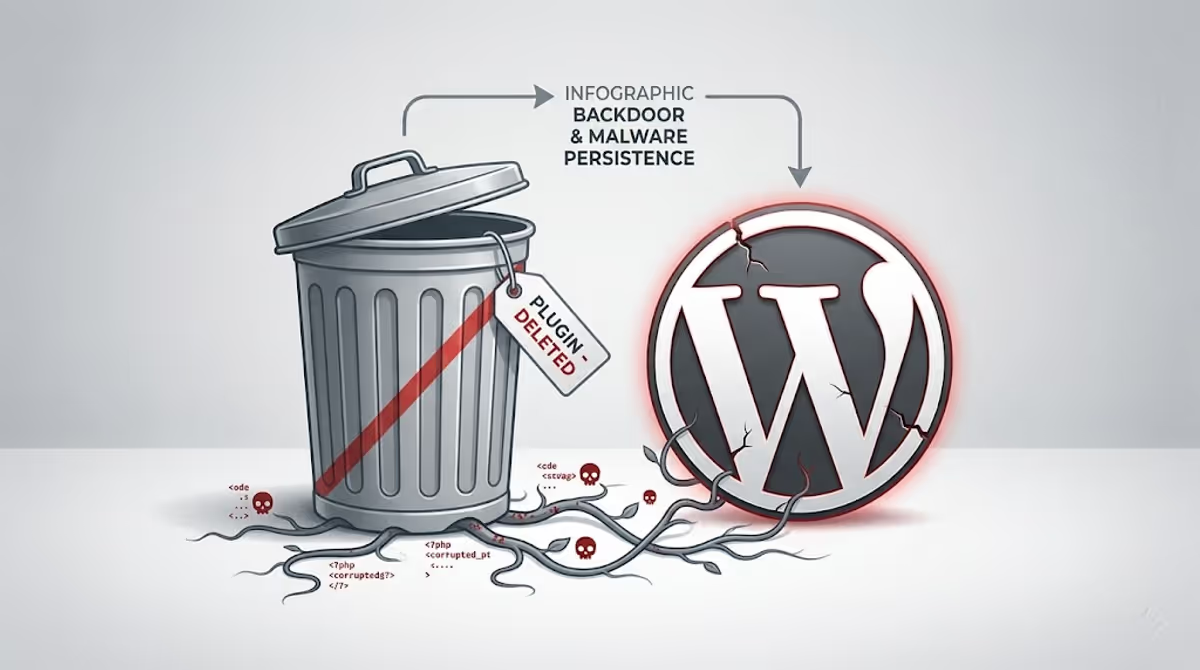
The painful truth: when WordPress.org pushes a “forced cleanup” update, it removes the plugin’s malicious code — but the persistence the attacker already established (injected lines in wp-config.php, dropped fake core files like wp-comments-posts.php, hidden admin users, scheduled tasks, modified .htaccess, must-use plugins) stays behind. Deleting the plugin is step one of about fifteen.
I’ve recovered more than 4,500 hacked WordPress sites over the last several years. For most of those years, the threat model was predictable: outdated plugin → known CVE → automated exploit → web shell. The fix followed the same shape every time. Update, scan, clean, harden, done.
2026 broke that pattern. In a single April week, two of the largest WordPress supply chain attacks the platform has ever seen landed back-to-back — the Essential Plugin / Flippa portfolio compromise and the Smart Slider 3 Pro update-server breach. Both pushed malware through the official update channel. Both bypassed every signature-based scanner. And both left behind cleanup work that does not go away when you click “update” or even when you delete the plugin.
This guide is what I wish every WordPress site owner had on hand the morning their dashboard flashed an “Important Notice from the WordPress.org Plugins Team” warning. It’s organised as a field guide rather than a news report: what these attacks actually are, what they leave behind, and how I clean them.
What happened in 2026: two attacks, one playbook
Before the cleanup, the context. Two incidents in April 2026 redefined the threat model for every WordPress site owner.
The Essential Plugin / Flippa attack — 31 plugins, ~400,000 sites
An eight-year-old Indian plugin business called Essential Plugin (formerly WP Online Support) operated 31 plugins on WordPress.org — countdown timers, popups, sliders, testimonials, FAQ widgets, the kind of utilities site owners install and never think about again. By late 2024 the original team listed the entire portfolio on Flippa, the digital-business marketplace. A buyer using the alias “Kris,” with a public background in SEO, crypto and online gambling marketing, paid six figures for the lot.
Here’s the part that should permanently change how every WordPress operator thinks about plugins: the buyer’s very first SVN commit was the backdoor. Version 2.6.7, pushed on 8 August 2025, carried the changelog entry “Check compatibility with WordPress version 6.8.2.” Behind that note sat 191 additional lines of PHP — a deserialization gadget chain, an unauthenticated REST endpoint, and a phone-home routine pointing at analytics.essentialplugin.com. The code sat dormant for eight months. Then, on 5–6 April 2026, the attacker flipped the switch for a ~6-hour-44-minute window and pushed cloaked SEO spam payloads to every site running an affected plugin. WordPress.org permanently closed all 31 plugins on 7 April.
The Smart Slider 3 Pro / Nextend compromise — 800,000+ installations
Same week, different attack vector. Someone gained unauthorised access to Nextend’s update infrastructure — the company behind Smart Slider 3 — and pushed a fully attacker-authored build (3.5.1.35 Pro) through the official update channel. Sites that auto-updated during the ~6-hour distribution window received a complete remote-access toolkit, not a vulnerable plugin. The malware installed persistence in three locations for redundancy: a must-use plugin disguised as object-cache-helper.php, an appended block in the active theme’s functions.php, and a dropped file named class-wp-locale-helper.php inside wp-includes. It also created a hidden administrator (typical username prefix wpsvc_) and tampered with the pre_user_query filter so the account doesn’t appear in the Users screen.
What these two attacks have in common
Two different mechanisms — ownership transfer and infrastructure breach — but one shared outcome: malicious code arrives through the channel WordPress users are trained to trust. Your WAF doesn’t block it. Your scanner doesn’t flag it. Your auto-updater installs it. Your file integrity monitor sees it as a normal plugin update.
Both incidents also share something else, and it’s the part that makes this article necessary: removing or updating the compromised plugin does not undo what the backdoor already did to your site.
What a WordPress supply chain attack actually is
Strip away the headlines and a WordPress supply chain attack is any compromise where malicious code reaches your site through a trusted distribution path — not through a vulnerability in code you already had installed. There are three flavours I see in real cleanup work:
1. Ownership-transfer attacks (the Essential Plugin model)
A legitimate plugin developer sells their plugin (or their portfolio) on a marketplace like Flippa. The new owner inherits the WordPress.org commit access, the install base, and — most importantly — the implicit trust of every site administrator who enabled auto-updates. WordPress.org currently has no mandatory review when plugin ownership changes hands. The attacker doesn’t need to break in. They can buy in. This is the same trust-acquisition pattern I covered in my running list of known fake and malicious WordPress plugins, just operating at a far larger scale.
2. Vendor infrastructure breaches (the Smart Slider / Nextend model)
The plugin’s update server, build pipeline, or signing keys are compromised. The vendor is a victim too. Every site that updates during the breach window installs a malicious build directly from the legitimate domain. Gravity Forms suffered a comparable compromise in 2024, when its manual installers were tampered with at the vendor side.
3. Maintainer account takeovers (the Social Warfare model)
An attacker steals or phishes the credentials of a plugin maintainer and pushes a malicious release using the real developer’s account. Social Warfare and four other plugins were hit this way in 2024. The attack surface here isn’t the plugin — it’s the human maintainer.
The reason scanners miss all three is the same: signature-based detection works against code that has been seen before in the wild. Brand-new code from a publisher with a clean history doesn’t trip those signatures. Behavioural detection helps, but only after the backdoor activates — and as the Essential Plugin case proved, an attacker can wait eight months before letting the code do anything visible.
The lifecycle of a supply chain backdoor
Understanding the lifecycle matters because your cleanup window is usually phase 4, not phase 3. By the time you notice anything, the damage has already been written to disk.
Phase 1 — Acquisition or breach
The attacker gets the keys. Either via a marketplace purchase (Flippa), a vendor compromise (Nextend), or a credential theft (Social Warfare). In ownership-transfer cases the public timeline often gives this away — the original committer stops committing, a new account starts.
Phase 2 — Dormancy (the trust window)
Code is planted, but nothing visibly happens. This is psychological as much as technical: the longer the gap between the malicious commit and any visible damage, the harder it is for site owners and even forensic responders to associate the two events. The Essential Plugin backdoor sat dormant for nearly eight months.
Phase 3 — Activation
A command-and-control server returns a real payload. The plugin’s phone-home routine — which until now has returned harmless data — deserializes an attacker-controlled object and executes arbitrary functions on your server. In the Essential Plugin case the activation window was less than seven hours. If you happened to be offline that day, you missed it. If your site was online and the cron fired, you’re compromised.
Phase 4 — Persistence (the part that survives “cleanup”)
This is the phase that matters most for anyone reading this after the news has broken. The activated backdoor doesn’t just do a thing once. It writes durable persistence so it can keep doing things even if the original plugin is updated or removed:
- Injected lines in
wp-config.php— typically near therequire_once(ABSPATH . 'wp-settings.php')line. The injection in the Essential Plugin attack increased the file size by roughly 6KB. - Dropped fake core files —
wp-comments-posts.phpin the webroot (note the plural “posts” — the real WordPress file iswp-comments-post.php),class-wp-locale-helper.phpinwp-includes, and similar lookalikes. - Must-use plugins dropped into
wp-content/mu-plugins/. MU-plugins load automatically, cannot be deactivated from the dashboard, and are not listed on the regular Plugins screen. - Hidden admin users created and concealed by tampering with the
pre_user_queryorviews_usersfilters. I covered the broader pattern in this guide to finding and removing hidden admin users. - Theme
functions.phpappends — a backdoor block tacked on to the end of the active theme. - Malicious
wp_optionsentries — autoload-disabled options like_wpc_ak,_wpc_uid,_wpc_uinfostore attacker keys and credentials. .htaccessentries referencing the persistence layer. I have a longer pattern catalogue in the .htaccess malware removal guide.- Scheduled tasks that re-inject the payload if files get cleaned. The mechanism is the same one I unpacked in WordPress cron job malware.
Phase 5 — Monetisation
Once persistence is in place, the attacker monetises. In both 2026 attacks the monetisation was cloaked SEO spam served only to Googlebot — invisible to site owners browsing their own site. This is the exact symptom I cleaned in the cloaking malware case study and the family of Japanese keyword hacks I’ve removed at scale. The cloaking is what makes a supply chain attack so dangerous for SEO: by the time you notice the organic traffic drop or the Search Console spam-content warning, Google has already indexed thousands of injected pages under your domain.
Why WordPress.org’s forced auto-update doesn’t clean your site
When WordPress.org’s Plugins Team confirms a supply chain compromise, they typically do three things:
- Permanently close the plugin in the directory so no new installs can happen.
- Force-push a “clean” version of the plugin to every active install.
- Add an admin notice telling administrators the plugin contained code allowing unauthorised access.
That response is fast and useful, but it has a hard limit: the forced update only edits the plugin’s own files. In the Essential Plugin case the v2.6.9.1 push commented out the @$clean(...) backdoor line and added return; statements so the phone-home function exits early. Helpful — but every artifact from Phase 4 is still sitting on your server. Your wp-config.php still has the injection. Your wp-comments-posts.php still exists in the webroot. Your hidden admin user still has the keys to the kingdom.
This is the moment a lot of well-meaning DIY cleanups go wrong. The site owner sees the dashboard notice, updates the plugin, the warning disappears, and they breathe out. Six weeks later their organic traffic collapses and Google Search Console reports thousands of spam URLs indexed under /wp-content/ or random gambling slugs. The persistence layer was never removed; it just kept doing its job quietly without the phone-home channel.
If you’ve gone through this loop — clean, looks fine, malware returns — the broader pattern is what I unpacked in why WordPress malware keeps coming back. Supply chain attacks are textbook examples of how a partial cleanup invites re-infection.
How to tell if your WordPress site was hit
The hardest part of a supply chain attack is that you don’t see anything wrong when you browse your own site. The payload is cloaked. The plugin works normally. The admin dashboard looks fine. Here’s what I check first when triaging a site that may have been affected:
1. Was a compromised plugin installed during the attack window?
Cross-reference your installed plugin list against the Essential Plugin closures (full list of 31 slugs published by WordPress.org on 7 April 2026, including Countdown Timer Ultimate, Popup Anything on Click, WP Testimonial with Widget, WP Team Showcase and Slider, Responsive WP FAQ with Category, SP News and Widget, WP Blog and Widgets, Post Grid and Filter Ultimate, Hero Banner Ultimate, and more) and Smart Slider 3 Pro version 3.5.1.35. If you ran any of these between August 2025 (for Essential Plugin) or roughly 7 April 2026 (for Smart Slider), assume compromise until proven otherwise.
2. Inspect wp-config.php manually
Open wp-config.php over SFTP or your host’s file manager. Compare it line-by-line against a clean copy from a fresh WordPress install or a known-good backup. Look for:
- Any PHP block above
<?phpor below the closing tag. - Strings of base64 characters or
eval(,gzinflate(,str_rot13(,assert(,create_function(anywhere in the file. - Unfamiliar
define()constants —WP_CACHE_SALTwith an opaque token was a specific marker in the Smart Slider campaign. - An
includeorrequirepulling in a file from a path that doesn’t belong inwp-config.php. - Sudden file-size growth. A clean
wp-config.phpis usually 3–5KB. If yours is 9–10KB+, something has been appended.
3. Search the webroot for lookalike core files
From the WordPress install directory, run:
find . -maxdepth 2 -type f -name "*.php" -newer wp-config.php -ls
find . -name "wp-comments-posts.php" -o -name "class-wp-locale-helper.php" -o -name "object-cache-helper.php"
The first command lists every PHP file modified more recently than wp-config.php — usually a strong indicator of injected files. The second searches for the specific names dropped by the 2026 campaigns. Anything that turns up here that you didn’t write is suspect.
4. Audit users with database access, not the dashboard
If the malware tampered with the pre_user_query filter, the WordPress Users screen will lie to you. Query the database directly:
SELECT u.ID, u.user_login, u.user_email, u.user_registered
FROM wp_users u
JOIN wp_usermeta m ON m.user_id = u.ID
WHERE m.meta_key = 'wp_capabilities'
AND m.meta_value LIKE '%administrator%';
Compare the result with what the dashboard shows. Anything in the database that’s missing from the dashboard is, by definition, hidden — and almost certainly hostile.
5. Check wp_options for known persistence keys
SELECT option_id, option_name, autoload
FROM wp_options
WHERE option_name IN ('_wpc_ak','_wpc_uid','_wpc_uinfo','_perf_toolkit_source','wp_page_for_privacy_policy_cache');
Any of these turning up is a hard indicator of the Smart Slider 3 Pro campaign’s persistence.
6. Read Google Search Console
If you have Search Console set up, this is often where the cloaked SEO spam betrays itself first. Look for:
- Sudden spikes in indexed URLs that don’t match your site structure (random hashes, foreign-language slugs, gambling or pharma terms).
- Manual action notifications under “Security & Manual Actions.”
- “Detected: pages with rich results” warnings on pages you didn’t publish.
The full recovery workflow for indexed spam is the same one I documented in the 242,000-Japanese-spam-pages cleanup — supply chain attacks frequently produce that exact symptom.
7. Look at .htaccess at the WordPress root
A clean .htaccess should contain only the standard WordPress rewrite block (and whatever your host or caching plugin added intentionally). Comment lines that reference unfamiliar tokens — # WPCacheSalt <token>, for example — are persistence markers from the Smart Slider campaign. Random RewriteRule directives that send traffic to an external domain are textbook signs of .htaccess redirect malware.
The cleanup playbook I actually use
This is the workflow I run for every confirmed or suspected supply chain compromise. None of it can be safely skipped on a site that handled either of the 2026 incidents.
Step 1 — Snapshot before you change anything
Pull a full filesystem and database backup right now, even if it captures the malware. You need the forensic evidence later, and you’ll thank yourself if a cleanup step accidentally breaks the site.
Step 2 — Quarantine the plugin, don’t just “update”
Deactivate the affected plugin from the dashboard, then delete its directory from wp-content/plugins/ over SFTP. Do not rely on the dashboard delete button — if the plugin was tampered with, its uninstall hook is also untrustworthy. Replace the functionality later with a maintained alternative or built-in WordPress features.
Step 3 — Clean wp-config.php by hand
You cannot delete wp-config.php — it’s required for the site to run. So you clean it manually. The safest workflow is:
- Open the file and copy out only the credentials and constants you recognise (database details, table prefix, auth keys, custom defines you intentionally added).
- Download a fresh
wp-config-sample.phpfrom WordPress.org. - Rebuild
wp-config.phpfrom the sample, pasting only your verified credentials and constants back in. - Regenerate the eight auth salts using the official salt generator. This invalidates every active login session — including the attacker’s.
Step 4 — Delete the dropped files
From the WordPress root, hunt and delete the known lookalikes:
find . -name "wp-comments-posts.php" -delete
find ./wp-includes -name "class-wp-locale-helper.php" -delete
find ./wp-content/mu-plugins -name "object-cache-helper.php" -delete
Then list every file in wp-content/mu-plugins/ manually. If you didn’t put it there, it almost certainly shouldn’t be there. The same logic applies to anything inside wp-content/uploads/ with a .php extension — uploads are for media, not executables.
Step 5 — Remove hidden users via the database
Use the SQL query from the detection section to list every administrator-role account. For any account you don’t recognise:
DELETE FROM wp_usermeta WHERE user_id = <ID>;
DELETE FROM wp_users WHERE ID = <ID>;
Then check every remaining administrator’s email address — sometimes attackers don’t add a new user, they just change the email on an existing one so they can trigger a password reset later.
Step 6 — Purge persistence options from wp_options
DELETE FROM wp_options
WHERE option_name IN ('_wpc_ak','_wpc_uid','_wpc_uinfo','_perf_toolkit_source','wp_page_for_privacy_policy_cache');
While you’re in wp_options, scan the autoloaded rows for anything storing serialized data with eval, base64, or external URLs.
Step 7 — Inspect the active theme’s functions.php
Open the file and read it. A backdoor block is usually appended at the very bottom — a function that takes $_GET or $_POST input and passes it to eval, assert, or create_function. Remove the offending block, save, and verify the site still loads. If you’re not confident reading PHP, the safest move is to reinstall the theme from a known-good source.
Step 8 — Clean .htaccess
Replace your root .htaccess with the WordPress default block, then add back only the rules you intentionally use (caching, security headers, redirects). Delete every WPCacheSalt or unknown rewrite line. The same principle applies to .htaccess files in subdirectories — malware frequently drops fresh copies in wp-content/uploads/ and wp-includes/.
Step 9 — Rotate every credential
Assume the attacker exfiltrated everything wp-config.php contained. That means:
- Change the database user password via your hosting panel, then update
DB_PASSWORDinwp-config.phpto match. - Reset every administrator password (use “Send password reset” so each admin sets their own).
- Rotate FTP/SFTP and hosting account credentials.
- Revoke and reissue any application passwords you’ve issued.
- Rotate any third-party API keys stored as constants in
wp-config.php(Mailgun, payment gateways, etc.).
Step 10 — Lock down auto-updates for the high-trust plugin tier
Auto-updates remain the right default for the vast majority of sites. But for plugins running on dozens or hundreds of client sites, or for plugins that recently changed ownership, route updates through a staging environment and a 48–72 hour review window. The Essential Plugin and Smart Slider compromises both relied on sites updating immediately. A short delay would have given the security community time to flag the malicious release before it reached production. This is the operational habit I’d add on top of the broader checklist in how to secure a WordPress site.
Step 11 — Recover your Google footprint
If the cloaked SEO spam phase actually ran on your site, you have a separate, slower recovery to do in Google Search Console. The mechanics are the same as the workflow in the 50,000-spam-URL Search Console cleanup and the 10,500 SEO spam URL recovery — request removal of every spam URL, submit your real sitemap, and request a manual review if a security warning is in place. If your site ended up on a blacklist as a result, the recovery path is the one I documented in my blacklist removal recovery guide.
Why your malware scanner missed it
This is the question every client asks after a supply chain compromise: I had Wordfence/Sucuri/MalCare running. Why didn’t it catch this?
Three structural reasons:
1. Signature databases lag the attack
Most malware scanners are signature-based. They compare your files against a library of known malicious patterns. Brand-new code written by a new committer doesn’t exist in those libraries on day one. By the time it’s added — usually after a public disclosure — the attacker has already had their activation window. The Essential Plugin backdoor was only added to Patchstack’s vulnerability database in mid-April 2026, eight months after the malicious commit landed.
2. First-party trust is a hard problem
Even the more sophisticated behavioural scanners are trained to trust code that arrives through normal plugin update channels. A fresh PHP file appearing inside wp-content/plugins/your-trusted-plugin/ right after an update is, by every other metric, a legitimate event. Flagging it as malicious would generate a flood of false positives on every routine plugin update across the platform.
3. The malicious code is structurally lawful
The Essential Plugin backdoor used file_get_contents(), unserialize(), and register_rest_route() — all standard, legitimate WordPress and PHP functions. Each call on its own is something a thousand benign plugins also do. The maliciousness is in the combination and the data flow, which is much harder for a signature scanner to model.
The implication for site owners isn’t that scanners are useless — they remain essential for catching the long tail of older, signature-known malware. The implication is that scanners alone are not a complete defence. You need file integrity monitoring with a baseline you control, plus a human reviewing high-trust plugin updates before they reach production. The broader theory of which scanners to actually rely on is what I work through in the best WordPress security plugins guide.
How to harden against the next one
The Essential Plugin and Smart Slider attacks are not anomalies. They are the new baseline. The structural gap they exploited — no mandatory review of plugin ownership transfers, no code signing on updates — has not been closed. Until WordPress.org changes its policy, the defensive burden sits with site owners and agencies. Here is the minimum I recommend:
- Plugin minimalism. Every installed plugin is an attack surface. Audit quarterly. Remove anything you don’t actively use. Five well-maintained plugins are safer than three abandoned ones. The same principle is woven through my secure WordPress site guide.
- Ownership monitoring. For every plugin you depend on, check the WordPress.org plugin page once a month. If the committer list has changed, treat it as a trust-boundary event — diff the new commits, hold updates for an extra cycle, and watch for behavioural anomalies.
- Staged updates for critical plugins. Auto-update small utility plugins. For e-commerce, membership, security, and any plugin with database write access, route updates through a staging environment with a 48–72 hour review window.
- File integrity monitoring with a private baseline. Use Wordfence’s file integrity feature, or a server-level tool like AIDE or OSSEC. Configure it to alert on any change outside a declared update window.
- 90-day off-site backup retention. The Essential Plugin backdoor was dormant for eight months. A 14-day backup chain is useless against that timeline. My standing recommendation for the backup mechanics themselves is in the UpdraftPlus backup guide.
- Disable PHP execution in
wp-content/uploads/. A simple.htaccessrule prevents most dropped web shells from running even if they’re written to disk. - Two-factor on every admin account. Even after credential rotation, 2FA is what stops a stolen cookie or replayed session from re-entering. The full login-hardening pattern is in how to secure WordPress login.
- Have a post-incident checklist ready. The one I use for every cleaned site is published as what to do after fixing a hacked WordPress site.
Frequently asked questions
What is a WordPress supply chain attack?
A WordPress supply chain attack is a compromise where malicious code reaches your site through a trusted distribution channel rather than through a vulnerability in code you already had installed. The three common vectors are plugin-ownership transfers (a legitimate plugin is sold to a bad actor), vendor infrastructure breaches (the plugin developer’s update server is hijacked), and maintainer account takeovers (a developer’s WordPress.org account is stolen).
Was my site affected by the April 2026 Essential Plugin attack?
If your site ran any plugin from the Essential Plugin author on WordPress.org between August 2025 and April 2026 — Countdown Timer Ultimate, Popup Anything on Click, WP Testimonial with Widget, WP Team Showcase and Slider, and around 27 others — you should treat the site as potentially compromised and run the detection workflow in the section above. The forced auto-update WordPress.org pushed does not clean an already-infected site.
Does deleting the compromised plugin fix my site?
No. Deleting the plugin removes the source of the original infection, but the persistence layer the backdoor wrote to wp-config.php, wp-includes/, mu-plugins/, the theme’s functions.php, the database, and .htaccess all remain. Full cleanup requires inspecting and remediating each of those locations independently.
How do I find hidden backdoors after a supply chain attack?
Start with the file system: run find . -type f -name "*.php" -newer wp-config.php from the WordPress root to list recently modified PHP files. Inspect wp-config.php, the active theme’s functions.php, every file in wp-content/mu-plugins/, and the WordPress root for lookalike core files like wp-comments-posts.php. In the database, audit wp_users and wp_usermeta for hidden administrator accounts and check wp_options for known persistence keys. A longer walkthrough of the broader pattern is in how I found a hidden backdoor in a client’s WordPress site.
Will Google penalise my site for cloaked SEO spam from a supply chain attack?
It can. The cloaked spam served only to Googlebot violates Google’s webmaster guidelines regardless of whether the site owner knew about it. Sites can receive manual actions, lose ranking, or be temporarily removed from search results. Recovery requires removing the malware fully, requesting removal of indexed spam URLs in Search Console, and submitting a reconsideration request. The end-to-end recovery path is the one I worked through in the 50,000 spam URL recovery case study.
How long can a supply chain backdoor stay hidden?
The Essential Plugin backdoor sat dormant for eight months between the malicious commit and the activation window. There is no upper bound — older incidents have stayed dormant for years. This is why backup retention windows of 14 or 30 days are inadequate; for high-value sites you want at least 90 days of off-site backups so you can roll back past the original infection point if necessary.
Can a supply chain attack happen through a premium plugin too?
Yes. Smart Slider 3 Pro is a premium plugin (the free version was not affected in the April 2026 incident). Gravity Forms was compromised in 2024. Premium status does not protect against either vendor-infrastructure compromise or ownership transfer. The defensive controls — staged updates, file integrity monitoring, ownership tracking — apply identically to premium and free plugins.
What about nulled plugins — are those supply chain attacks?
Technically they’re a related but distinct category. Nulled plugins are pirated copies of paid plugins, frequently bundled with backdoors before redistribution. The vector is different — the user downloads from an untrusted source rather than the malicious code reaching them through a trusted channel. The end state is similar, though. I covered the specific risks in nulled WordPress plugins and themes: the security risks.
When you need a specialist
Some supply chain cleanups are straightforward if you’re comfortable in SFTP, WP-CLI, and SQL. Others — especially sites that already lost search rankings, sites with e-commerce and customer data in the database, sites with custom themes containing hard-to-read PHP — benefit from a forensic responder who has done this many times before.
I run WordPress malware removal as a dedicated service, including the specific post–supply-chain cleanup work this article describes: wp-config.php forensic review, dropped-file remediation, hidden-user removal, database hygiene, credential rotation, Search Console recovery, and full hardening so the same attack pattern can’t return through a different plugin. If your site was caught by the Essential Plugin or Smart Slider incidents — or you’re seeing any of the symptoms in the detection section — get in touch and I’ll take a look. You can also browse recent cleanup case studies for the kinds of recoveries I’ve handled.
What clients say
“I’m very satisfied with MD Pabel’s service. He saved my site from hackers and removed all malware attacks. Highly recommended.”
— Hassan Infinkey, eCommerce Owner ★★★★★
“My website was suffering from some redirect malware. MD was able to take care of the problem for a reasonable fee. For me, he was a lifesaver. I will certainly go to him first should something like that happen again.”
— Kendall Miller, Founder ★★★★★
“Thanks for giving me great support — you are a very nice team.”
— Usama Javed, WordPress Agency ★★★★★
Supply chain attacks aren’t going away. WordPress.org has signalled it’s exploring policy changes — including AI-assisted review of ownership transfers — but nothing is in production yet. Until the platform changes its rules, every site owner is on their own defensive perimeter. The good news is the perimeter is buildable. The bad news is the next compromised plugin is already in the directory; nobody just knows which one yet.


