Best WordPress Security Plugins: Which One Should You Use in 2026?
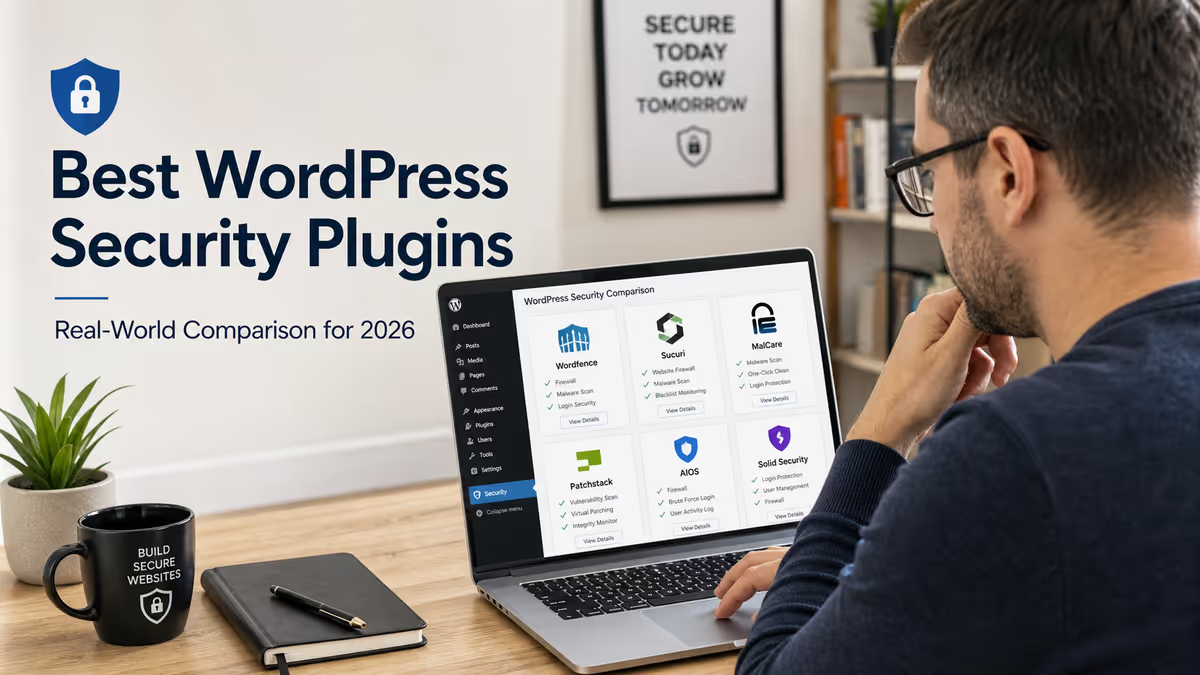
The best WordPress security plugin for most sites is Wordfence because it includes an endpoint firewall, malware scanner, login protection, 2FA, live traffic logs, and vulnerability alerts. But the best choice depends on your risk. Use Sucuri if you want a cloud WAF and blacklist monitoring, MalCare if you want offsite scanning and cleanup workflows, Patchstack if you need vulnerability monitoring and virtual patching, AIOS for free hardening, Solid Security for login and user protection, and Really Simple Security for lightweight SSL, hardening, and login protection.
Choosing the best WordPress security plugin is not as simple as installing the most popular plugin and hoping your site is safe.
A good WordPress security plugin can help block attacks, scan for malware, protect your login page, monitor vulnerable plugins, enforce two-factor authentication, and alert you when something suspicious happens. But no plugin can replace secure hosting, clean backups, regular updates, strong passwords, manual malware inspection, and a proper recovery plan.
After fixing thousands of hacked WordPress sites, I look at security plugins differently. I do not ask only, “Which plugin has the most features?” I ask:
- What attack is this site actually exposed to?
- Is the site already hacked or only being hardened?
- Is this a WooCommerce store, blog, membership site, or agency-managed site?
- Does the owner need malware cleanup, firewall protection, vulnerability monitoring, or login hardening?
- Will the plugin slow down the server or conflict with caching, checkout, page builders, or forms?
In this guide, I will compare the best WordPress security plugins in 2026 and explain which one I would choose for different types of WordPress websites. If your site is already compromised, reinfected, or showing suspicious behavior, you may need a WordPress malware removal expert before any plugin can help properly. And if you want the bigger picture beyond plugins, start with my guide on how to secure a WordPress site.
Quick Verdict: Best WordPress Security Plugins by Use Case
| Use case | Best plugin choice |
|---|---|
| Best overall WordPress security plugin | Wordfence |
| Best cloud WAF and blacklist monitoring | Sucuri |
| Best offsite malware scanning and cleanup workflow | MalCare |
| Best vulnerability monitoring and virtual patching | Patchstack |
| Best beginner-friendly hardening plugin | All-In-One Security, also called AIOS |
| Best login and user security plugin | Solid Security |
| Best lightweight SSL, hardening, and login protection | Really Simple Security |
| Best lightweight vulnerability scanner | Jetpack Protect |
| Best advanced WordPress firewall plugin | NinjaFirewall |
| Best WPMU DEV all-in-one option | Defender Security |
My practical recommendation for most small business websites is:
Use one main WordPress security plugin, add Cloudflare or another edge WAF, enable 2FA, keep clean backups, and remove unused plugins and themes. Do not install three or four overlapping security plugins just because they all have good reviews.
WordPress’s own security documentation says security is continuous work involving planning, monitoring, maintenance, and recovery. It also says the most important security action is keeping WordPress core, plugins, and themes updated, and choosing plugins and themes that are actively maintained.
Why WordPress Security Plugins Matter in 2026
W3Techs reports that WordPress is used by 59.6% of websites with a known CMS and 42.2% of all websites as of April 29, 2026.
That popularity makes WordPress a huge target for automated attacks. Attackers do not need to know your business personally. They scan the web for weak logins, outdated plugins, vulnerable themes, abandoned admin users, exposed XML-RPC, fake plugins, and known vulnerable versions.
Patchstack’s 2026 WordPress security report found 11,334 new vulnerabilities in the WordPress ecosystem in 2025, a 42% increase compared with 2024. It also found that 91% of new vulnerabilities were in plugins and 9% were in themes, with only six low-priority vulnerabilities reported in WordPress core.
That is why choosing the best WordPress security plugin matters. But the plugin you choose should match the risk you are trying to reduce.
What a WordPress Security Plugin Should Actually Do
A good WordPress security plugin should help with at least some of these jobs:
| Security job | What it means |
|---|---|
| Firewall protection | Blocks malicious requests before they exploit vulnerable code |
| Malware scanning | Checks files, database, URLs, redirects, and suspicious code |
| Login protection | Limits brute force attacks, adds 2FA, CAPTCHA, or Turnstile |
| Vulnerability monitoring | Warns you when installed plugins, themes, or core have known vulnerabilities |
| File integrity monitoring | Detects changed core, plugin, theme, or server files |
| Activity logging | Shows admin logins, plugin changes, user changes, and suspicious activity |
| Hardening | Disables risky features and protects sensitive files |
| Cleanup support | Helps remove malware or connect you with cleanup experts |
| Recovery support | Helps reset passwords, salts, sessions, and compromised access |
The mistake many site owners make is expecting one plugin to do everything perfectly.
Some plugins are better at firewall protection. Some are better at malware scanning. Some are better at virtual patching. Some are better for beginners. Some are better for agencies managing many sites.
1. Wordfence Security — Best Overall WordPress Security Plugin
Best for: most small business sites, blogs, WooCommerce stores, DIY website owners, and site owners who want a strong free plugin.
Wordfence is my top overall pick for most WordPress sites because it combines several important security layers in one plugin: endpoint firewall, malware scanner, login security, 2FA, CAPTCHA, live traffic, IP blocking, and vulnerability alerts.
Wordfence’s WordPress.org page says it includes an endpoint firewall, malware scanner, login security features, live traffic views, and a Threat Defense Feed. The free version receives firewall rules and malware signatures with a delay, while Premium receives real-time updates.
Wordfence’s scanner checks WordPress core files, themes, and plugins for malware, bad URLs, backdoors, SEO spam, malicious redirects, and code injections. It also compares core, theme, and plugin files against WordPress.org originals and can repair changed files by overwriting them with clean versions.
As of the current WordPress.org plugin listing, Wordfence has 5+ million active installations, version 8.2.0, and was updated recently.
Why I like Wordfence
Wordfence is strong because it is WordPress-aware. It runs inside the WordPress environment, so it can understand users, roles, plugins, themes, login attempts, and changed WordPress files.
It is also easy to explain to clients:
- it scans files
- it protects login
- it adds 2FA
- it blocks known malicious patterns
- it shows live traffic and attack attempts
- it warns about vulnerable or abandoned plugins
For many small business sites, Wordfence Free is already a useful starting point.
Watch out for
Wordfence runs on your server. That means scans and firewall checks can consume server resources, especially on cheap shared hosting or large WooCommerce sites.
Also, Wordfence is not a CDN or cloud WAF. It does not sit in front of your server like Sucuri or Cloudflare. If your site is under heavy bot traffic or DDoS-style pressure, you may still need Cloudflare, Sucuri WAF, or host-level protection.
My recommendation
Use Wordfence when you want one strong all-around security plugin. For business-critical sites, consider Wordfence Premium for real-time firewall rules and malware signatures.
I already compared this in more detail in my Wordfence vs Sucuri comparison. And if you want to tighten account access, you can also follow my guide on how to enable 2FA in WordPress using Wordfence.
2. Sucuri Security — Best for Cloud WAF, Monitoring, and Blacklist Visibility
Best for: business sites, high-risk sites, blacklisted sites, sites under bot pressure, and owners who want firewall protection before traffic reaches the server.
Sucuri’s free WordPress plugin focuses on security activity auditing, file integrity monitoring, remote malware scanning, blocklist monitoring, security hardening, and post-hack actions.
The remote scanner checks for known malware, viruses, blacklist status, website errors, out-of-date software, and malicious code. Sucuri’s blocklist monitoring checks multiple reputation engines, including Google Safe Browsing, Norton, McAfee SiteAdvisor, SpamHaus, Bitdefender, and others.
Sucuri’s premium firewall is the real strength. The plugin page says the premium website firewall protects against DoS and DDoS attacks, exploitation of software vulnerabilities, zero-day disclosure patches, and brute-force attacks, but it also clearly says this firewall is not included as a free plugin option.
As of the current WordPress.org listing, Sucuri Security has 600,000+ active installations and version 2.7.2.
Why I like Sucuri
Sucuri is useful when you want protection before bad traffic reaches your hosting account.
That matters when:
- your server is small
- your site gets brute-force traffic
- you are dealing with DDoS-style pressure
- your site has been blacklisted
- your business depends on uptime
- you want blacklist and reputation monitoring
My Wordfence vs Sucuri comparison already explains the core difference clearly: Wordfence is an endpoint firewall inside WordPress, while Sucuri is a cloud reverse-proxy WAF in front of the origin.
Watch out for
The free Sucuri plugin is not the same as the paid Sucuri WAF or full security platform. If someone installs only the free plugin and thinks they now have cloud firewall protection, they may misunderstand what they are protected against.
My recommendation
Use Sucuri when you want cloud-layer protection, blacklist monitoring, and a security service in front of your WordPress site.
For high-risk websites, Sucuri can work well with a WordPress-aware plugin like Wordfence, as long as you avoid overlapping rules that create conflicts.
3. MalCare — Best for Offsite Scanning and Cleanup Workflows
Best for: agencies, low-resource hosting, malware-prone sites, and owners who want scanning and cleanup workflow from a dashboard.
MalCare’s WordPress.org page says it includes firewall, malware scanner, cleaner, login protection, and five free layers of protection. It also says the heavy lifting is done on MalCare’s own servers so the website does not slow down.
As of the current WordPress.org listing, MalCare has 200,000+ active installations, version 6.44, and requires PHP 7.0 or higher.
Why I like MalCare
MalCare is attractive for sites on shared hosting because offsite scanning can reduce server load compared with heavy local scanning.
It is also useful for agencies because the dashboard and cleanup workflow are designed for managing multiple websites.
Watch out for
Do not assume an automatic cleaner will catch every backdoor, hidden admin, fake plugin, database injection, or persistence mechanism. In real hacked WordPress sites, malware often hides in places scanners miss: mu-plugins, fake plugins, database options, cron jobs, modified core files, uploads, .htaccess, and theme files.
This is where manual review matters. If the site is already hacked, I recommend starting with how to detect WordPress malware and following up with a full manual cleanup if needed.
My recommendation
Use MalCare when you want offsite scanning, agency-friendly management, and a cleaner workflow. If the site is already hacked, verify the cleanup manually afterward.
If you need that kind of help, you can hire a WordPress malware removal expert directly.
4. Patchstack — Best for Vulnerability Monitoring and Virtual Patching
Best for: agencies, developers, high-risk sites, plugin-heavy websites, and businesses that need protection when a plugin vulnerability is disclosed before they can safely update.
Patchstack is not just another malware scanner. It focuses on vulnerabilities in WordPress core, plugins, and themes.
The Patchstack WordPress plugin page says the free version includes up to 48-hour early warning for new vulnerabilities, automatic updates for vulnerable software, remote update management, and snapshot reports. The paid version includes automatic vulnerability protection with targeted per-site rules when a specific vulnerability is detected.
As of the current WordPress.org listing, Patchstack has 40,000+ active installations, version 2.3.6, and a 4.9-star rating.
Patchstack’s own documentation says it focuses on preemptive protection rather than waiting for infection, and that plugin-level malware scanners can be whitelisted by malware, creating a false impression that a site is clean.
Why I like Patchstack
Patchstack solves a different problem than Wordfence or Sucuri.
It answers:
- Which installed plugin has a known vulnerability?
- Is the theme vulnerable?
- Is there a virtual patch before the vendor releases a fix?
- Which sites in my portfolio need urgent action?
- Can I reduce risk during the window between disclosure and safe update?
This matters because Patchstack’s 2026 report found that 46% of vulnerabilities did not receive a fix by the time of public disclosure, and that roughly half of high-impact vulnerabilities were exploited within 24 hours. For heavily exploited vulnerabilities, the weighted median time to first exploit was 5 hours.
Watch out for
Patchstack is not a traditional malware cleanup plugin. If the site is already infected, you still need malware scanning, manual inspection, and cleanup.
My recommendation
Use Patchstack as a vulnerability intelligence and virtual patching layer, especially for agencies, WooCommerce stores, and plugin-heavy sites.
For serious sites, Patchstack pairs well with Cloudflare or Sucuri at the edge and Wordfence or MalCare for scanning and login visibility.
5. All-In-One Security, AIOS — Best Free Hardening Plugin for Beginners
Best for: beginners, small business sites, blogs, and owners who want guided hardening without complicated security dashboards.
AIOS includes login security, file and database security, firewall rules, spam prevention, and a clear security scoring system. Its WordPress.org page says it includes login lockouts, 2FA, file change notifications, file and folder permission scanning, PHP, .htaccess, and 6G firewall rules, fake Google bot blocking, and more.
AIOS has 1+ million active installations, version 5.4.7, and a 4.7-star rating on WordPress.org.
Why I like AIOS
AIOS is good for beginners because it groups security options logically and shows a score as you enable protections.
Good AIOS use cases:
- simple blogs
- brochure sites
- small business websites
- users who want free login hardening
- users who want basic file and firewall hardening
Watch out for
AIOS includes many hardening options. Do not enable everything blindly.
Some hardening rules can conflict with:
- page builders
- REST API integrations
- membership plugins
- WooCommerce checkout
- caching plugins
- Nginx or IIS hosting environments
The plugin page also notes that some features using .htaccess will not apply on Windows IIS or Nginx servers.
My recommendation
Use AIOS when you want a free, guided hardening plugin and you do not need the deeper malware scanning and firewall ecosystem of Wordfence.
6. Solid Security — Best for Login Security and User Protection
Best for: sites with multiple users, membership sites, client sites, blogs with editors, and owners who care most about login and account security.
Solid Security, formerly iThemes Security, focuses heavily on login protection and user security.
Its WordPress.org page says it includes brute-force protection, login authentication security, setup templates for different site types, 2FA, password requirements, reCAPTCHA in Pro, passwordless login in Pro, trusted devices in Pro, and automated vulnerability patching through Patchstack in Pro.
Solid Security has 700,000+ active installations, version 9.4.7, and requires WordPress 6.5 or higher and PHP 7.4 or higher.
Why I like Solid Security
Solid Security is useful when user access is your biggest risk.
That includes:
- sites with many editors
- WooCommerce shops with staff accounts
- membership sites
- LMS sites
- nonprofit sites with volunteers
- sites where clients manage users themselves
The setup templates are also helpful for non-technical users because a WooCommerce store, blog, and portfolio site do not need exactly the same security settings.
Watch out for
Solid Security is not my first choice if the main need is deep malware scanning or manual cleanup. It is stronger as a login, user, and hardening tool.
My recommendation
Use Solid Security when you want guided login protection, 2FA, password policy enforcement, and user group security.
7. Really Simple Security — Best Lightweight SSL, Hardening, and Login Protection Plugin
Best for: non-technical users, SSL migration, lightweight hardening, and basic login protection.
Really Simple Security, formerly Really Simple SSL, is a good choice when you want simple security without a complex dashboard.
Its WordPress.org page says it includes WordPress hardening, 2FA, login protection, vulnerability detection, SSL certificate handling, HTTPS redirect, secure cookies, XML-RPC disabling, user enumeration prevention, upload-folder code-execution prevention, and more.
As of the current WordPress.org listing, Really Simple Security has 3+ million active installations, version 9.5.10.1, and a 4.9-star rating.
Why I like Really Simple Security
It is beginner-friendly and practical for sites that need:
- SSL and HTTPS cleanup
- simple hardening
- vulnerability warnings
- 2FA by role
- login protection
- XML-RPC disabling
- upload-folder execution protection
My Really Simple Security review already covers it as a simple SSL and hardening plugin, so this comparison article does not need to repeat every setup step.
Watch out for
Really Simple Security and Wordfence overlap in several areas. The plugin’s FAQ itself warns that if you use it beside Wordfence, you should not enable similar features twice.
My recommendation
Use Really Simple Security for lightweight hardening and SSL-focused security. If you already use Wordfence, only enable non-overlapping features.
8. Jetpack Protect — Best Lightweight Vulnerability Scanner
Best for: simple sites that want easy vulnerability scanning without a full security suite.
Jetpack Protect is useful when you want quick visibility into vulnerable WordPress core, plugins, and themes.
Its WordPress.org page says the free plan scans your WordPress version, plugins, and themes for vulnerabilities using the WPScan database, which it says contains more than 53,500 registered vulnerabilities. It also says upgraded plans include daily malware scanning, one-click fixes for most issues, and a web application firewall.
Jetpack Protect has 100,000+ active installations, version 5.0.0, and does not require the main Jetpack plugin to run.
Why I like Jetpack Protect
Jetpack Protect is simple. It is not the most advanced security stack, but it is easy for small site owners to understand.
Good fit for:
- small blogs
- simple business sites
- users who already trust Automattic tools
- site owners who mainly want vulnerability alerts
Watch out for
The free plan is more of a vulnerability scanner than a full WordPress security suite. If you need strong firewall controls, login hardening, file monitoring, or advanced cleanup, you may need another tool.
My recommendation
Use Jetpack Protect when you want lightweight vulnerability visibility, not when you need a full security operations setup.
9. NinjaFirewall — Best Advanced WordPress Firewall Plugin
Best for: technical users, developers, agencies, and site owners who want a real firewall-style plugin that runs before WordPress loads.
NinjaFirewall is different from many WordPress plugins because it describes itself as a true Web Application Firewall that can be installed like a plugin but stands in front of WordPress. It can inspect, sanitize, or reject HTTP and HTTPS requests before they reach WordPress or its plugins.
NinjaFirewall also includes file integrity monitoring, live traffic logs, security notifications, admin login monitoring, plugin and theme change monitoring, and automatic security rule updates.
It has 100,000+ active installations, version 4.8.5, and requires PHP 7.1 or higher. It is compatible with Unix-like systems such as Linux and BSD and is not compatible with Microsoft Windows.
Why I like NinjaFirewall
NinjaFirewall is a strong choice for technical users because it works before WordPress loads. That can help reduce load during brute-force attacks and block malicious requests earlier in the request lifecycle.
Watch out for
It is not as beginner-friendly as some other plugins. Some users may find Wordfence, AIOS, or Really Simple Security easier to configure.
My recommendation
Use NinjaFirewall when you are comfortable with more technical firewall concepts and want strong application-layer filtering without routing traffic through a third-party cloud WAF.
10. Defender Security — Good All-in-One Option for WPMU DEV Users
Best for: WPMU DEV users, agencies already using WPMU DEV tools, and users who want a polished all-in-one security dashboard.
Defender includes malware scanning, firewall, password protection, login security, brute force protection, IP blocking, activity logs, security logs, 2FA, login masking, security headers, 404 detection, reCAPTCHA, Cloudflare Turnstile, file editor disabling, security key updates, and PHP execution prevention.
It has 90,000+ active installations, version 5.11.0, and requires PHP 8.0 or higher.
Why I like Defender
Defender is a good fit if you already use WPMU DEV’s ecosystem. It has a clear interface and a broad feature set.
Watch out for
PHP 8.0+ is required, so older hosting environments may not support it. Also, like other all-in-one plugins, avoid enabling every possible feature without testing.
My recommendation
Use Defender if you are already in the WPMU DEV ecosystem or want a polished all-in-one plugin with login, malware scanning, firewall, and hardening features.
Best WordPress Security Plugin Comparison Table
| Plugin | Best for | Main strength | Main limitation |
|---|---|---|---|
| Wordfence | Most WordPress sites | Endpoint firewall, malware scanner, 2FA, login protection | Runs on your server, not a CDN or cloud WAF |
| Sucuri | Business sites and high-risk sites | Cloud WAF, monitoring, blocklist visibility | Best firewall features are paid |
| MalCare | Agencies and cleanup workflow | Offsite scanning and cleaner workflow | Still needs manual verification after infection |
| Patchstack | Vulnerability protection | Early warnings and virtual patching | Not a traditional malware scanner |
| AIOS | Beginners and free hardening | Login security, firewall rules, hardening score | Some rules can conflict if enabled blindly |
| Solid Security | Login and user protection | 2FA, password policies, user groups | Not the deepest malware scanner |
| Really Simple Security | SSL and lightweight hardening | HTTPS, hardening, 2FA, vulnerability detection | Overlaps with Wordfence if both fully enabled |
| Jetpack Protect | Lightweight vulnerability scanning | WPScan-powered vulnerability alerts | Free version is not a full security suite |
| NinjaFirewall | Technical firewall users | True WAF before WordPress loads | More technical setup |
| Defender | WPMU DEV users | Broad all-in-one feature set | Requires PHP 8+ |
Best Plugin Stack by Website Type
Small Business Website
Recommended stack:
- Wordfence Free or AIOS
- Cloudflare Free
- 2FA for all admin users
- Cloudflare Turnstile on login and contact forms
- offsite backup plugin
- regular plugin and theme updates
Best choice: Wordfence Free if you want scanning and firewall visibility.
Alternative: AIOS if you want beginner-friendly hardening.
WooCommerce Store
Recommended stack:
- Wordfence Premium or Sucuri WAF
- Cloudflare WAF and rate limiting
- 2FA for admins and shop managers
- Patchstack for vulnerability monitoring
- clean offsite backups
- activity logs
Best choice: Wordfence + Cloudflare for most WooCommerce stores.
Best premium edge option: Sucuri WAF.
Be careful with aggressive login, country blocking, or firewall rules on WooCommerce because checkout, cart, account pages, payment gateways, and AJAX requests can break if rules are too strict.
Agency Managing Many WordPress Sites
Recommended stack:
- MalCare or Wordfence Central
- Patchstack for vulnerability intelligence
- Cloudflare rules for login and XML-RPC
- monthly plugin, theme, and user audits
- offsite backups
- activity logging
Best choice: MalCare + Patchstack for agencies that want dashboards, scanning, cleanup workflow, and vulnerability visibility.
Plugin-Heavy Website
Recommended stack:
- Patchstack
- Wordfence or NinjaFirewall
- Cloudflare or Sucuri WAF
- staging environment for updates
- weekly vulnerability review
Best choice: Patchstack because plugin-heavy sites are exposed to plugin vulnerabilities.
Already-Hacked WordPress Site
Recommended order:
- Do not start by installing five security plugins.
- Put the site behind Cloudflare or maintenance protection if needed.
- Take a full backup for forensic review.
- Scan files and database.
- Check admin users, hidden users, mu-plugins, fake plugins,
.htaccess, cron jobs, and database options. - Remove malware manually.
- Patch the original entry point.
- Rotate passwords, salts, API keys, and application passwords.
- Install security plugin and harden after cleanup.
Best plugin after cleanup: Wordfence, MalCare, Sucuri, or Patchstack, depending on the case.
Important: if a site is already infected, a security plugin may not detect every hidden backdoor. Modern infections increasingly use stealth, cloaking, reinfection, and persistent infrastructure, which makes cleanup more complex.
If that is the situation, start with my WordPress malware removal service and read why WordPress malware keeps coming back so you do not just clean the symptom.
My Recommended Security Plugin Setups
Free / Low-Budget Setup
Use this for small blogs and basic business sites:
- Wordfence Free or AIOS
- Cloudflare Free
- Cloudflare Turnstile or plugin CAPTCHA
- 2FA for admins
- UpdraftPlus or another offsite backup tool
- monthly plugin, theme, and user audit
This setup is not perfect, but it is much better than having no protection.
Serious Business Setup
Use this for business websites that generate leads or sales:
- Wordfence Premium or Sucuri WAF
- Patchstack for vulnerability monitoring
- Cloudflare WAF and rate limiting
- 2FA for all privileged users
- offsite backups with restore testing
- activity logging
- monthly manual security review
This setup gives you prevention, detection, and recovery.
High-Risk / Previously Hacked Site Setup
Use this after proper cleanup:
- Sucuri WAF or Cloudflare Pro/Business
- Wordfence Premium or NinjaFirewall
- Patchstack
- server-level malware scanning if available
- strict admin user audit
- application password review
- hidden admin and backdoor inspection
- weekly file and database review for the first month
This is the kind of stack I would consider for a site that has already been infected, blacklisted, or reinfected.
Do You Need More Than One WordPress Security Plugin?
Usually, you should not install multiple all-in-one security plugins at the same time.
Bad example:
- Wordfence
- AIOS
- Solid Security
- Really Simple Security
- Defender
All enabled together with firewall, login limiting, CAPTCHA, 2FA, file changes, and hardening.
That can cause:
- lockouts
- checkout problems
- broken REST API requests
- duplicate firewall rules
- false positives
- slow admin dashboard
- bloated database logs
- plugin conflicts
A better stack is:
- one main WordPress security plugin
- one edge WAF or CDN
- one backup solution
- one vulnerability monitoring layer if needed
- one activity log if your main plugin does not provide enough logging
Cloudflare’s own documentation explains that rate limiting rules can protect login endpoints from brute-force attacks by applying actions after request thresholds are reached. WordPress’s brute-force guidance also recommends edge and WAF protections so bad traffic can be blocked before it reaches the server.
What Security Plugins Cannot Do
A WordPress security plugin is helpful, but it cannot solve everything.
A Plugin Cannot Fix Bad Hosting
If your hosting account has weak isolation, outdated PHP, poor permissions, or compromised neighboring sites, a plugin can only do so much.
A Plugin Cannot Replace Clean Backups
If malware destroys files or the database, you need a clean restore point.
A Plugin Cannot Always Remove Hidden Backdoors
Many hacked sites contain hidden admin users, fake plugins, mu-plugins, malicious cron jobs, modified .htaccess, database malware, or PHP shells in uploads. If that sounds familiar, read my guide on how to detect WordPress malware.
A Plugin Cannot Fully Protect Abandoned Software
If you keep abandoned plugins, old themes, nulled plugins, or vulnerable premium add-ons, you are leaving doors open.
A Plugin Cannot Eliminate Supply-Chain Risk
In April 2026, Patchstack reported a supply-chain compromise affecting more than 20 EssentialPlugin WordPress plugins, where a malicious party acquired the vendor, planted a backdoor, and triggered it to plant malware on thousands of sites.
This is why your strategy should never be “install plugin X and you are safe.” A better message is simple:
Security plugins reduce risk. They do not remove the need for updates, backups, monitoring, manual inspection, and incident response.
How to Choose the Best WordPress Security Plugin
Use this checklist before installing a plugin:
- Is the plugin actively updated?
- Does it support your current WordPress and PHP version?
- Does it duplicate another security plugin already installed?
- Does it include 2FA?
- Does it protect login attempts?
- Does it monitor vulnerable plugins and themes?
- Does it scan files locally or remotely?
- Does it include firewall rules?
- Does it offer cleanup or only detection?
- Does it work with WooCommerce, membership plugins, and page builders?
- Does it create heavy logs in the database?
- Can you disable features you do not need?
- Can you export and import settings for client sites?
- Is there documentation for lockout recovery?
- Is there human support if your site is hacked?
Before enabling aggressive settings, take a backup and test:
- login
- password reset
- checkout
- contact forms
- search
- filters
- page builder save
- REST API integrations
- payment gateway callbacks
- mobile layout
- caching
Final Recommendation
For most WordPress sites, I would start with Wordfence because it gives the best all-around mix of firewall, malware scanning, login security, 2FA, live traffic, and vulnerability alerts.
But if I had to choose by situation:
- Choose Wordfence for the best overall plugin.
- Choose Sucuri if you want a cloud WAF and blacklist monitoring.
- Choose MalCare if you want offsite scanning and cleanup workflow.
- Choose Patchstack if vulnerabilities and virtual patching are your biggest concern.
- Choose AIOS if you want free beginner-friendly hardening.
- Choose Solid Security if login and user access are your biggest risks.
- Choose Really Simple Security if you want lightweight SSL, hardening, and 2FA.
- Choose Jetpack Protect if you want simple vulnerability scanning.
- Choose NinjaFirewall if you want a more technical firewall layer before WordPress loads.
- Choose Defender if you already use WPMU DEV tools.
The best WordPress security plugin is the one that matches your site’s risk, your hosting environment, your technical skill level, and your recovery plan.
And if your site is already redirecting, blacklisted, showing fake CAPTCHA popups, creating hidden admin users, or reinfecting after cleanup, do not rely only on installing a plugin. Clean the malware first, patch the entry point, then install and configure the right security stack.
If you are already dealing with suspicious users, reinfection, or hidden access, read my guides on hidden admin users in WordPress, why WordPress malware keeps coming back, and how to detect WordPress malware. And if you need direct help, you can hire a WordPress malware removal expert.
FAQ
What is the best WordPress security plugin?
The best WordPress security plugin for most websites is Wordfence because it includes an endpoint firewall, malware scanner, login protection, 2FA, vulnerability alerts, and live traffic monitoring. But the best plugin depends on the site. Sucuri is better for cloud WAF protection, Patchstack is better for vulnerability monitoring, and MalCare is better for offsite scanning and cleanup workflow.
What is the best free WordPress security plugin?
The best free WordPress security plugin for most sites is Wordfence Free. AIOS is also a strong free option for beginner-friendly hardening, login protection, firewall rules, and 2FA.
Is Wordfence better than Sucuri?
Wordfence is better if you want a WordPress-specific endpoint firewall and scanner inside your dashboard. Sucuri is better if you want a cloud WAF in front of your website, blacklist monitoring, and protection before traffic reaches your server.
Is Sucuri free?
Sucuri has a free WordPress plugin for auditing, monitoring, remote scanning, hardening, and post-hack actions. Its cloud WAF and premium security features are paid.
Is Patchstack a replacement for Wordfence?
No. Patchstack focuses on vulnerability monitoring and virtual patching. Wordfence focuses more on endpoint firewall protection, malware scanning, login security, and live traffic. They can complement each other.
Can a WordPress security plugin remove malware?
Some plugins include malware removal tools or cleanup workflows, but no plugin can guarantee full cleanup of every hacked WordPress site. Hidden admin users, fake plugins, database malware, cron jobs, and backdoors often require manual inspection.
Do WordPress security plugins slow down websites?
They can, depending on the plugin, hosting, scan settings, and traffic. Endpoint scanners and app-level firewalls run on your server, while cloud WAFs and offsite scanners can reduce server load. Schedule scans carefully and avoid overlapping security plugins.
Should I install more than one WordPress security plugin?
Usually no. You should avoid installing multiple all-in-one security plugins because they can conflict. A better setup is one main security plugin, one edge WAF or CDN, one backup tool, and vulnerability monitoring if needed.
What is the best security plugin for WooCommerce?
For WooCommerce, Wordfence Premium, Sucuri WAF, Patchstack, and MalCare are strong choices depending on your needs. Be careful with aggressive firewall, login, or country-blocking rules because they can break checkout, payment callbacks, customer login, or cart behavior.
Can Cloudflare replace a WordPress security plugin?
Cloudflare can block many bad requests before they reach your server, but it does not fully replace a WordPress-aware security plugin. Cloudflare is strong at edge filtering, rate limiting, bot challenges, and WAF rules. A WordPress plugin can still help with malware scanning, user security, file changes, and plugin and theme vulnerability visibility.